 Skip to content

Remote Mouse & Keyboard connects saved Mac actions to Siri and the Shortcuts app. That makes voice control useful for discrete commands such as a keyboard shortcut, media action, app command, system command, or a custom workflow.
Quick Answer
Yes, Siri can control a paired Mac from iPhone through Remote Mouse & Keyboard actions in Shortcuts. Save the Mac in the app, create a shortcut with the computer action you need, choose the Mac, name the shortcut, and ask Siri to run it. The Mac must normally be awake, reachable on the local network, and running Remote Helper.
How to Create a Mac Control Shortcut
- Pair and save the Mac in Remote Mouse & Keyboard.
- Confirm the desired command works when tapped in the app.
- Open Apple’s Shortcuts app and create a shortcut.
- Search for actions from Remote Mouse & Keyboard.
- Choose the saved Mac and configure the action.
- Give the shortcut a short, distinctive name.
- Run it once in Shortcuts, then ask Siri to run that name.
Useful Siri Ideas
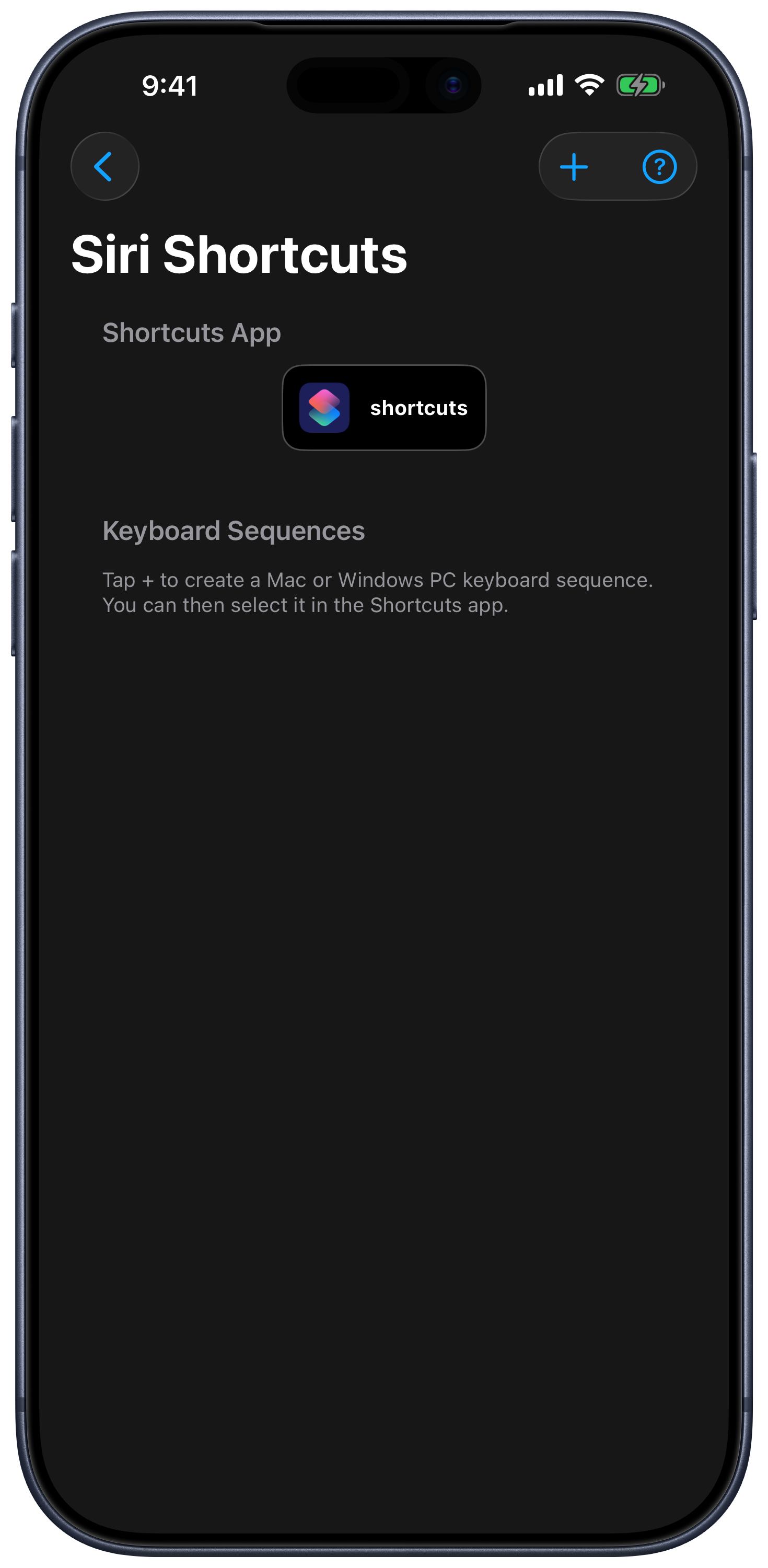
For keyboard input, first create a named Mac sequence in Settings → Siri Shortcuts → Keyboard Sequences, then select it with [Computer] Send Keyboard Sequence. Use the dedicated [Computer] Launch Application, Open Website, Run Computer Action, and system actions for other tasks. The current Shortcuts guide lists the action groups and setup steps.
- Send a media play/pause or volume command.
- Open a saved Mac app.
- Run a keyboard shortcut for a presentation or workflow.
- Trigger a supported sleep or system action.
- Run a custom AppleScript-backed action you deliberately created.
- Combine the Mac command with lights, focus modes, or other Shortcuts actions.
What Siri Control Is Not
Siri runs discrete shortcut actions; it does not replace the live trackpad for continuous pointer movement. Commands also do not bypass macOS permissions, locked screens, unavailable apps, network isolation, or a stopped Remote Helper. Test any action that can close apps, sleep, restart, or shut down the Mac before relying on it.
Siri Mac Control FAQ
Can I use a custom spoken phrase?
Siri can run a shortcut by its name. Choose a name that does not conflict with a built-in Siri command and test it aloud.
Can Siri wake the Mac first?
You can use the app’s Wake-on-LAN action for a compatible saved Mac, but waking depends on the hardware, power state, and network. Read Wake a Mac from iPhone before combining wake and control actions.
Where can I manage the shortcuts created for the app?
See the Siri Shortcuts settings guide and the Shortcuts app on iPhone or iPad.
Common questions
Can Siri control my Mac from iPhone?
Yes. Remote Mouse & Keyboard exposes supported computer actions to Shortcuts so Siri can run saved keyboard, media, app, system, and custom actions on a paired Mac.
Does the Mac need to be awake?
Normal remote actions need the Mac awake, reachable, and running Remote Helper. A separate Wake-on-LAN action may wake compatible saved Macs when the network and hardware support it.
Can Siri move the mouse continuously?
Siri is best for discrete saved actions. Use the app's trackpad for continuous pointer movement and gestures.