
Point. Scroll. Swipe.
Use multi-touch gestures to move around your computer from your phone or tablet.
 Skip to content

A focused wireless trackpad and keyboard for your Mac or Windows PC. Built for iPhone and iPad.
iPhone & iPad · Mac & Windows helper
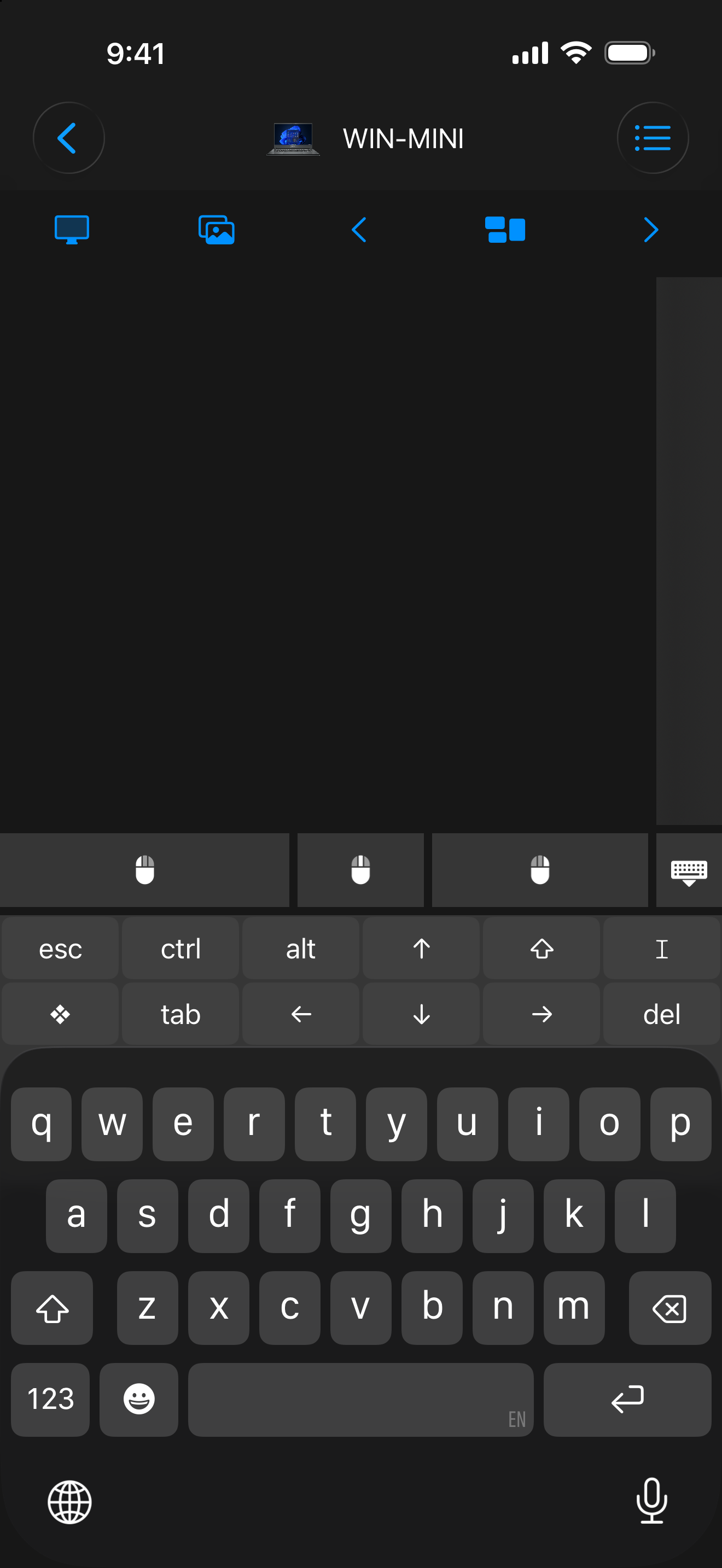
Use multi-touch gestures to move around your computer from your phone or tablet.
Type with text shortcuts, emoji, and function keys in portrait or landscape.
Install Remote Helper, join the same local network, and approve your device on the computer.
Mouse · Keyboard, also known as Input, gives your iPhone or iPad a dedicated job: controlling your Mac or Windows PC with a trackpad and keyboard. Use multi-touch scrolling and gestures, enter text, and switch between your computers.
The app supports portrait and landscape layouts, light and dark appearance, text shortcuts, emoji, and function keys.
Choose Mouse · Keyboard for a focused trackpad and keyboard. Choose Remote Mouse & Keyboard for media controls, custom keypads, app actions, Siri workflows, and supported TV connections.
Both use Remote Helper for computer connections. See the app comparison for other options.
Your devices need to reach each other on the same local network. Guest or isolated Wi-Fi can block connections. Remote Helper handles computer authorization and the permissions needed for input control. Read the local network and security guide.
Checked September 30, 2026. Availability, pricing, and requirements can change; the App Store listing has the latest details.
| Detail | App Store listing |
|---|---|
| Name | Mouse · Keyboard |
| Version checked | 2026.44 |
| iOS / iPadOS requirement | 17.0 or later |
| Download price | USD 7.99 in the US store |
| Source | View Mouse · Keyboard on the App Store |
Install Remote Helper on your Mac or Windows PC, connect both devices to the same local network, then choose your computer in Mouse · Keyboard and approve access when prompted.
Mouse · Keyboard focuses on trackpad and keyboard input. Remote Mouse & Keyboard adds broader controls such as media remotes, custom keypads, app actions, and supported TV connections.
Help from the maker
Start with the guide, or get in touch with the developer.