 Skip to content

Remote Mouse & Keyboard lets an iPhone or iPad send text and keyboard commands to a Mac. It is useful when the Mac is connected to a TV, mounted in a studio, running a presentation, or simply beyond comfortable reach.
Quick Answer
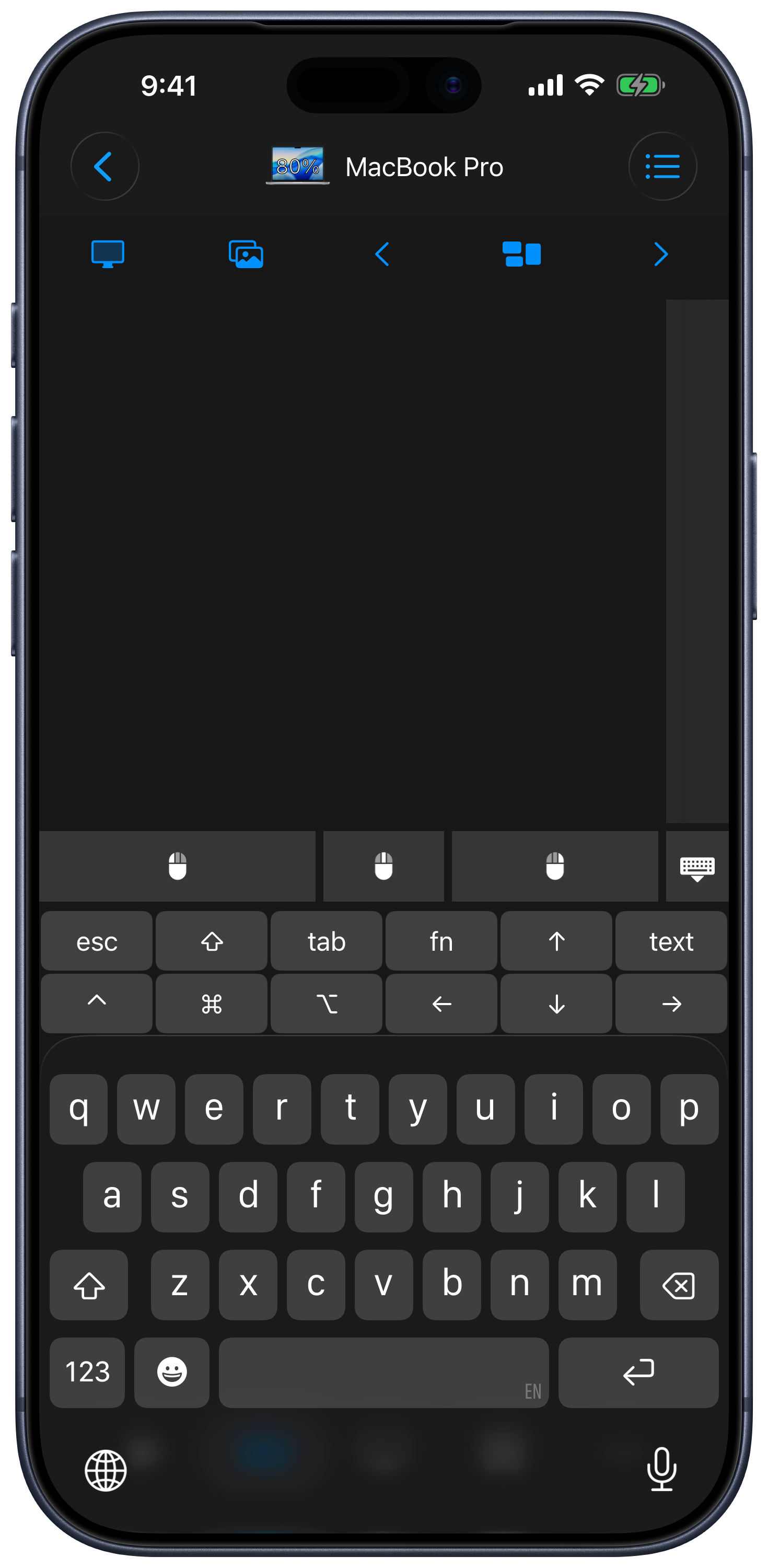
Yes, you can use an iPhone as a keyboard for Mac. Install Remote Helper on the Mac, put both devices on the same Wi-Fi network, connect from Remote Mouse & Keyboard, and open the keyboard in the Input screen. You can type text, send shortcuts and function keys, use dictation, and switch to trackpad control without changing devices.
How to Set It Up
- Install Remote Mouse & Keyboard on iPhone or iPad.
- Install Remote Helper on the Mac from rs.ltd/get.
- Connect both devices to the same Wi-Fi network or personal hotspot.
- Choose the Mac in the app.
- Open Input, then show the keyboard or shortcut layout you need.
What You Can Send
- Normal text from the iPhone or iPad keyboard.
- Modifier-key combinations and common Mac shortcuts.
- Function, navigation, and media keys.
- Dictated text through the iPhone keyboard.
- Custom multi-step keyboard actions from a keypad.
The Input guide explains keyboard modes, text preview, function keys, and trackpad gestures. The custom keypad guide covers reusable shortcut buttons.
Good Uses
- Type searches on a Mac connected to a television.
- Control slides without standing at the keyboard.
- Enter short text on a studio or music Mac.
- Combine keyboard shortcuts with mouse, media, and app controls.
- Use iPad as a larger keyboard-and-trackpad surface.
Important Limits
The Mac helper must be running and reachable. This is not a Bluetooth keyboard that works independently of macOS. Keep a physical keyboard for startup, macOS Recovery, FileVault unlock, network failure, and any secure or locked-down screen that does not accept remote input.
iPhone Keyboard for Mac FAQ
Can I use iPhone dictation to type on Mac?
Yes. Dictation can create text on the iPhone keyboard and send it to the connected Mac. Results depend on the active text field and keyboard settings.
Can I send custom shortcuts?
Yes. Use keyboard shortcut controls or build a custom keypad for the commands you use repeatedly.
Does this also include a mouse?
Yes. The same Input area includes trackpad and mouse controls. See iPhone Mouse for Mac for the complete setup.
Common questions
Can I use my iPhone as a keyboard for Mac?
Yes. Remote Mouse & Keyboard sends text, keyboard shortcuts, function keys, and dictation input from iPhone or iPad to a paired Mac over the local network.
Can it type before I log in to the Mac?
Do not rely on a network remote for startup, recovery, FileVault login, or other states before macOS and Remote Helper are available. Keep a physical keyboard for those cases.
Does it replace a Bluetooth keyboard?
It can replace one for couch control, searches, presentations, and quick typing, but it uses Remote Helper over the local network rather than acting as a Bluetooth HID keyboard.