Skip to content
Remote Sunrise

English press kit · Remote control

Remote Mouse & Keyboard

A trackpad, keyboard, media remote, and custom control panel. All on your iPhone or iPad.

ZIP · 21.9 MB · 28 original screenshots · 1024 × 1024 app icons, including Pro · Fact sheets & company bio

Updated November 10, 2026 · Fact sheet (TXT) · Facts (JSON)

About the app

Remote Mouse & Keyboard brings a computer's everyday controls to an iPhone or iPad. It combines a wireless trackpad and keyboard with media controls, an application launcher, system actions, and customizable shortcut keypads. It connects to a Mac or Windows PC through the free Remote Helper, making it useful beside a presentation, on the sofa, or at a desk with a compact keyboard.

Key features

  • Remote Mouse & Keyboard turns your iPhone or iPad into a trackpad, keyboard, and media remote for a Mac or Windows PC. Connect through Remote Helper on your local network to move the pointer, type into desktop apps, adjust playback, and launch applications from your seat.
  • Custom keypads put your frequently used keyboard shortcuts, media commands, and app actions on buttons you design. In Remote Mouse & Keyboard, you can change the grid, labels, colors, and button size, then build a panel around the computer application or task you use most often.
  • Remote Mouse & Keyboard saves your computers and supported devices in a device list that you can organize by room. Choose a default device, reopen its controls when needed, and customize the Input Bar or supported Siri actions for the way you use that particular device.

What it needs

Computer control requires Remote Helper on the Mac or Windows PC and a reachable connection. Features and available actions vary by computer platform. The separate Pro edition has its own App Store listing.
Original resolution. Ready to use.

Screenshots

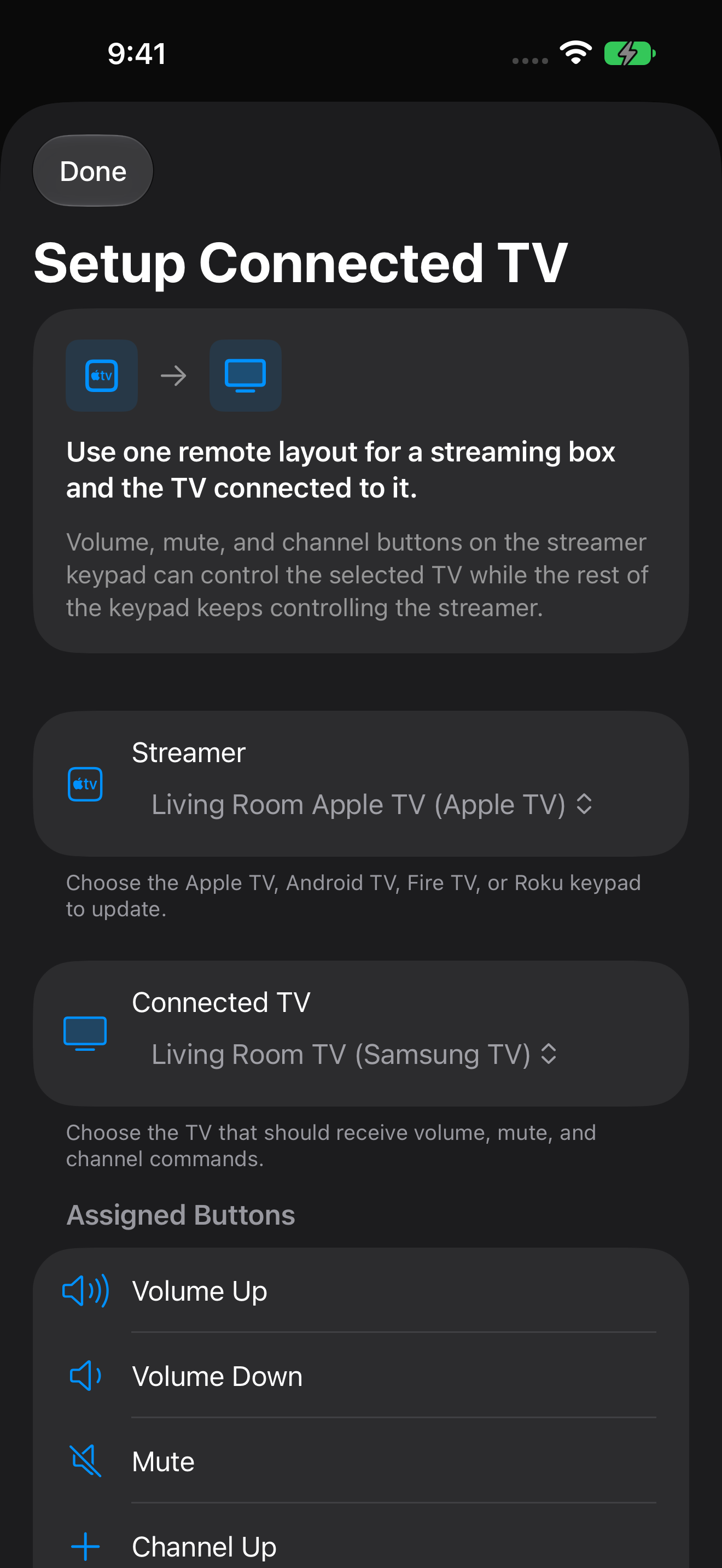
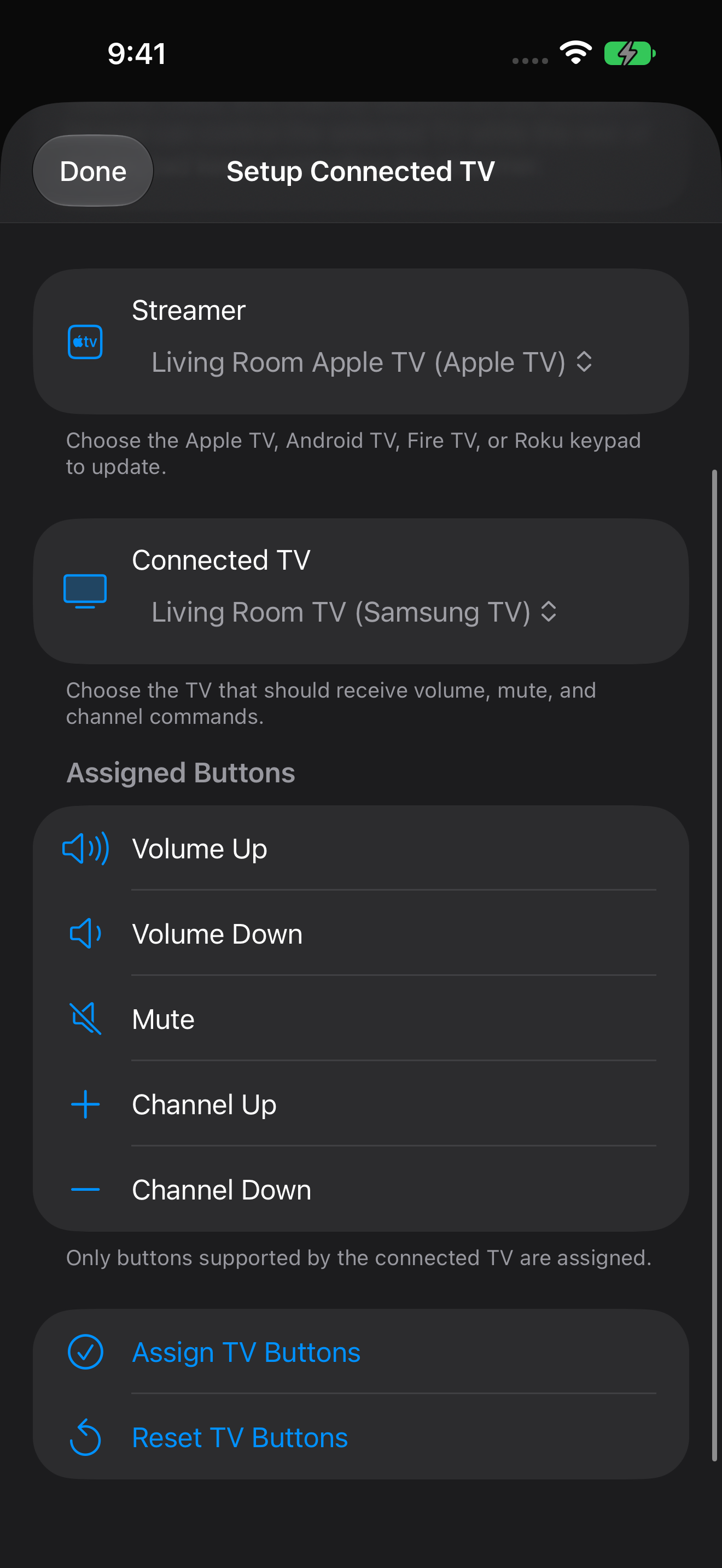
English captures cover the main computer keypad, trackpad/keyboard, Live View, apps, system controls, AirPlay, TV controls, and saved devices, plus keypad editing, appearance, widget customization, Siri, and streamer-to-TV setup. November 2026 current captures are supplemented by dated existing originals; assignment views use offline demo devices. The Pro icon is included separately.

Select an image to open the original PNG. Every original is also in the ZIP.

Main screens

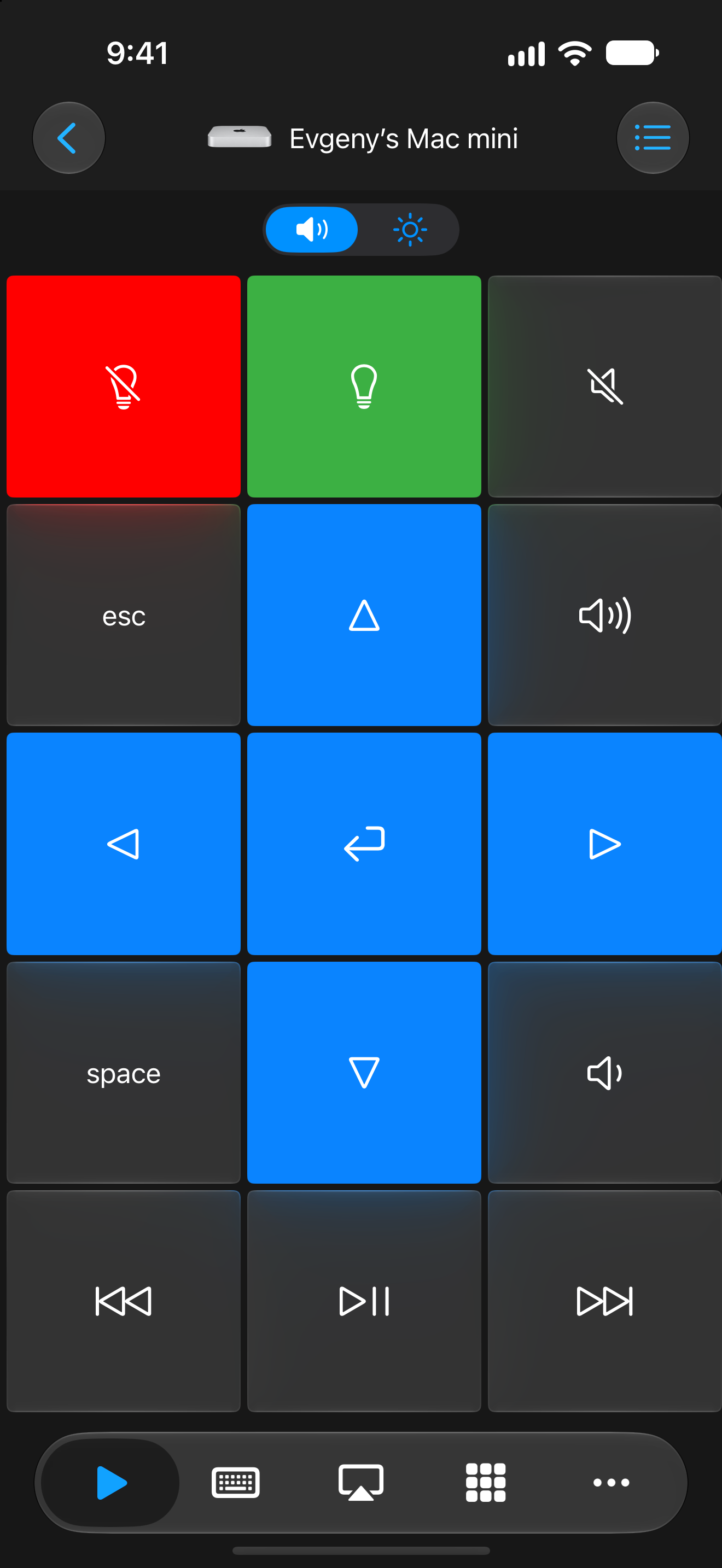
Remote Mouse & Keyboard: Main computer keypad with media and navigation controls
Main computer keypad with media and navigation controls 1320 × 2868 · PNGOctober 21, 2026
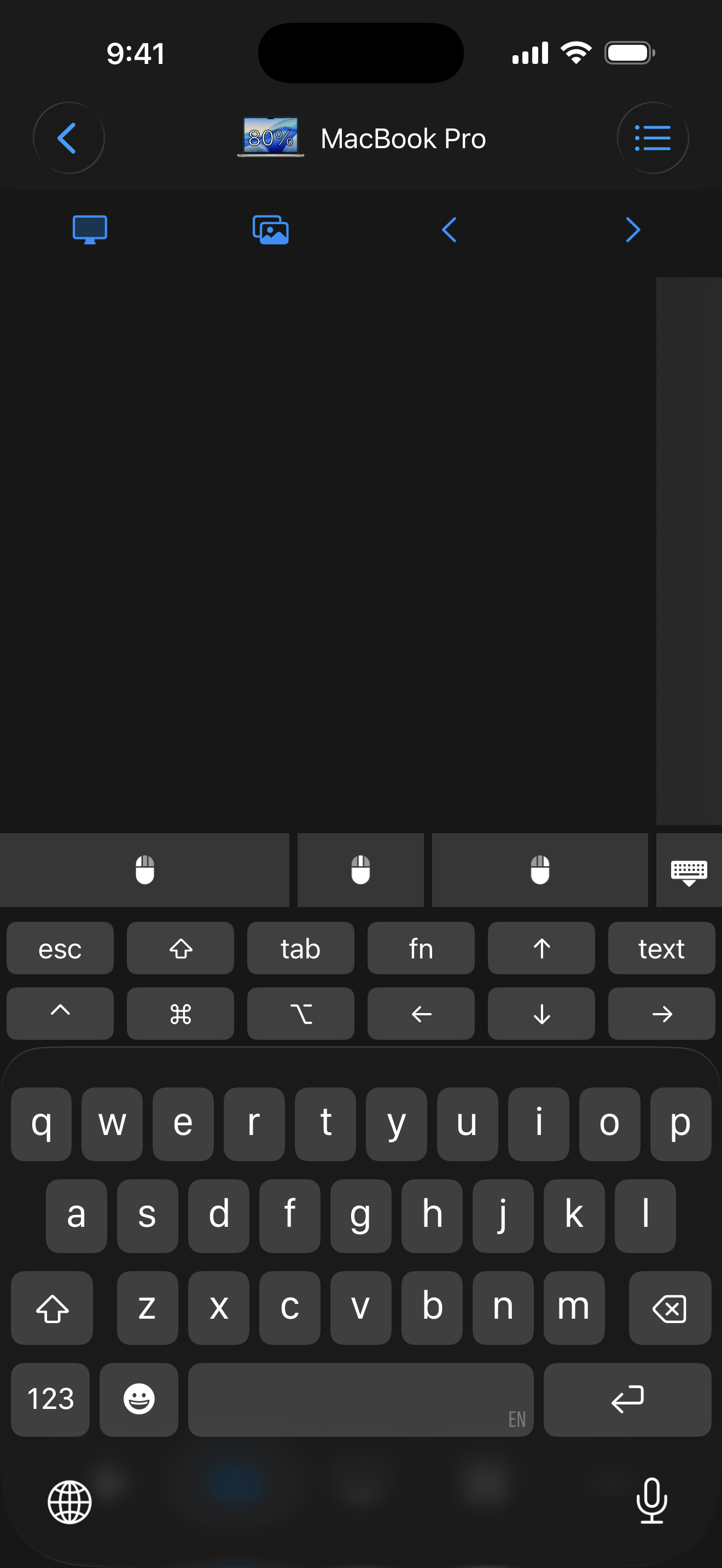
Remote Mouse & Keyboard: Trackpad and keyboard
Trackpad and keyboard 1320 × 2868 · PNGNovember 2026 product set
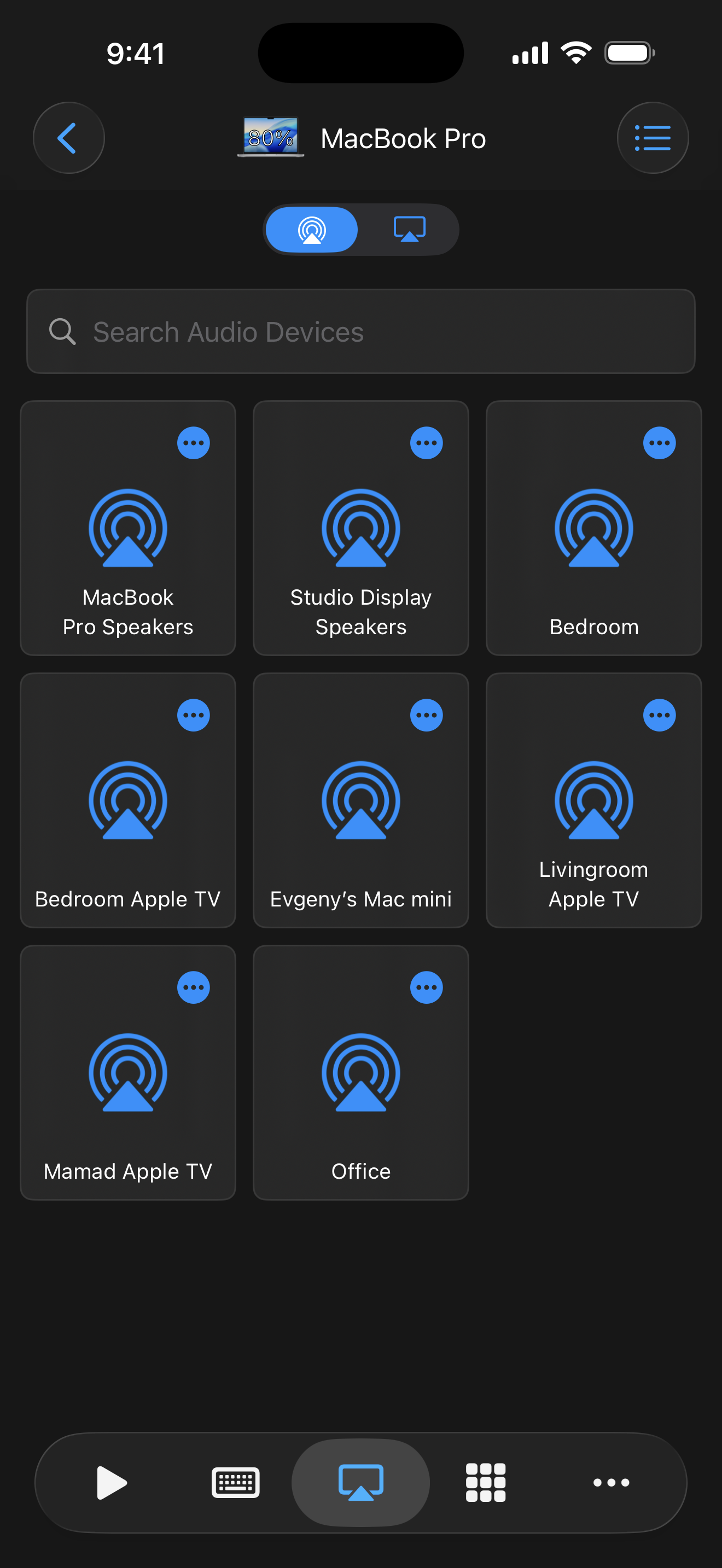
Remote Mouse & Keyboard: AirPlay audio output selector
AirPlay audio output selector 1320 × 2868 · PNGNovember 2026 product set
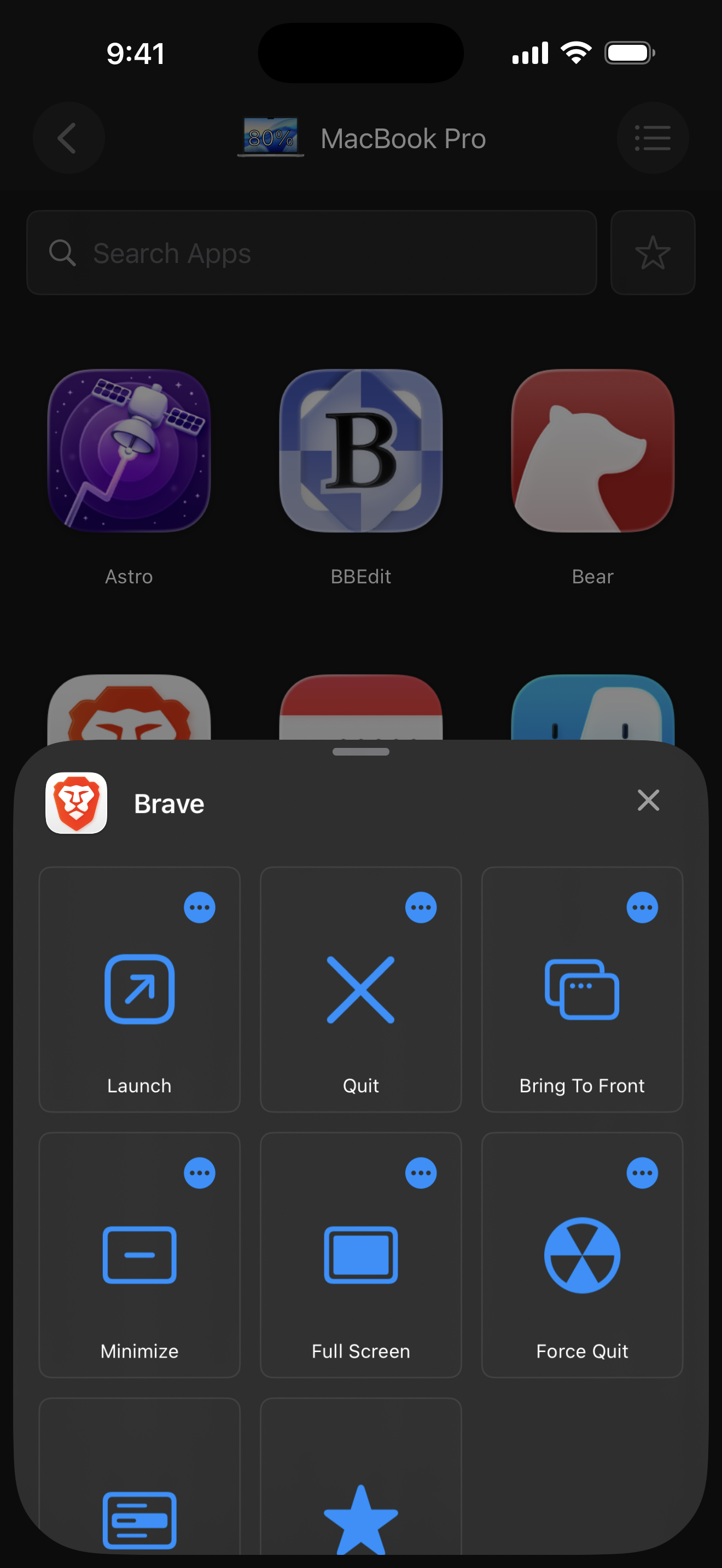
Remote Mouse & Keyboard: Application launcher and app actions
Application launcher and app actions 1320 × 2868 · PNGNovember 2026 product set
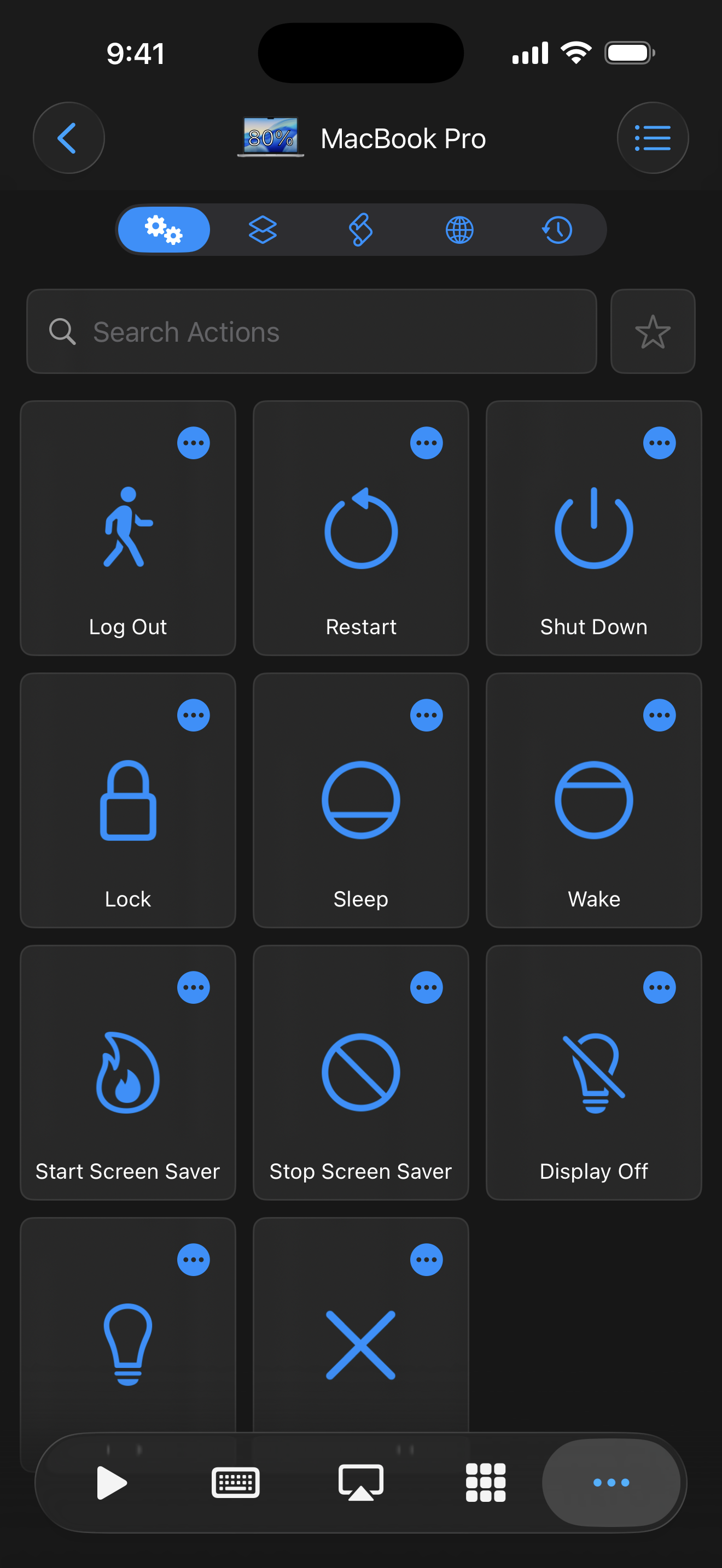
Remote Mouse & Keyboard: Computer system actions
Computer system actions 1320 × 2868 · PNGNovember 2026 product set
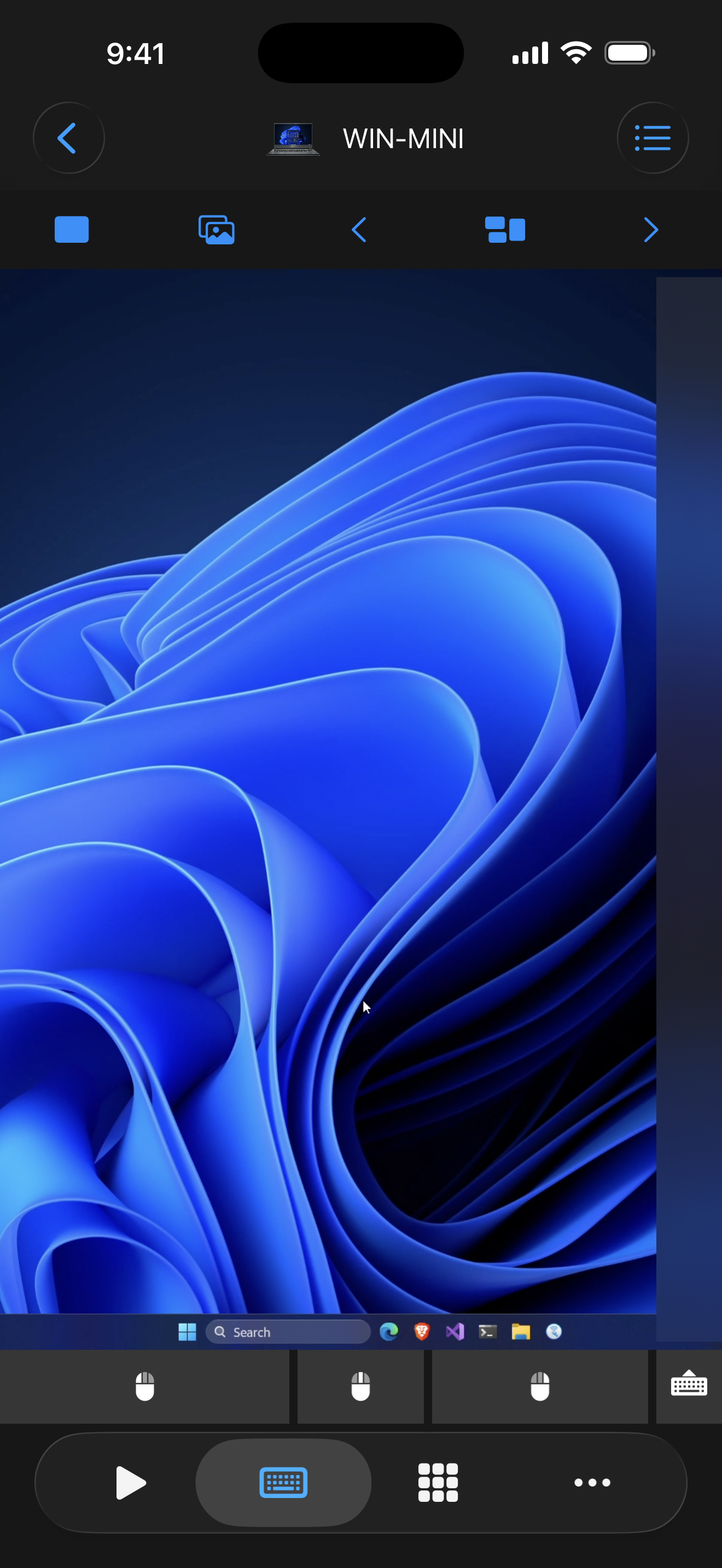
Remote Mouse & Keyboard: Live View of a Windows desktop
Live View of a Windows desktop 1320 × 2868 · PNGNovember 2026 product set
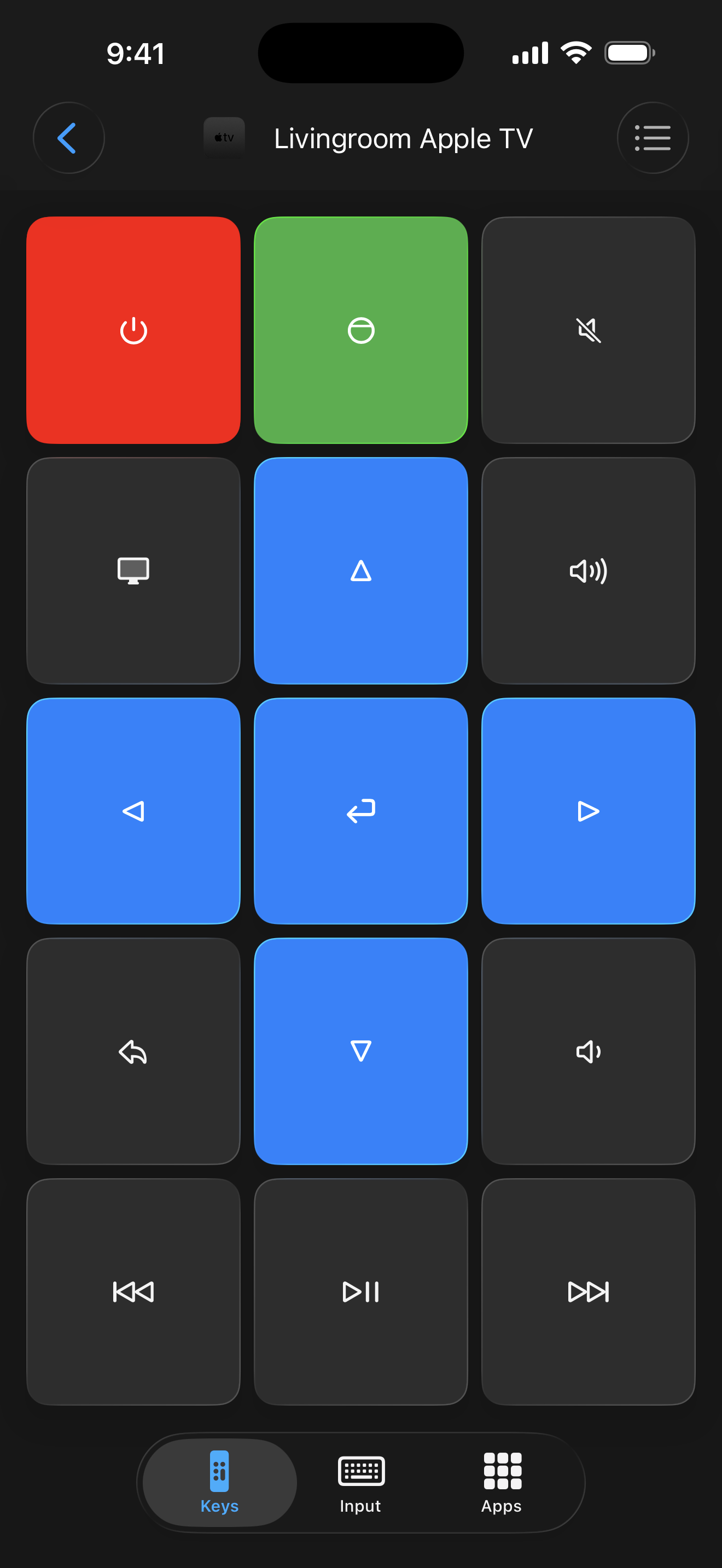
Remote Mouse & Keyboard: Apple TV remote
Apple TV remote 1320 × 2868 · PNGNovember 2026 product set
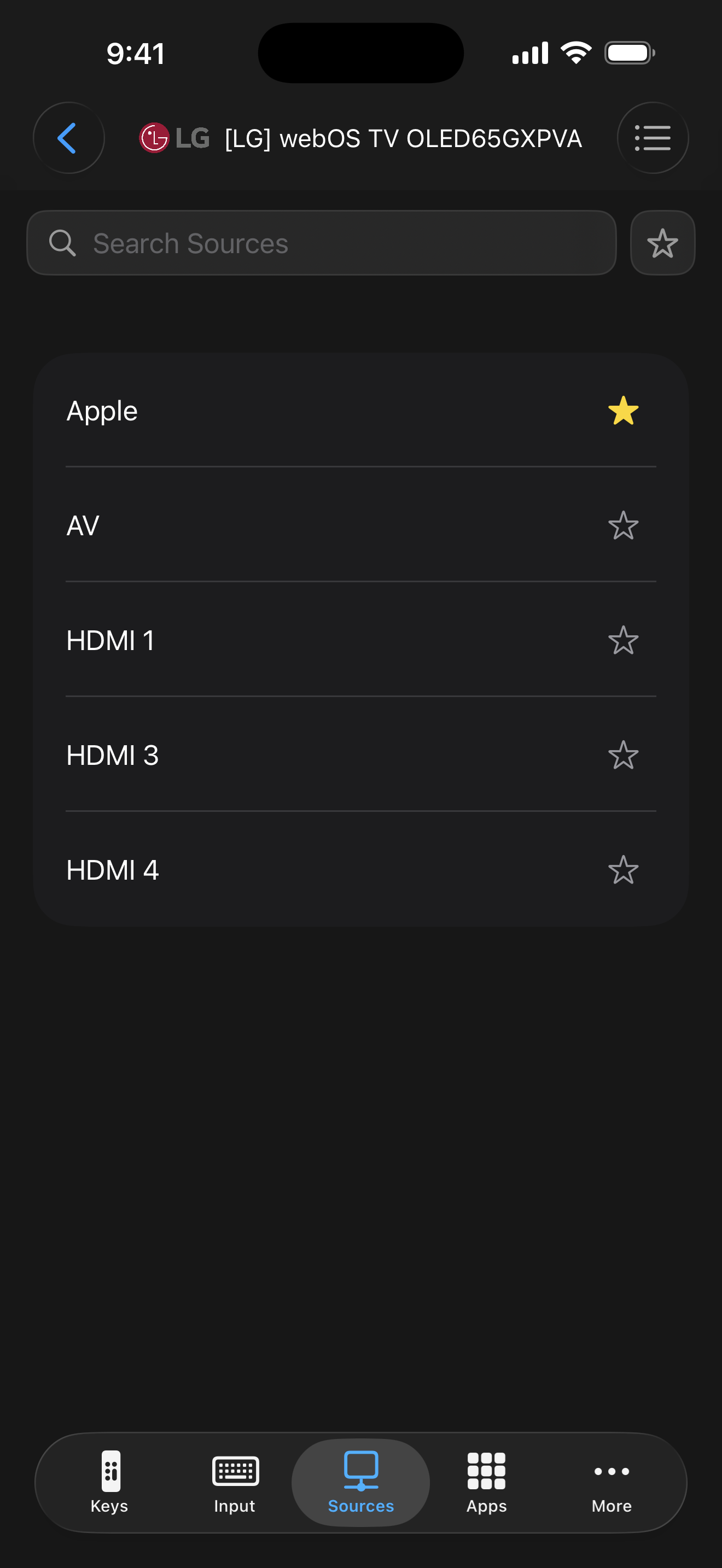
Remote Mouse & Keyboard: LG TV input source selector
LG TV input source selector 1320 × 2868 · PNGNovember 2026 product set
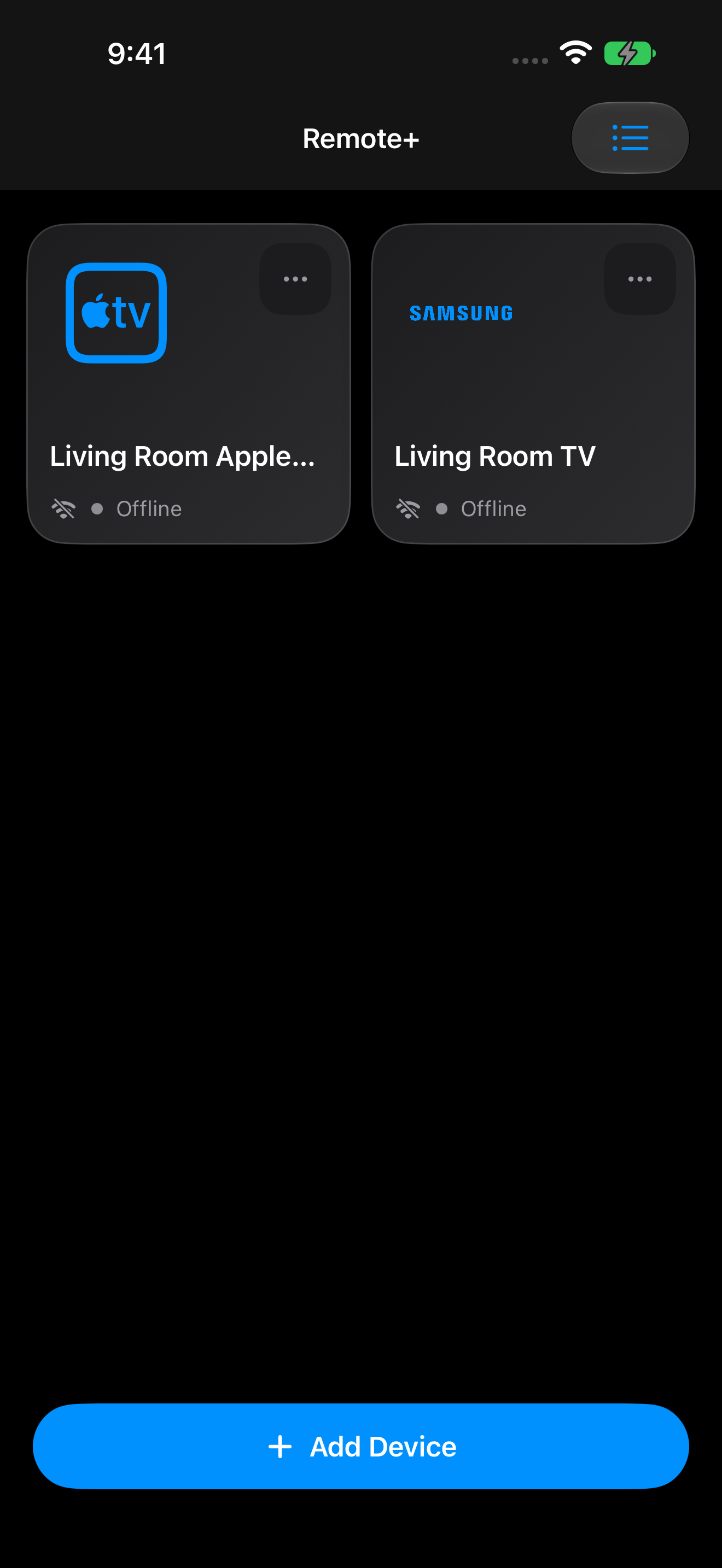
Remote Mouse & Keyboard: Saved demo Apple TV and TV devices
Saved demo Apple TV and TV devices 1320 × 2868 · PNGCaptured November 10, 2026 / 2026.59 (29644) / offline demo devices

Features & customization

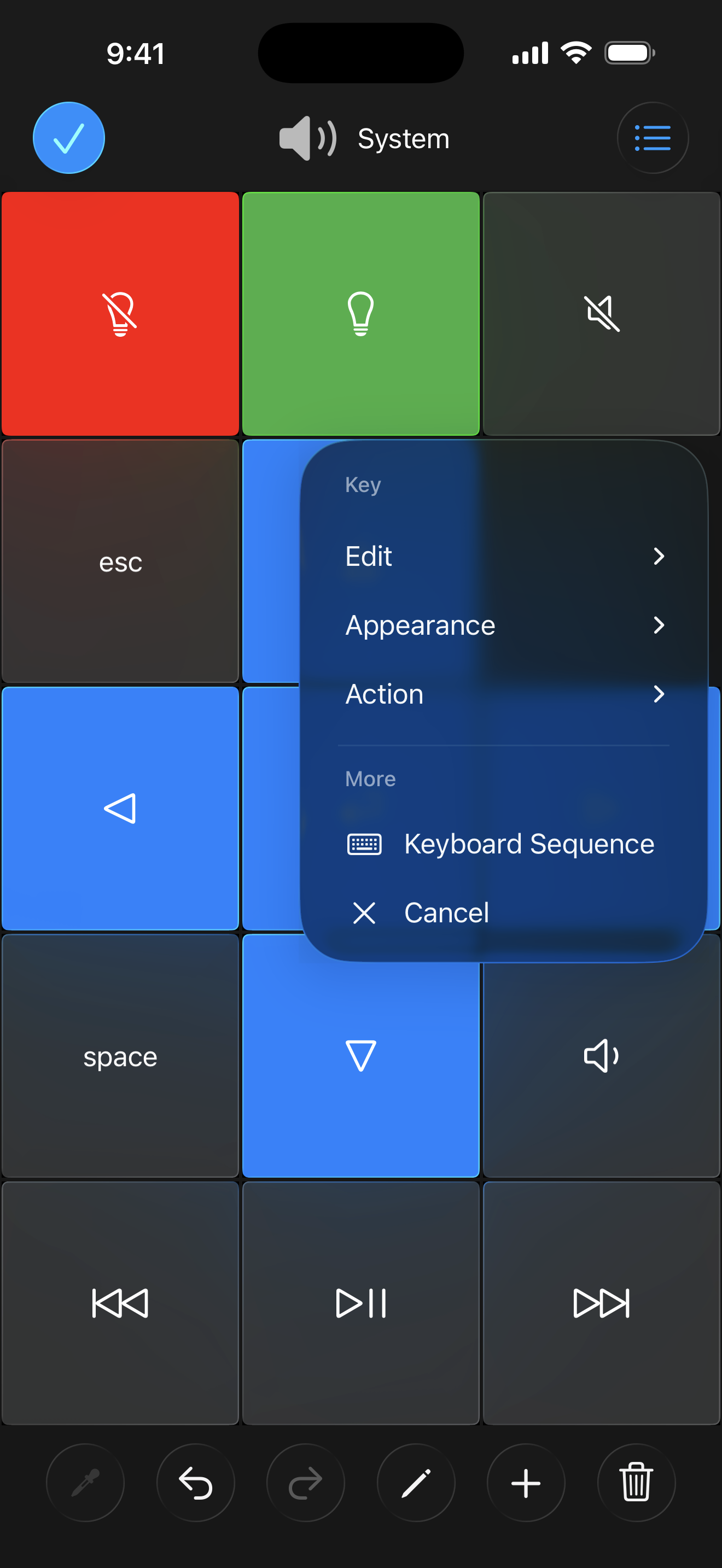
Remote Mouse & Keyboard: Custom keypad editing menu
Custom keypad editing menu 1320 × 2868 · PNGNovember 2026 product set
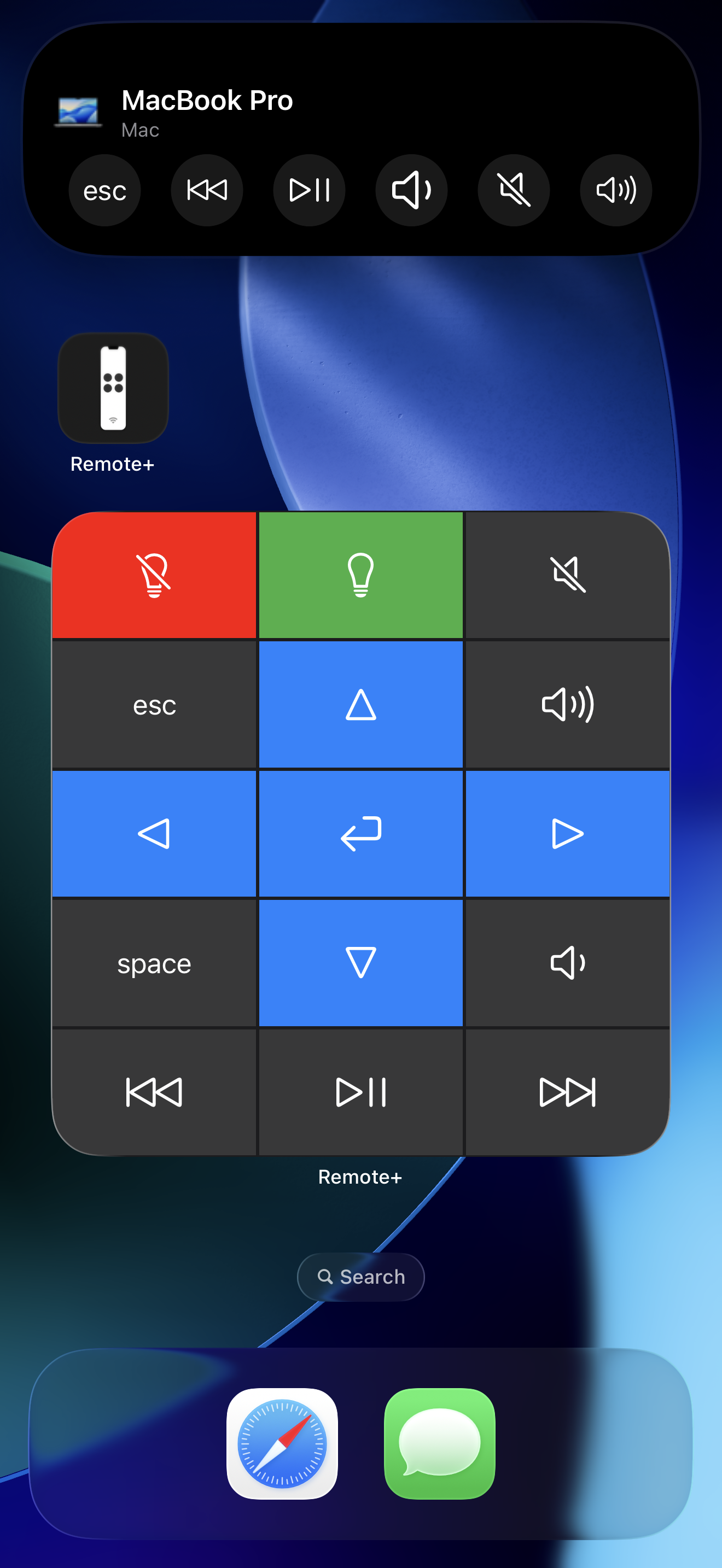
Remote Mouse & Keyboard: Home Screen widgets and Live Activity
Home Screen widgets and Live Activity 1320 × 2868 · PNGNovember 2026 product set
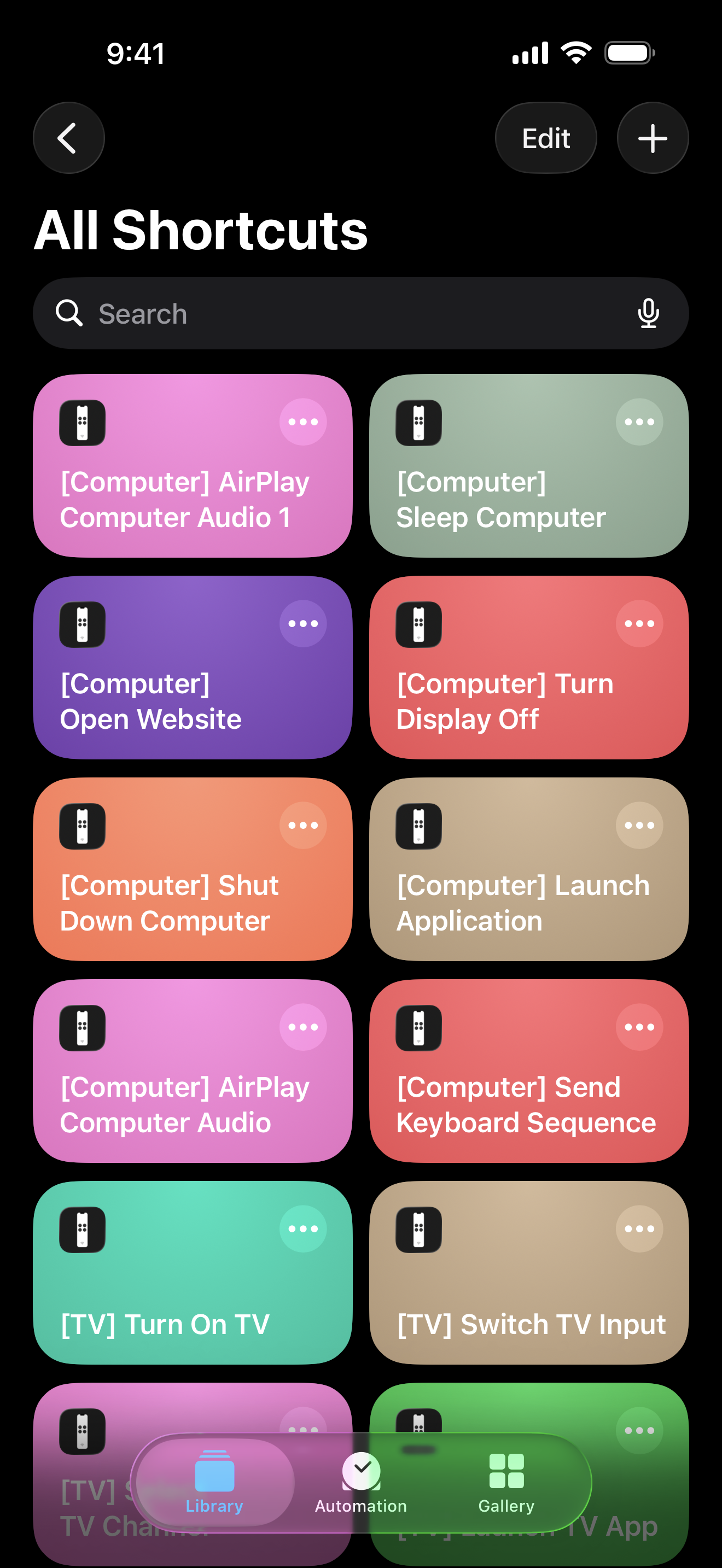
Remote Mouse & Keyboard: Siri Shortcuts examples
Siri Shortcuts examples 1320 × 2868 · PNGNovember 2026 product set
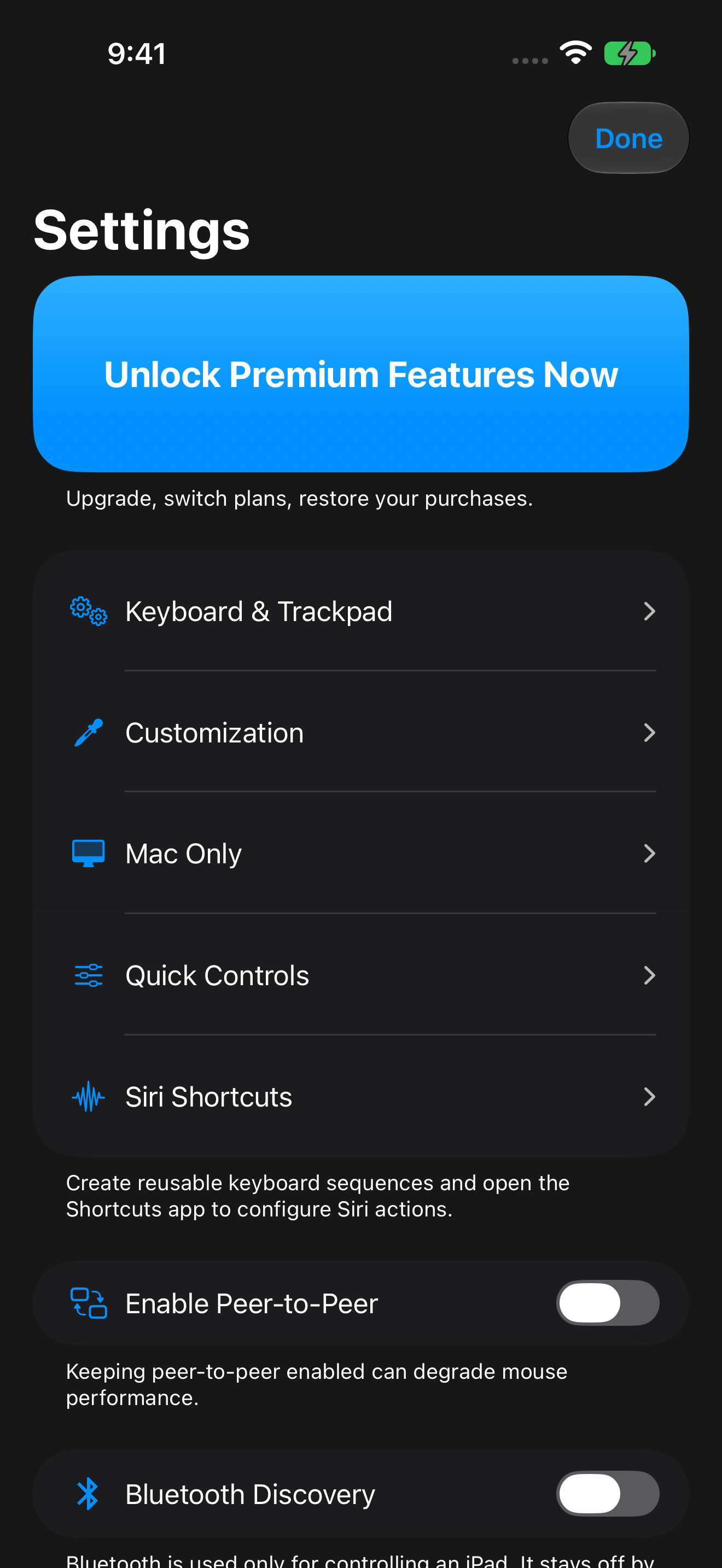
Remote Mouse & Keyboard: App settings
App settings 1320 × 2868 · PNGCaptured November 10, 2026 / 2026.59 (29644)
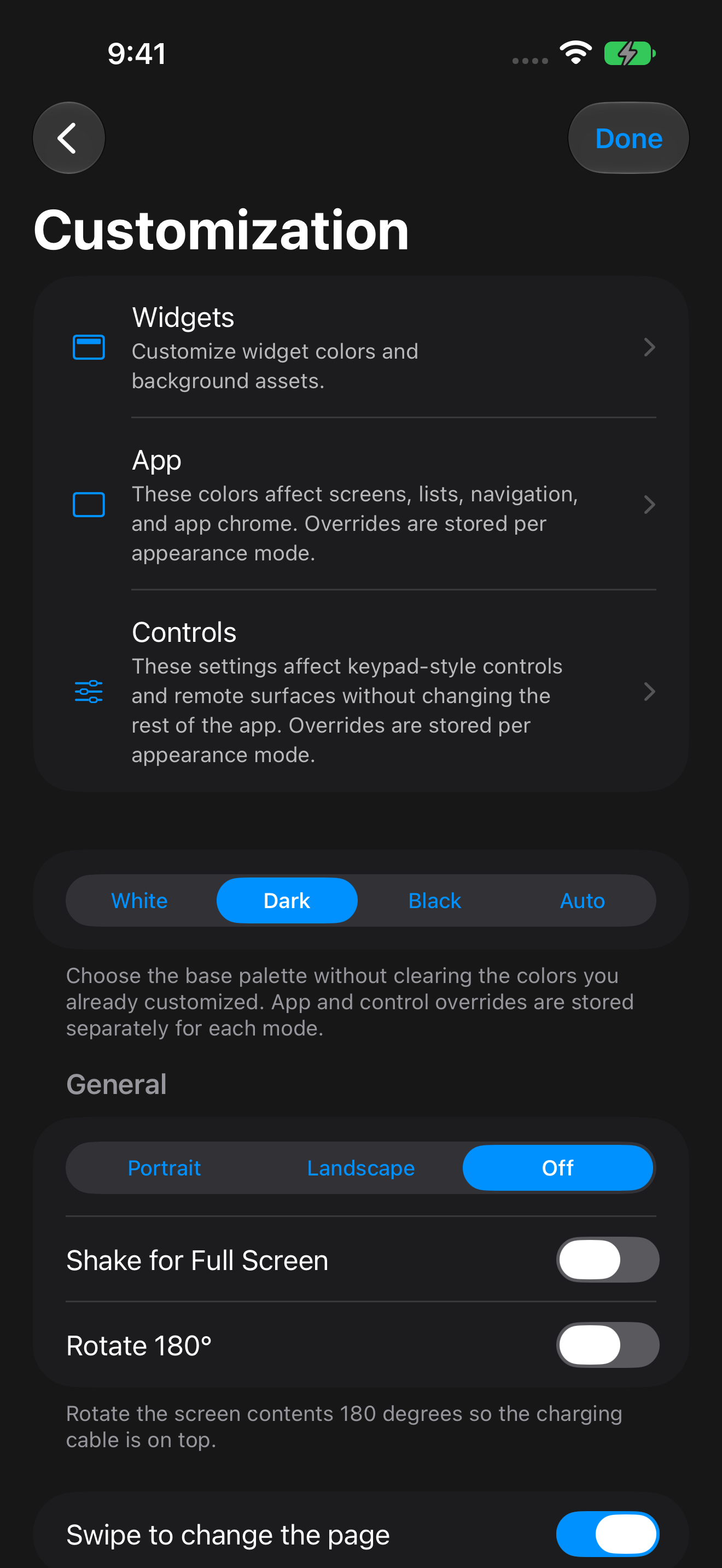
Remote Mouse & Keyboard: Appearance customization
Appearance customization 1320 × 2868 · PNGCaptured November 10, 2026 / 2026.59 (29644)
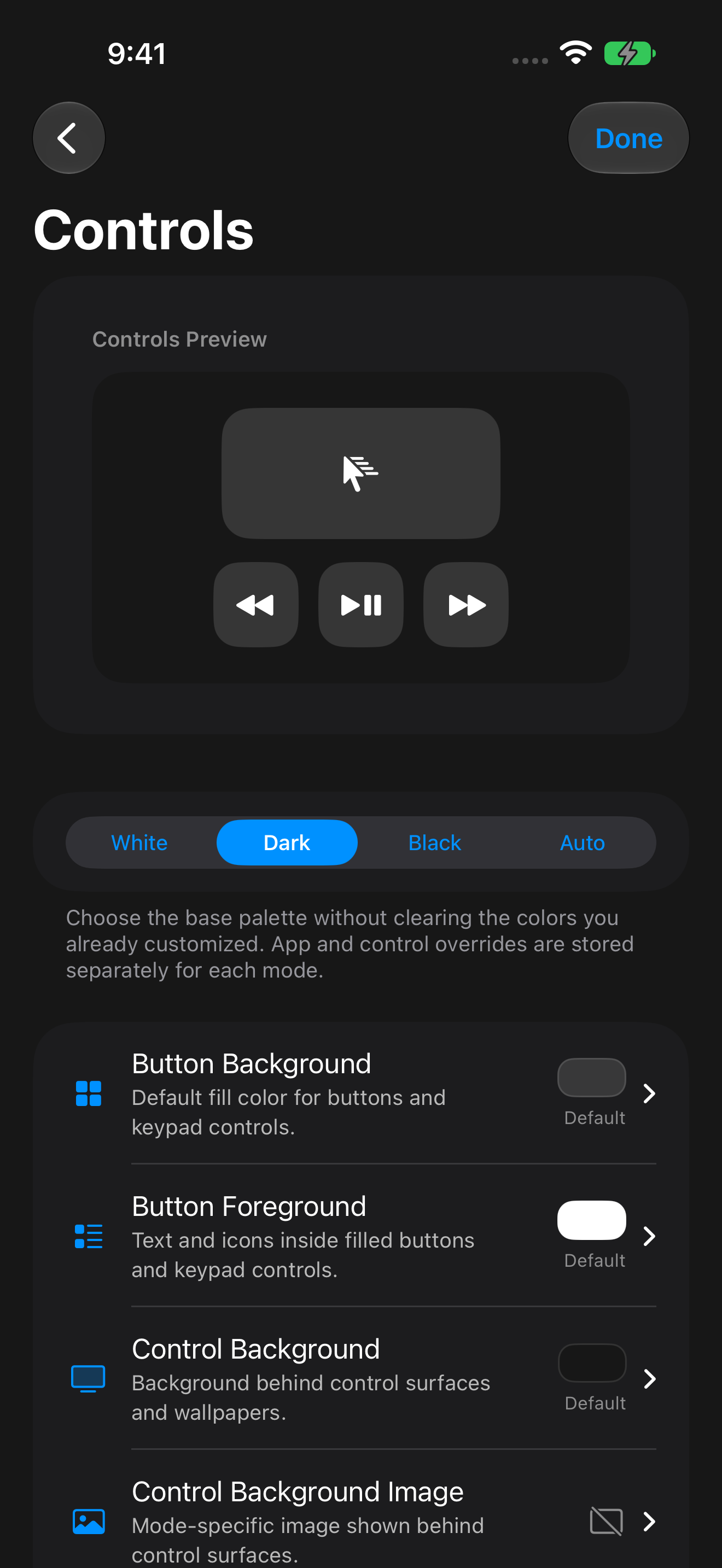
Remote Mouse & Keyboard: Control palette customization with a preview
Control palette customization with a preview 1320 × 2868 · PNGCaptured November 10, 2026 / 2026.59 (29644)
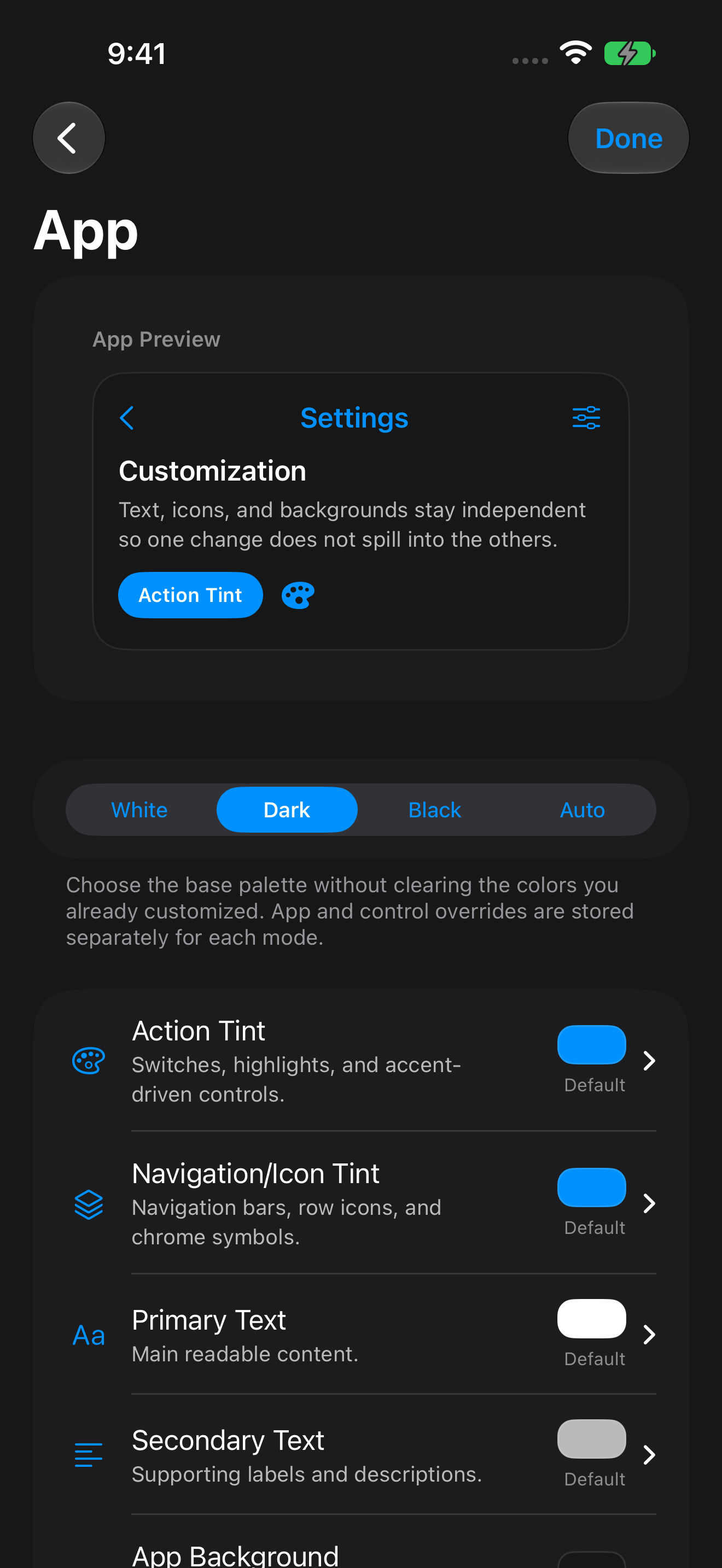
Remote Mouse & Keyboard: App palette customization with a preview
App palette customization with a preview 1320 × 2868 · PNGCaptured November 10, 2026 / 2026.59 (29644)
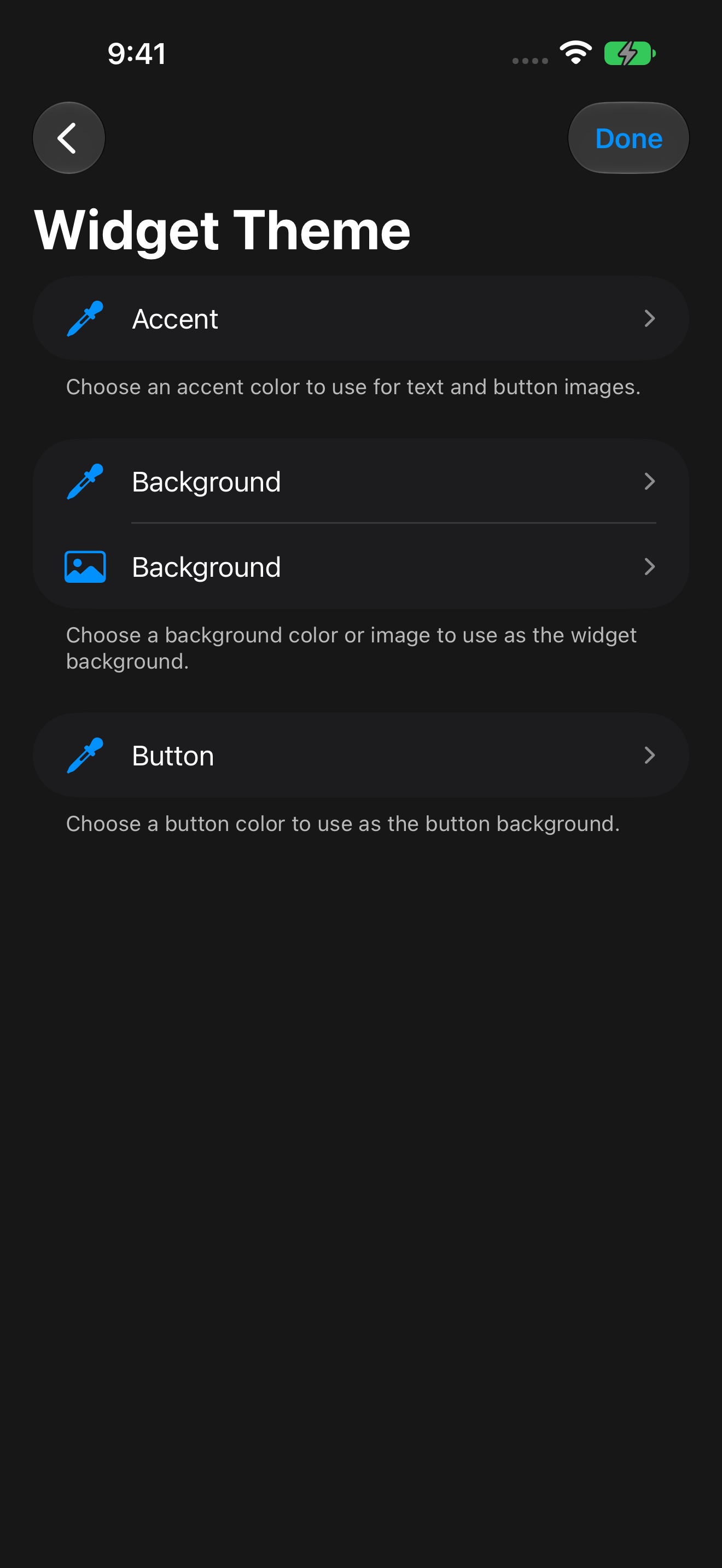
Remote Mouse & Keyboard: Widget theme customization
Widget theme customization 1320 × 2868 · PNGCaptured November 10, 2026 / 2026.59 (29644)
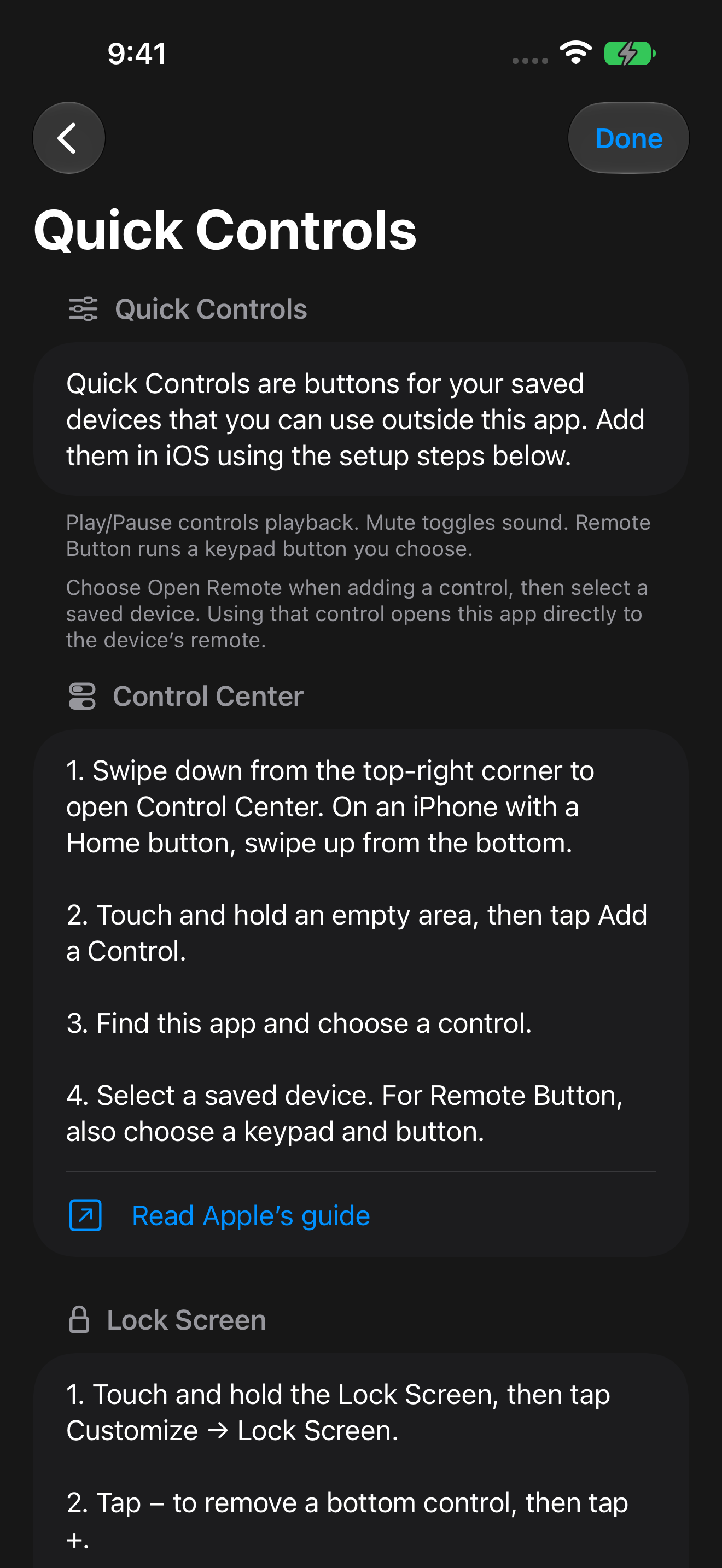
Remote Mouse & Keyboard: Quick Controls setup in iOS
Quick Controls setup in iOS 1320 × 2868 · PNGCaptured November 10, 2026 / 2026.59 (29644)
Remote Mouse & Keyboard: Siri Shortcuts and reusable keyboard sequences
Siri Shortcuts and reusable keyboard sequences 1320 × 2868 · PNGCaptured November 10, 2026 / 2026.59 (29644)
Remote Mouse & Keyboard: Assign a television to a streamer keypad
Assign a television to a streamer keypad 1320 × 2868 · PNGCurrent native setup view with offline demo devices · November 10, 2026
Remote Mouse & Keyboard: Choose TV volume, mute, and channel buttons for the streamer
Choose TV volume, mute, and channel buttons for the streamer 1320 × 2868 · PNGCurrent native setup view with offline demo devices · November 10, 2026
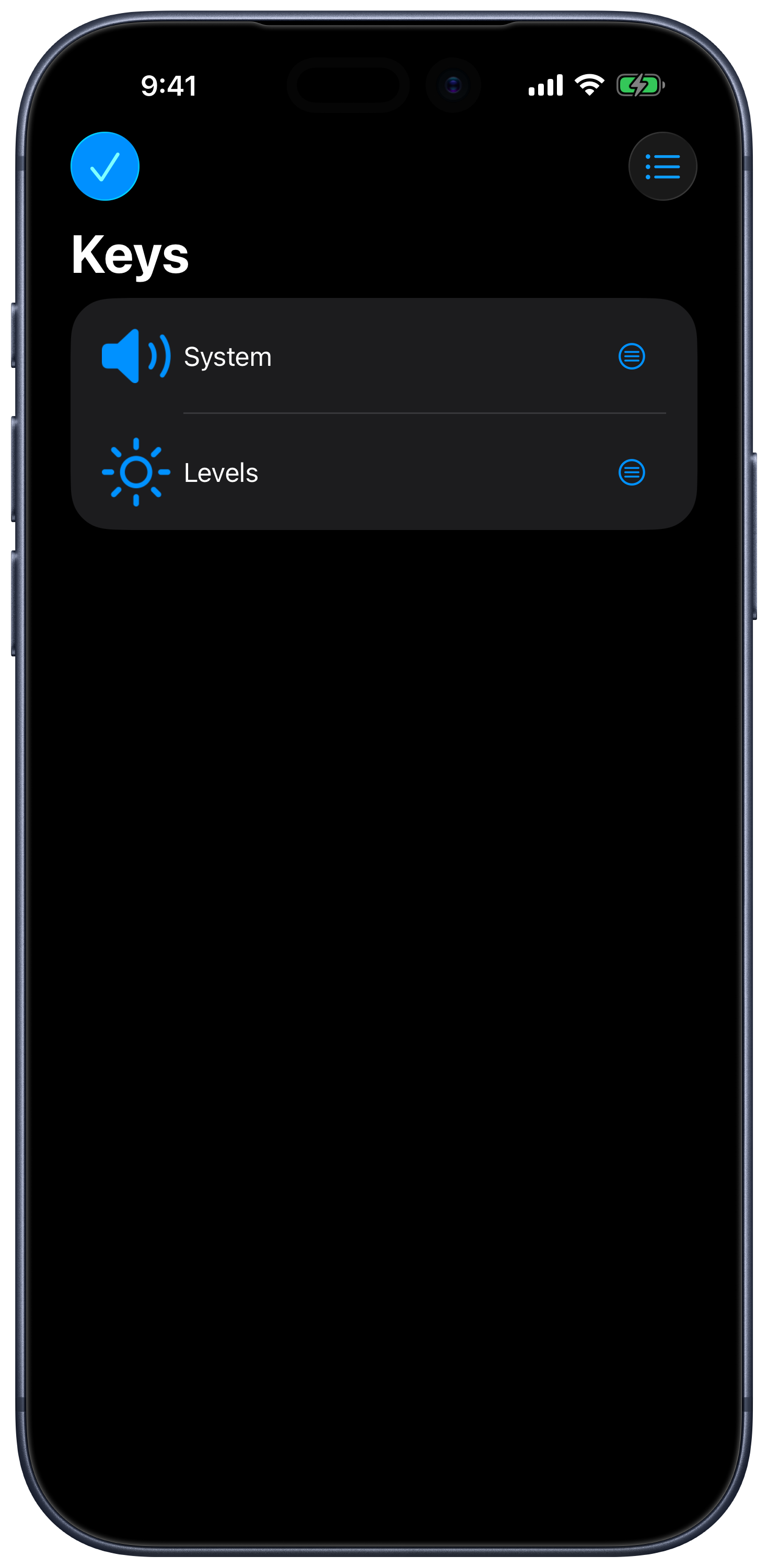
Remote Mouse & Keyboard: Keypad library and layout actions
Keypad library and layout actions 1470 × 3000 · PNGExisting framed capture · September 2026
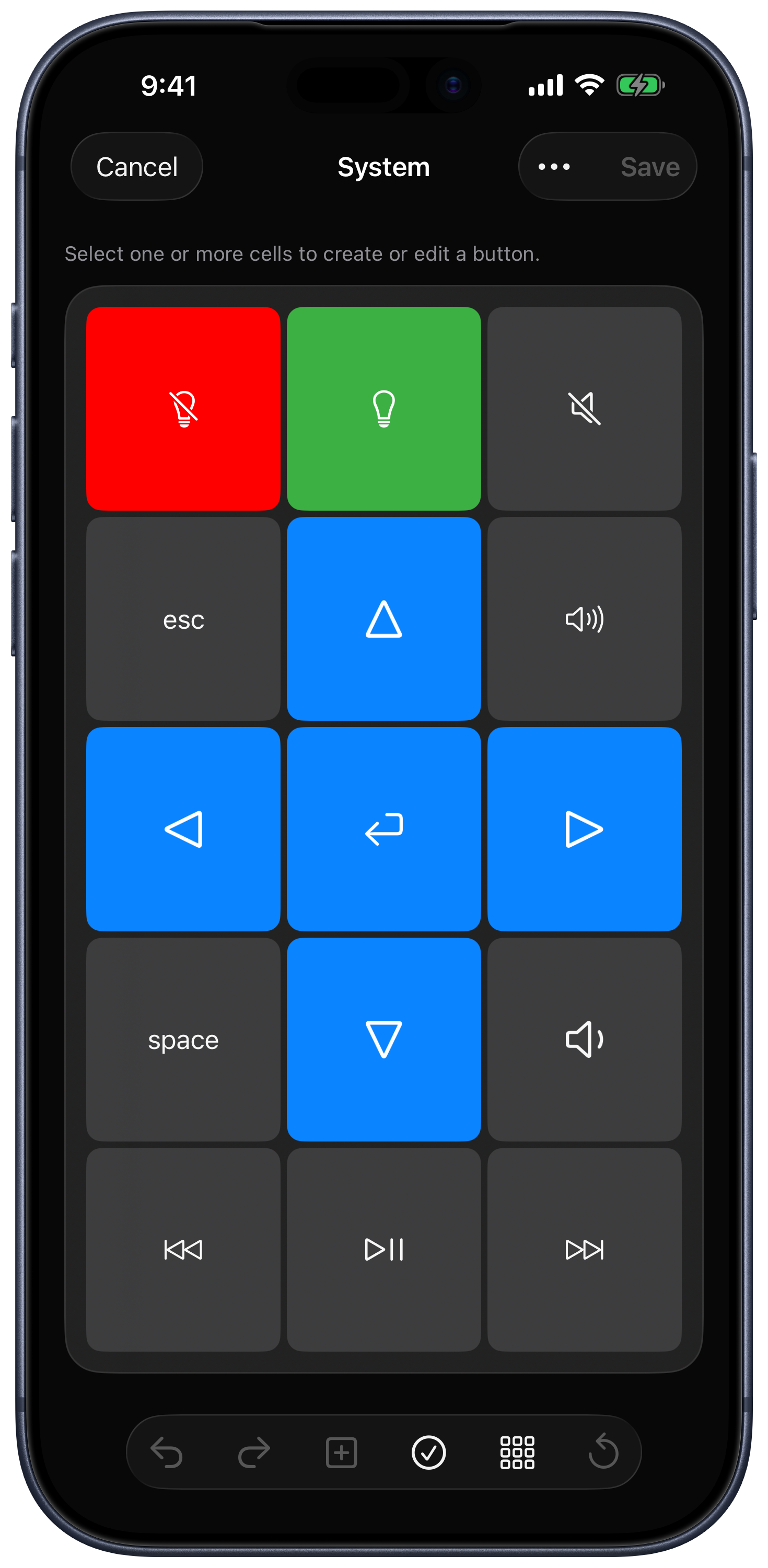
Remote Mouse & Keyboard: Keypad grid editor
Keypad grid editor 1470 × 3000 · PNGExisting framed capture · September 2026
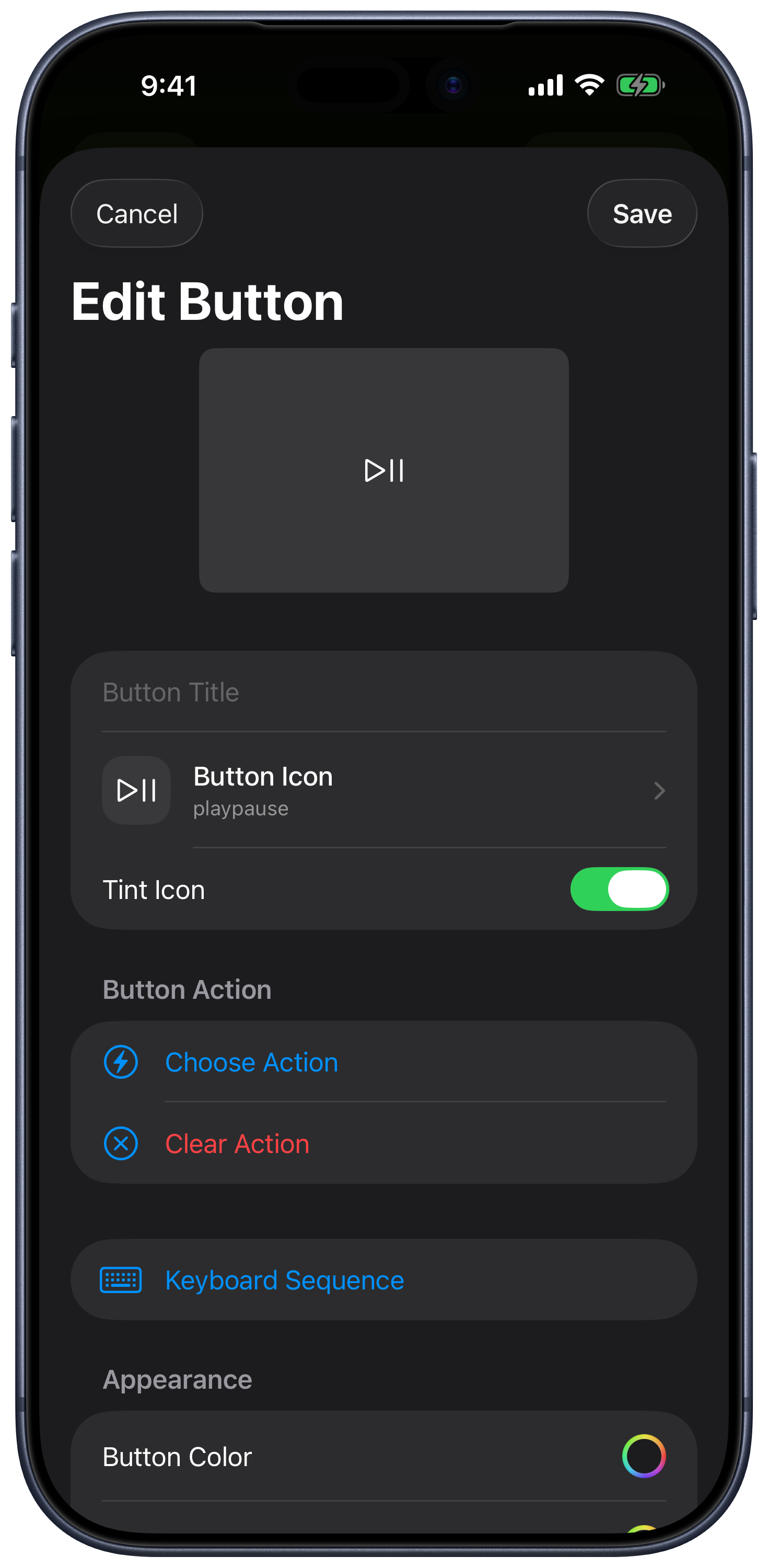
Remote Mouse & Keyboard: Button actions, keyboard sequences, and appearance
Button actions, keyboard sequences, and appearance 1470 × 3000 · PNGExisting framed capture · September 2026

More platforms

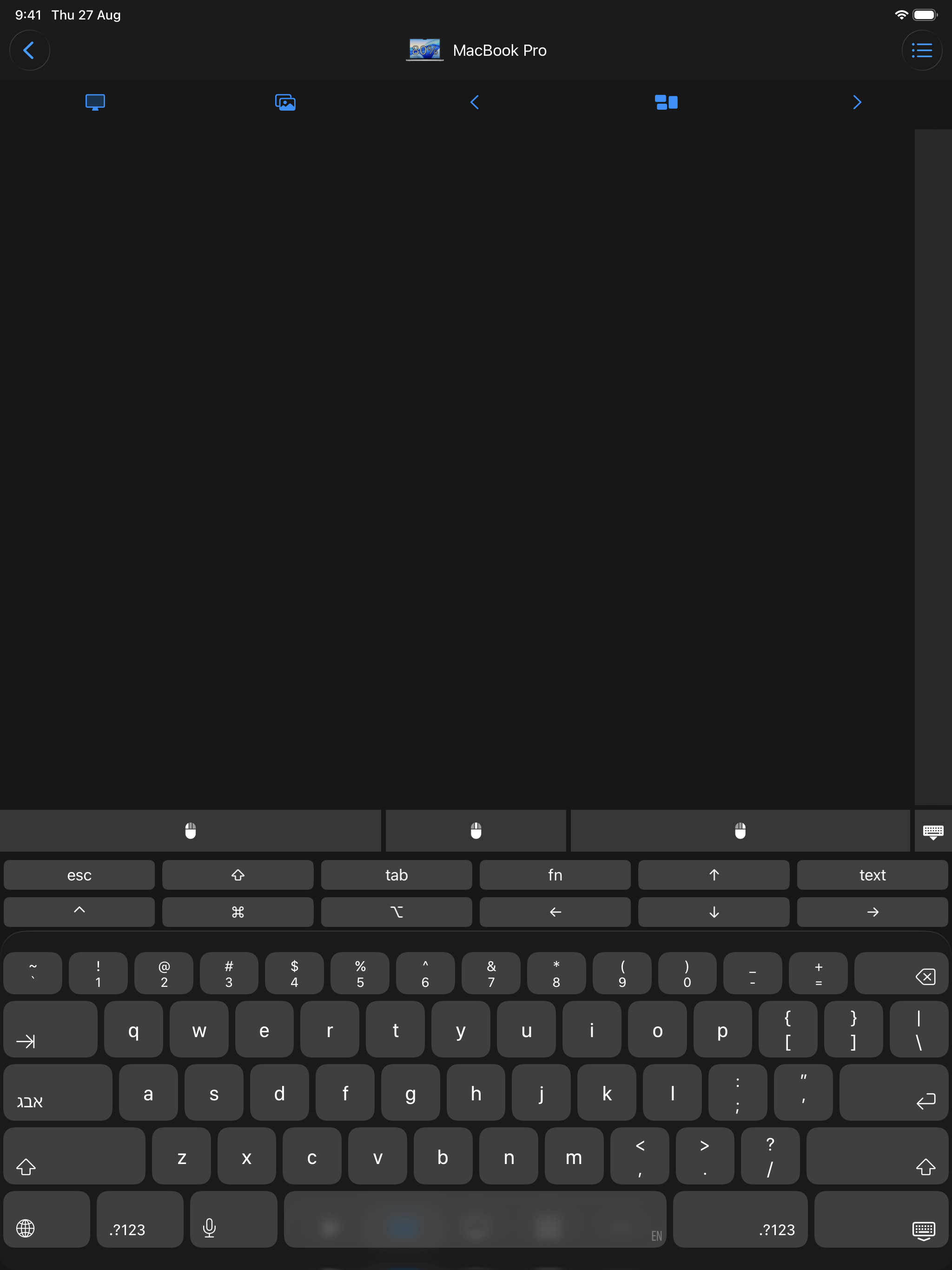
Remote Mouse & Keyboard: Trackpad and keyboard on iPad
Trackpad and keyboard on iPad 2048 × 2732 · PNGExisting English product capture · 2026
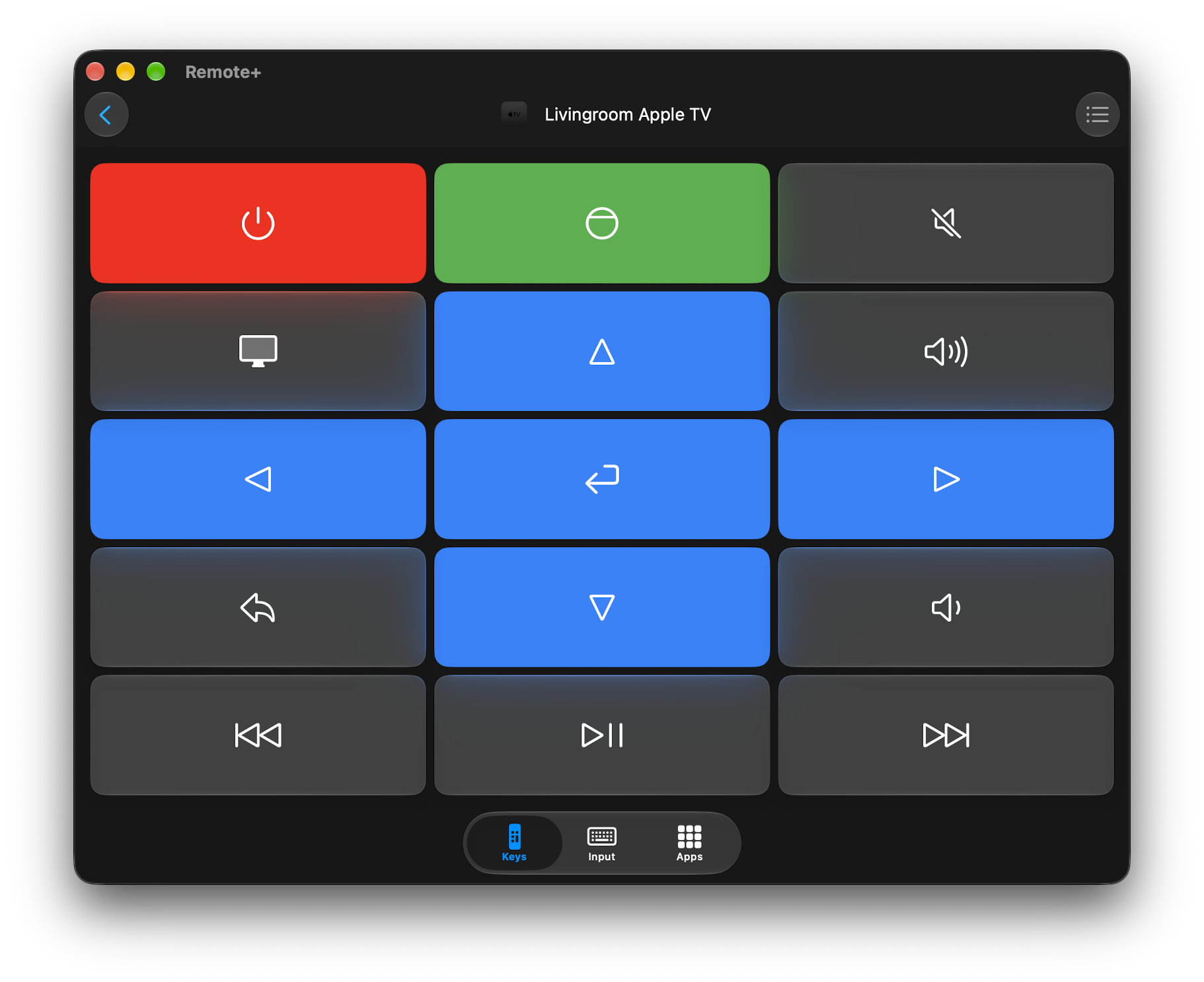
Remote Mouse & Keyboard: TV remote on Mac
TV remote on Mac 1822 × 1486 · PNGExisting English Mac capture · October 2026
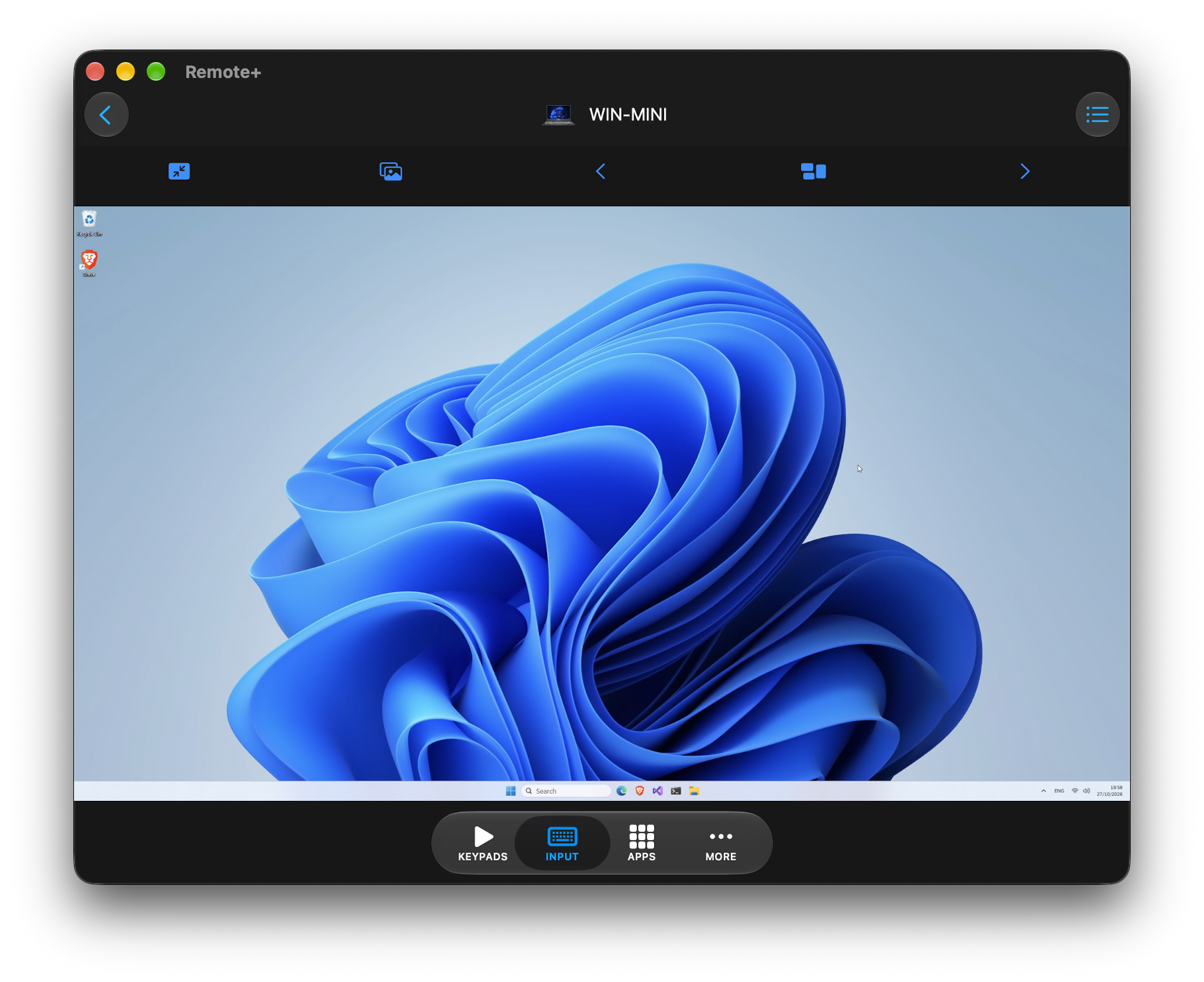
Remote Mouse & Keyboard: Live View on Mac
Live View on Mac 1822 × 1486 · PNGExisting English Mac capture · October 2026
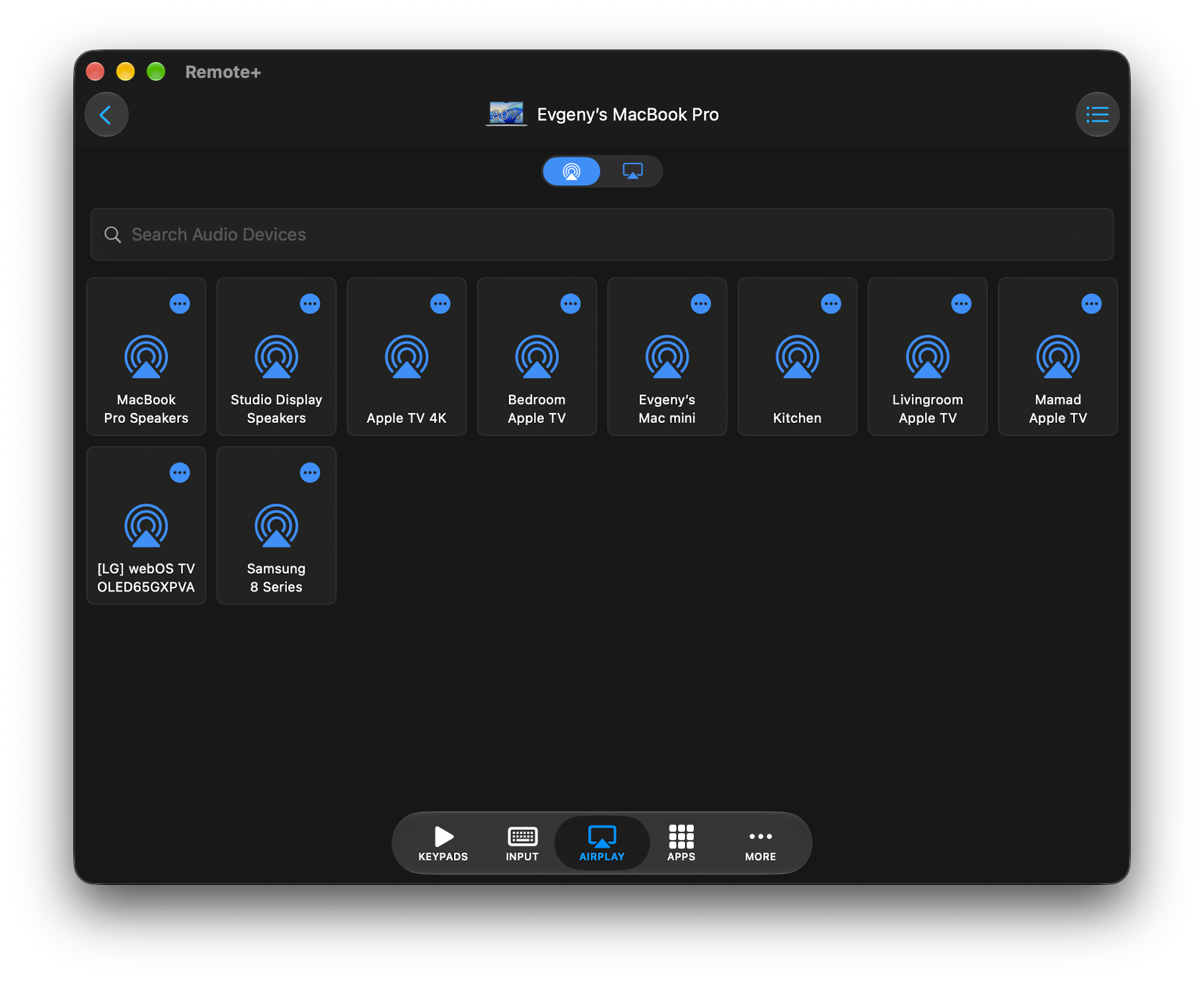
Remote Mouse & Keyboard: AirPlay controls on Mac
AirPlay controls on Mac 1822 × 1486 · PNGExisting English Mac capture · October 2026

The official artwork

App icons

For your story

The supplied app icons, company marks, and screenshots may be used for editorial coverage of Remote Sunrise LTD and its apps. Credit Remote Sunrise LTD and link to rs.ltd or the relevant product page where practical. Preserve artwork proportions and do not imply endorsement. Third-party names and marks belong to their respective owners.

For interviews, review access, a demo, or additional images, contact the developer.

Download the company bio & marks ↓