Skip to content
Remote Sunrise

English press kit · Files & media

File Explorer & Player

Browse Mac or Windows files, stream media, and keep an Offline Library on iPhone, iPad, or Apple TV.

ZIP · 13.4 MB · 21 original screenshots · 1024 × 1024 app icons, including Pro · Fact sheets & company bio

Updated November 10, 2026 · Fact sheet (TXT) · Facts (JSON)

About the app

File Explorer & Player connects an iPhone, iPad, or Apple TV to files on a Mac or Windows computer through Remote Helper. Browse folders, stream music and video, read supported books, and save files or folders in an Offline Library. On iPhone and iPad, files can also be imported from Files or Photos for local use.

Key features

  • Browse Mac or Windows folders, find favorites, and open photos, documents, or books.
  • Stream music and videos over your local network, with playback progress, subtitles, and audio-track controls.
  • Save files to your Offline Library. On iPhone and iPad, you can also import from Files or Photos.

What it needs

Remote computer access requires Remote Helper; Windows file access needs helper version 2026.12 or later. Offline Library files can be opened locally after download or import. The Pro edition is a separate App Store listing.
Original resolution. Ready to use.

Screenshots

Current English simulator captures of version 2026.17 cover connected browsing, offline downloads, audio/video, books, photos, favorites, search, imports, and file actions. Connected-computer examples use a clearly labeled demo Mac serving only sample files through the normal helper protocol. The Pro icon is included separately.

Select an image to open the original PNG. Every original is also in the ZIP.

Main screens

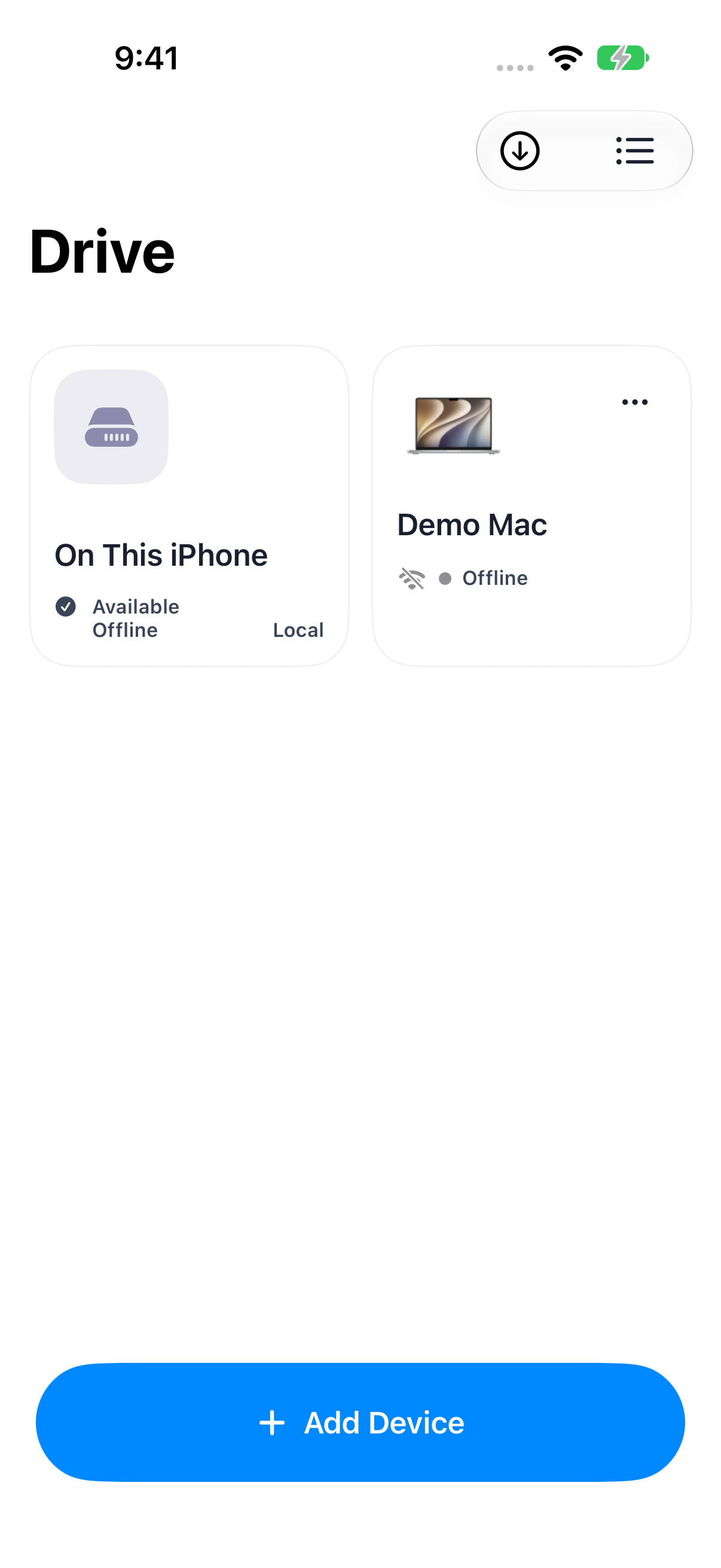
File Explorer & Player: Device overview with the local library and a saved demo Mac
Device overview with the local library and a saved demo Mac 1206 × 2622 · PNGThe saved Mac is a loopback protocol fixture named Demo Mac; this fresh-launch overview truthfully shows its current offline state.
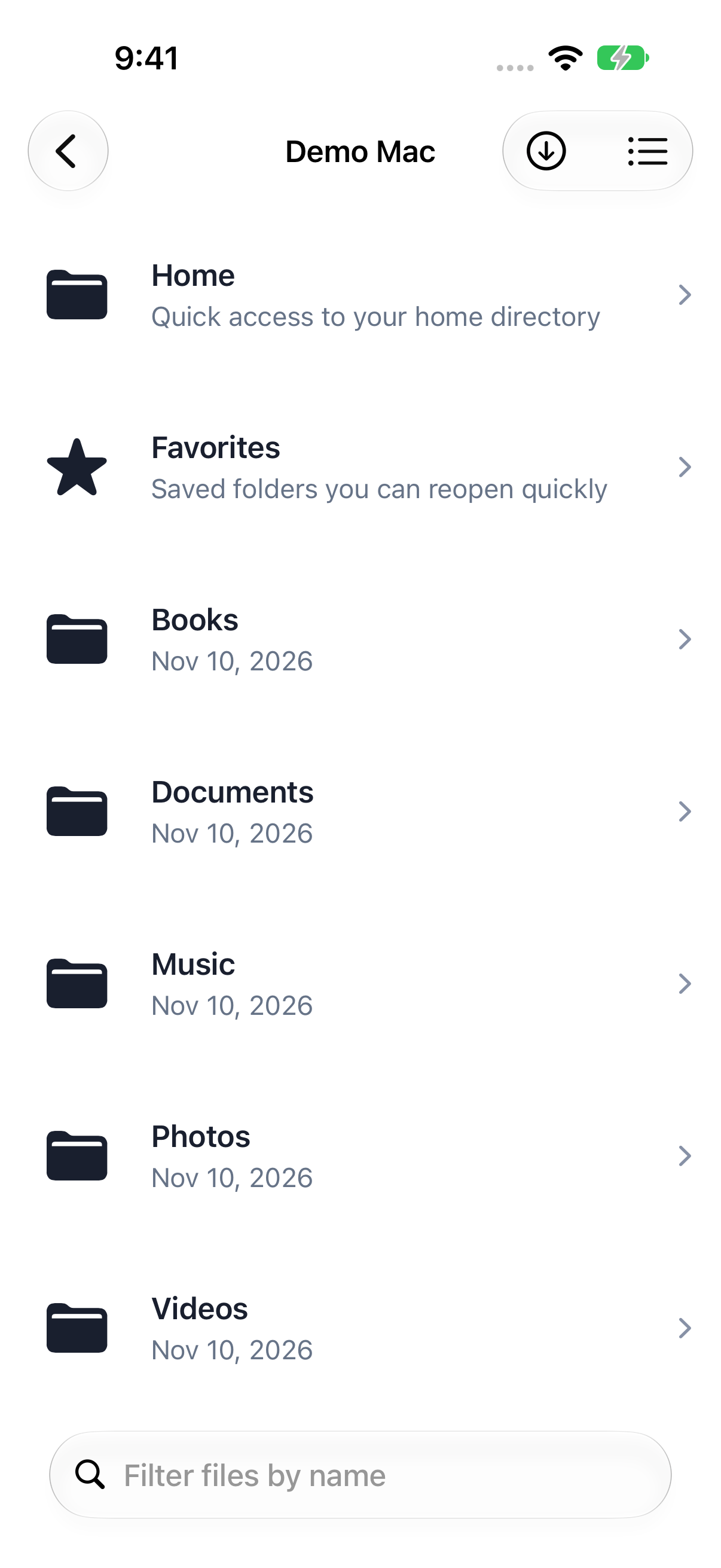
File Explorer & Player: Computer file browser with sample folders on a demo Mac
Computer file browser with sample folders on a demo Mac 1206 × 2622 · PNGNormal helper protocol fixture over loopback; no private computer folders.
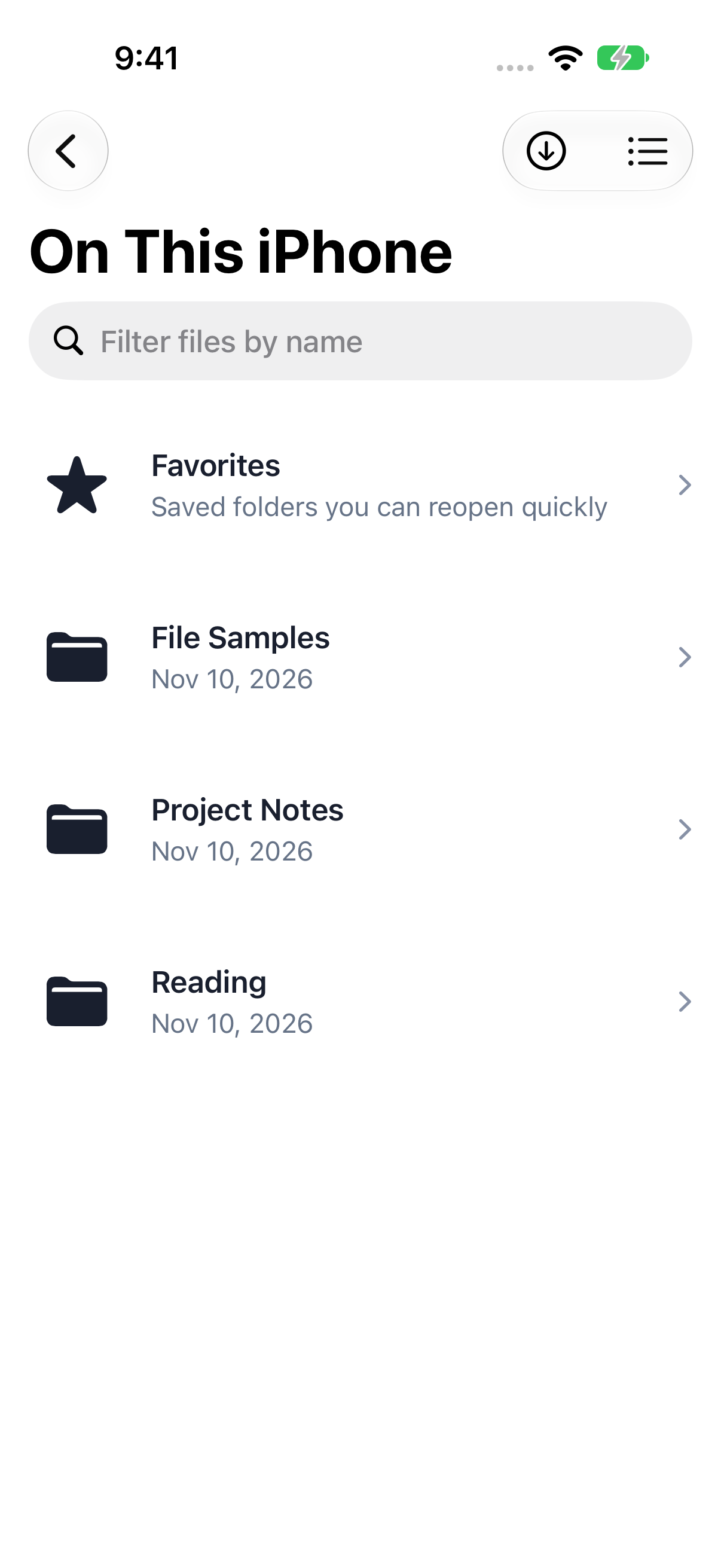
File Explorer & Player: On This iPhone offline library
On This iPhone offline library 1206 × 2622 · PNGBundled sample media and original demo folders/book.
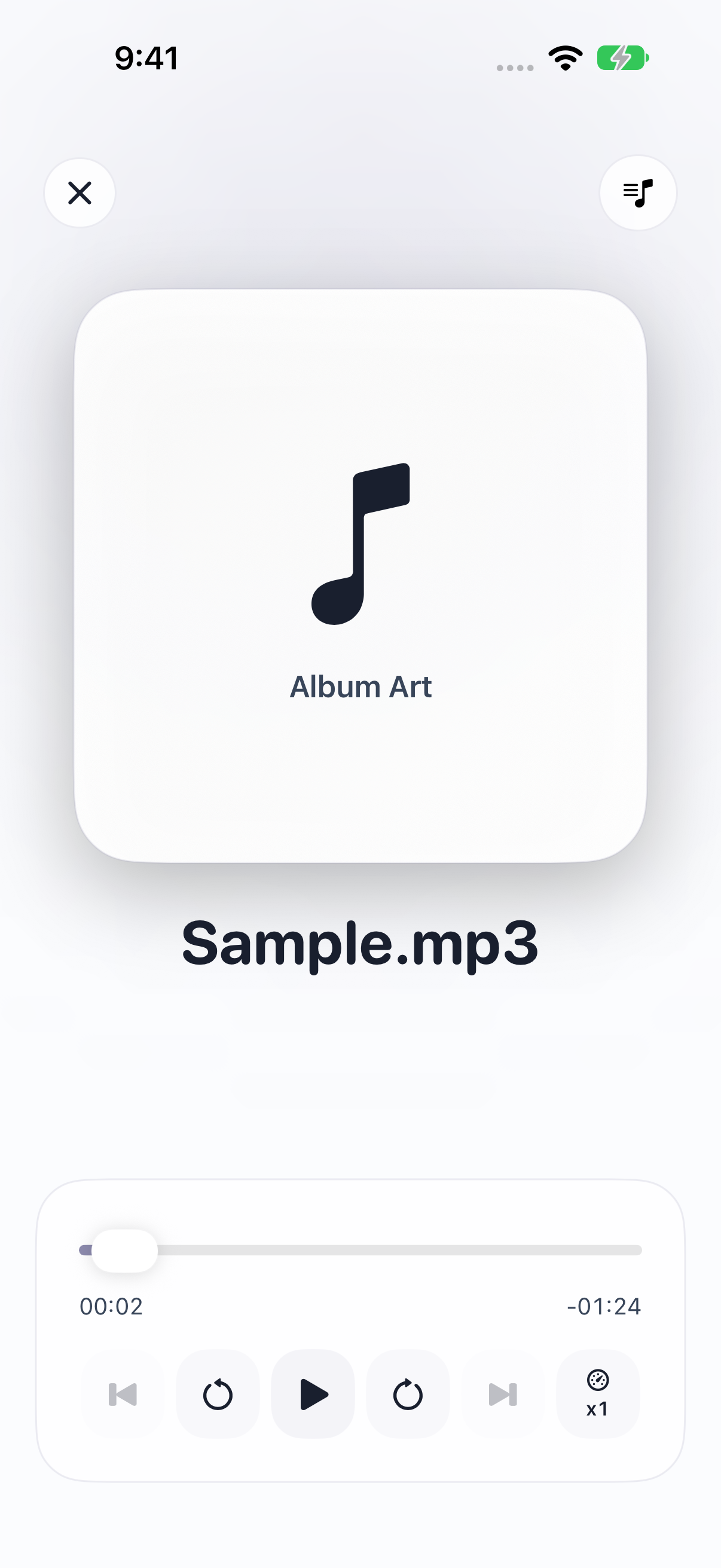
File Explorer & Player: Audio playback controls
Audio playback controls 1206 × 2622 · PNGBundled sample audio opened and paused through real app controls.
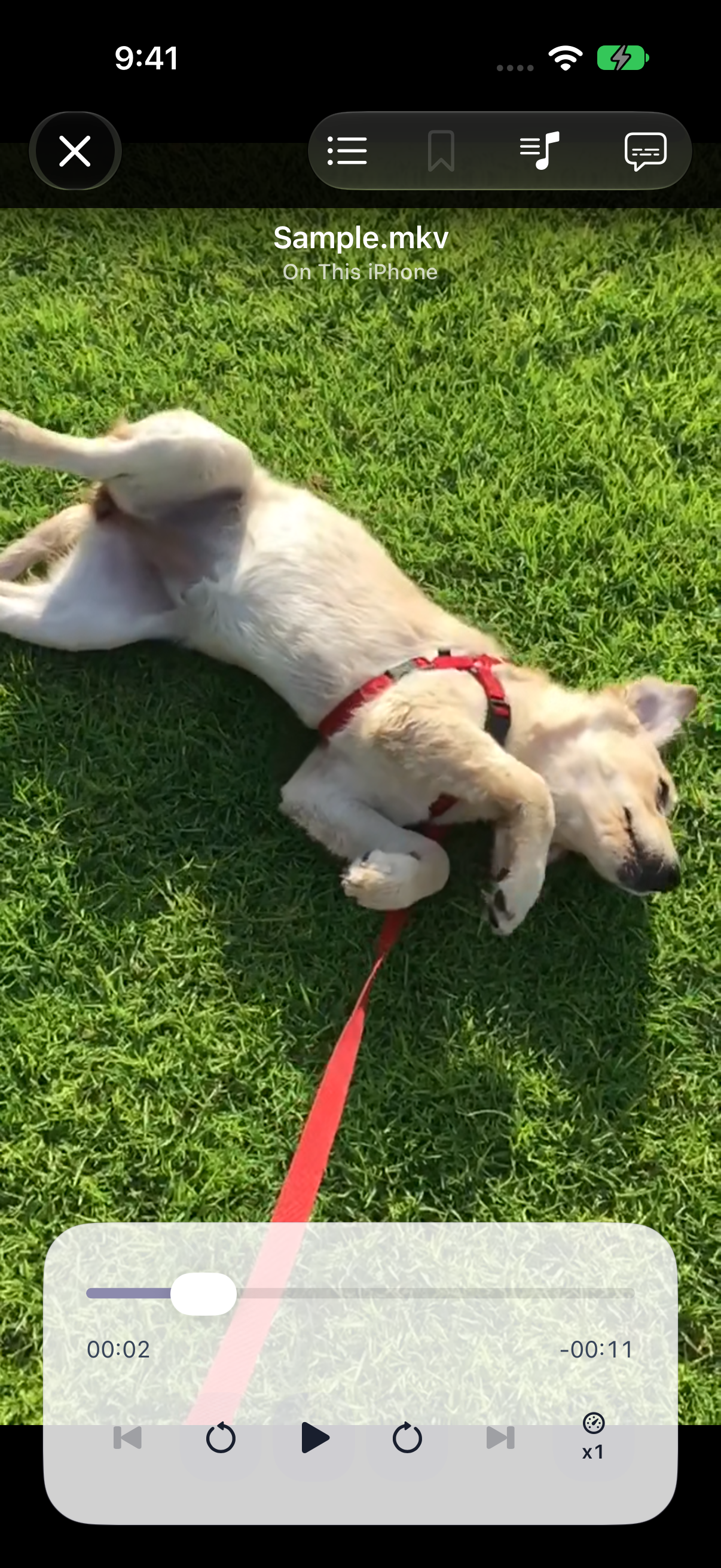
File Explorer & Player: Video playback controls
Video playback controls 1206 × 2622 · PNGBundled dog video opened and paused through real app controls.
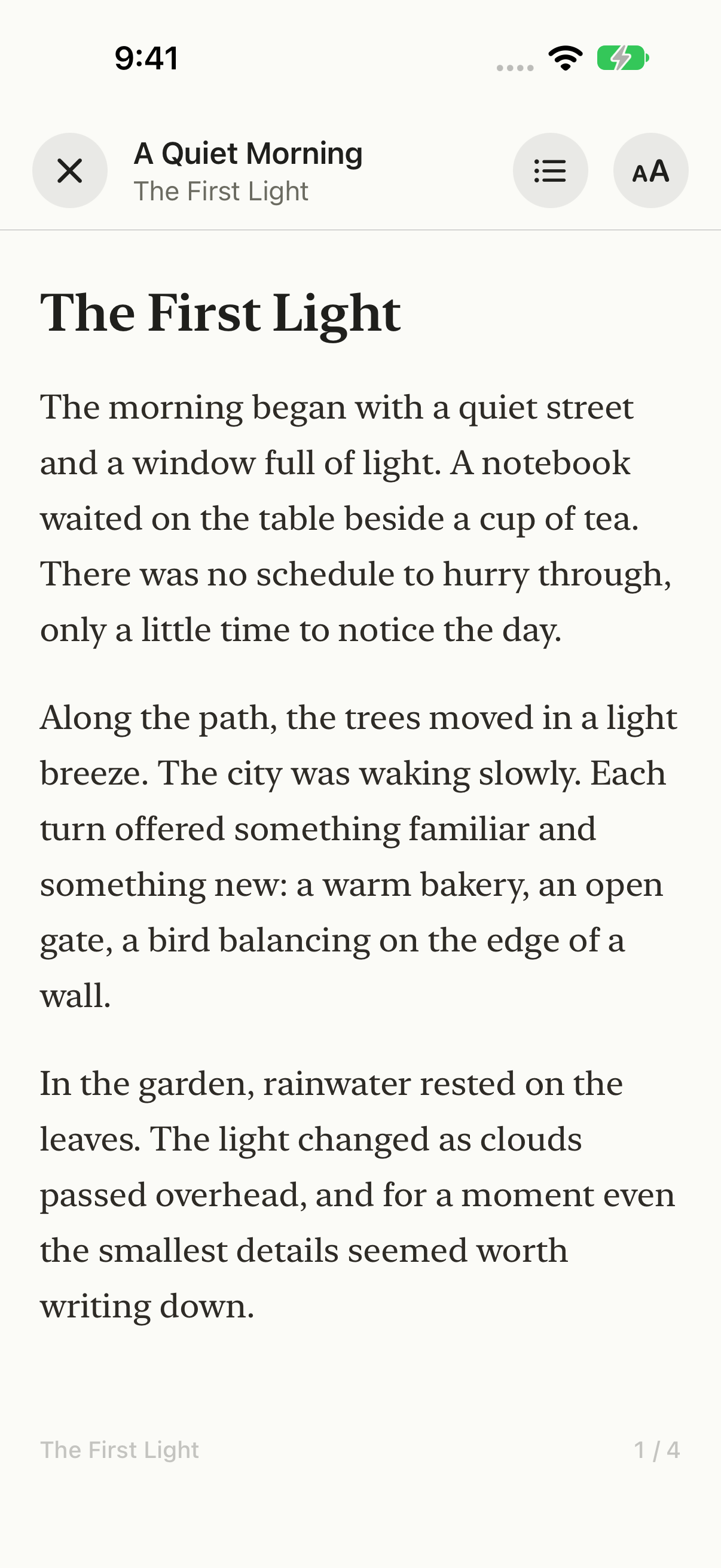
File Explorer & Player: EPUB reader with an original demo book
EPUB reader with an original demo book 1206 × 2622 · PNGA Quiet Morning is original demonstration prose packaged as a valid EPUB, not a copyrighted book excerpt.
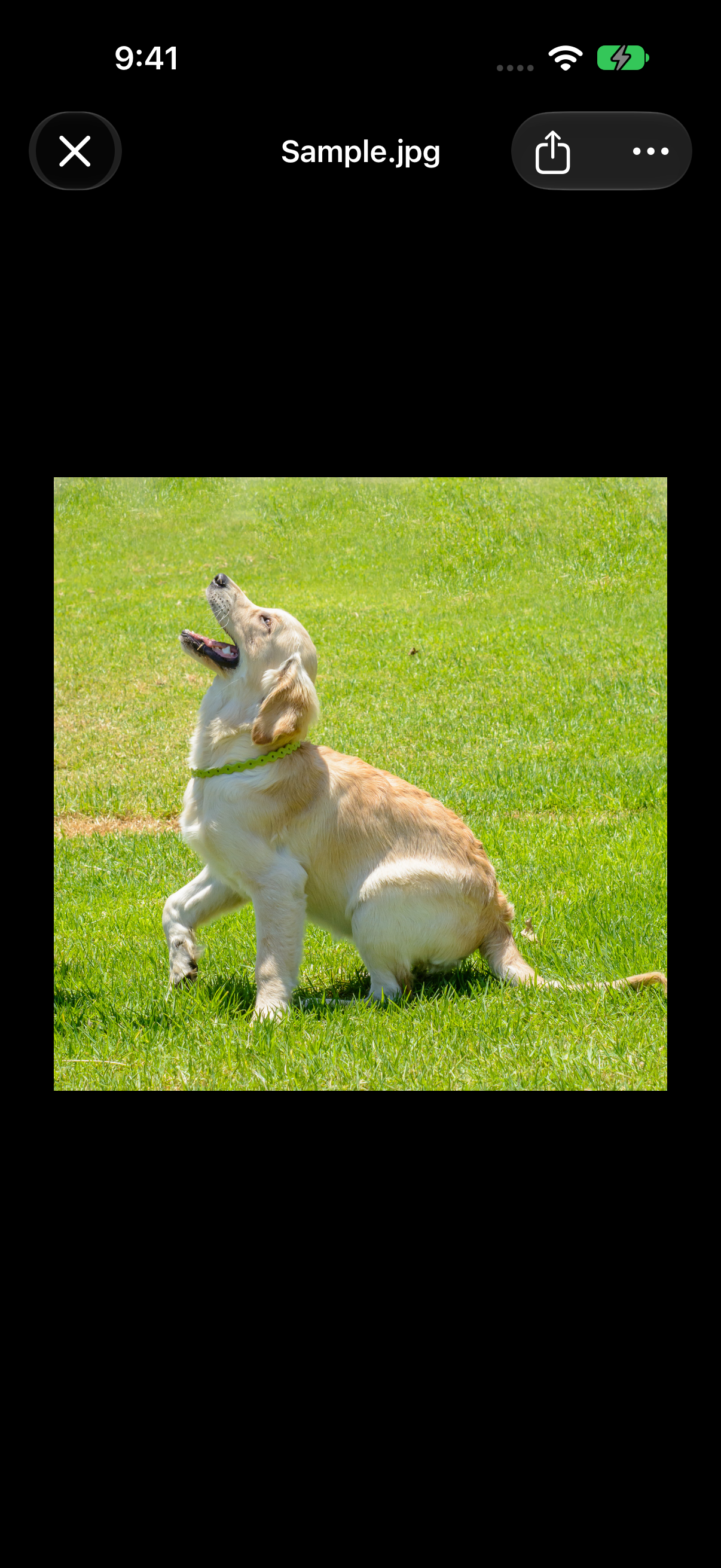
File Explorer & Player: Photo preview with the bundled sample image
Photo preview with the bundled sample image 1206 × 2622 · PNGSame-day earlier capture of the same current app build/runtime; bundled Sample.jpg only.
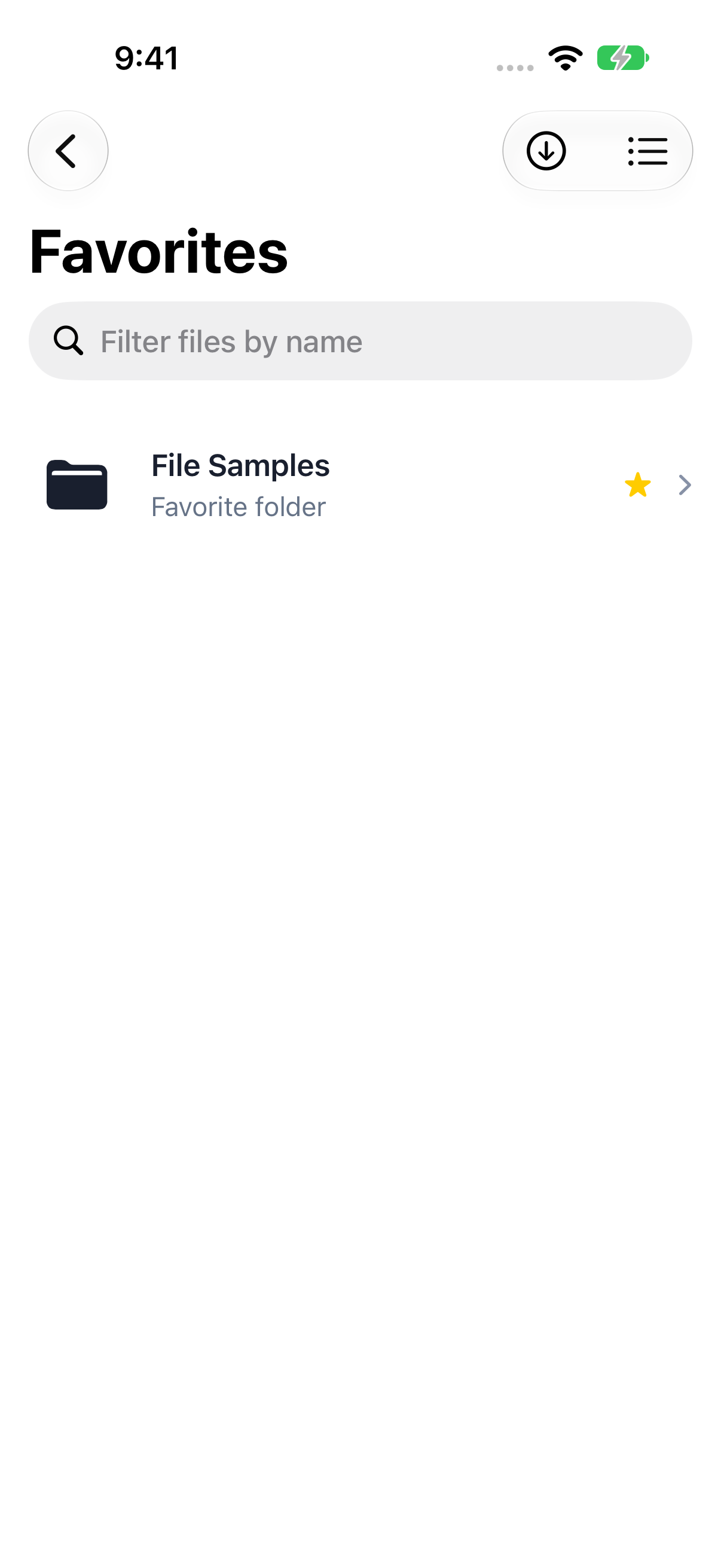
File Explorer & Player: Favorite folders for quick access
Favorite folders for quick access 1206 × 2622 · PNGFile Samples was added to Favorites through the real Library Actions menu.

Features & customization

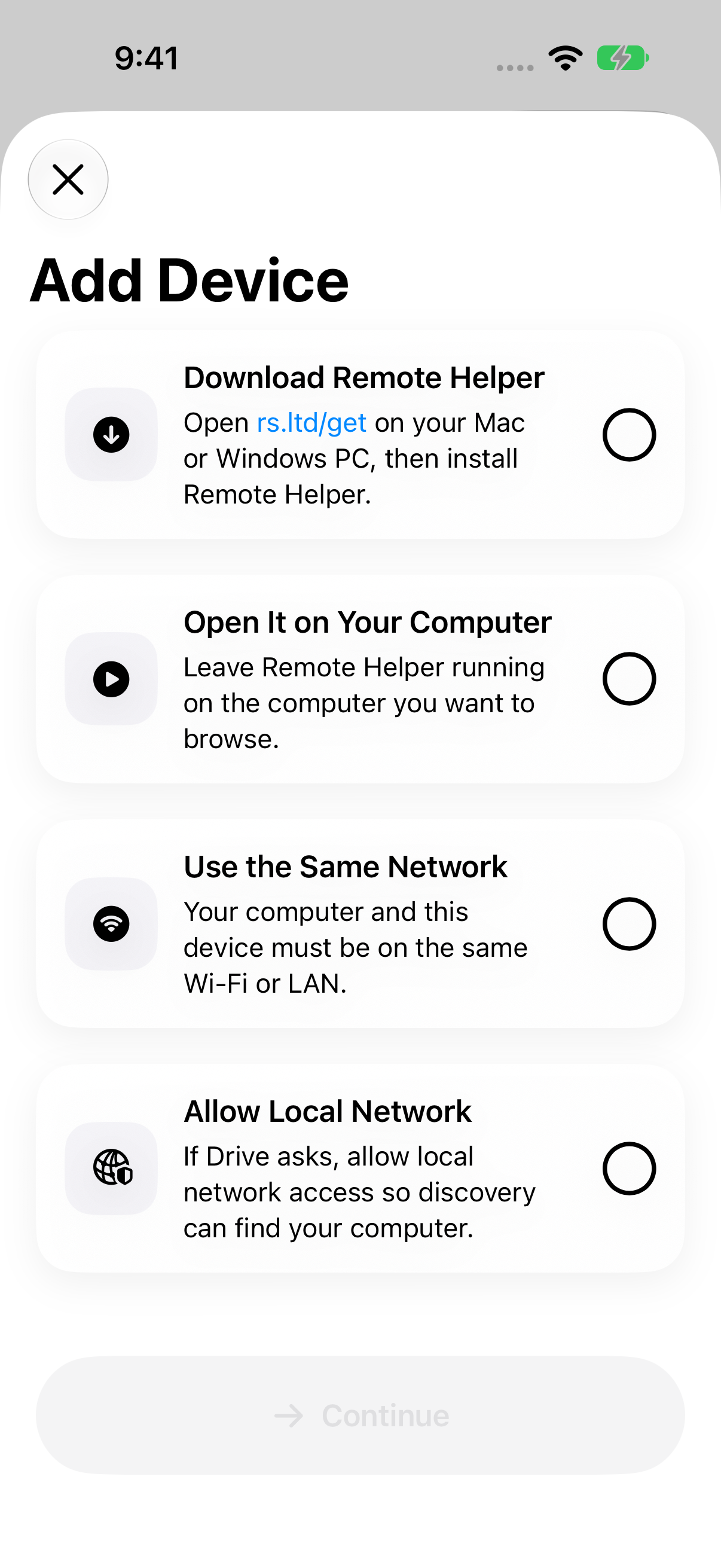
File Explorer & Player: Add Device setup checklist
Add Device setup checklist 1206 × 2622 · PNGCurrent helper/network instructions; no private discovered devices.
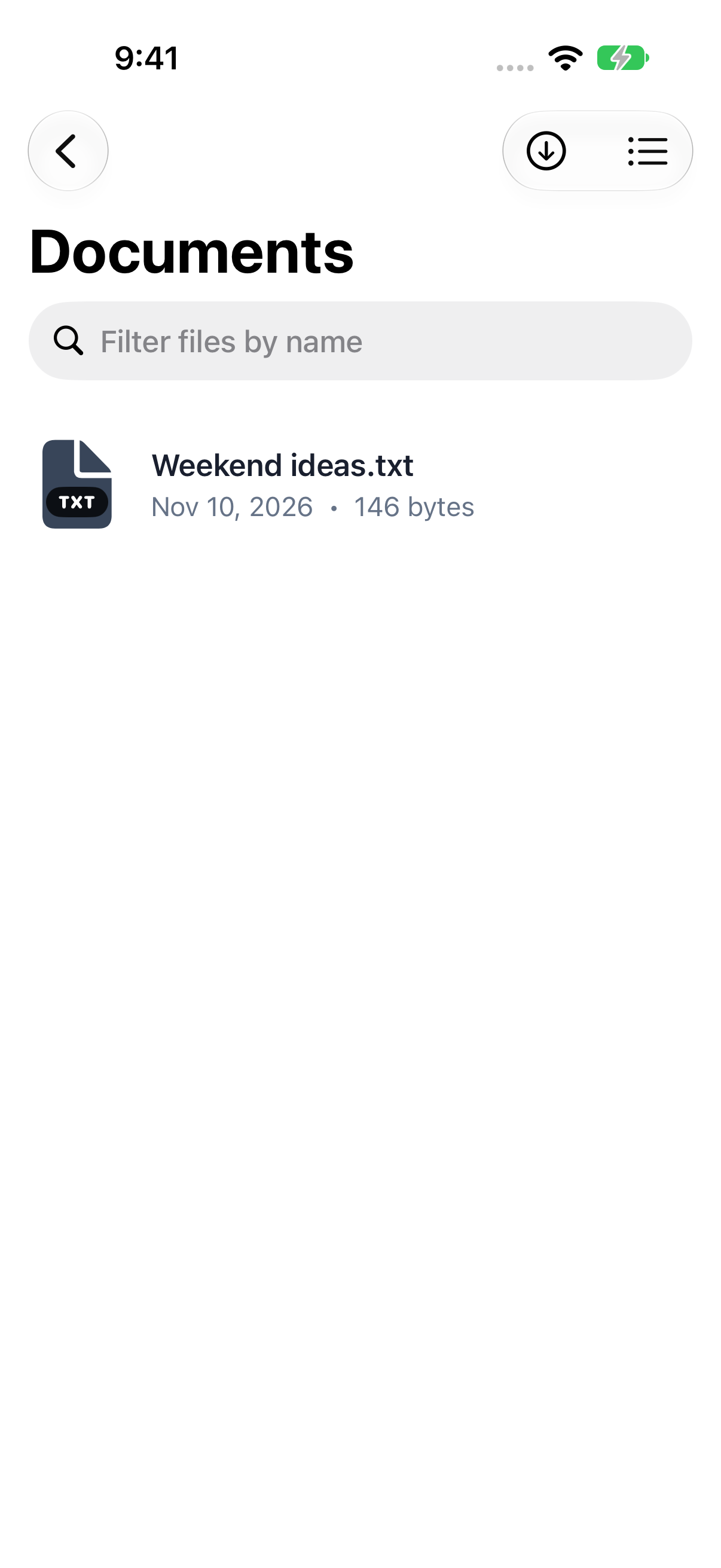
File Explorer & Player: Documents on the demo Mac
Documents on the demo Mac 1206 × 2622 · PNGOriginal demo text served by the normal helper protocol fixture.
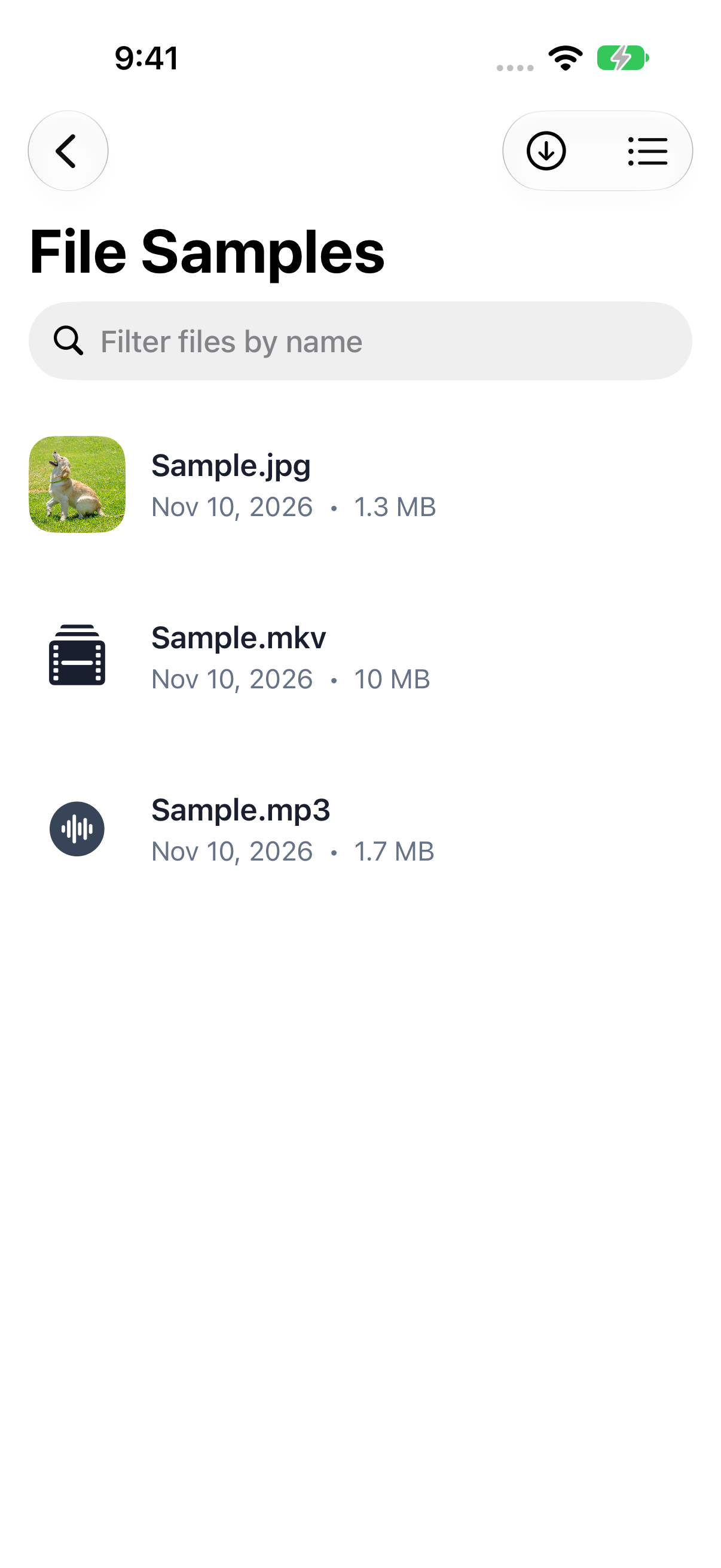
File Explorer & Player: Offline image, video, and audio files
Offline image, video, and audio files 1206 × 2622 · PNGBundled app Sample.jpg, Sample.mkv, and Sample.mp3.
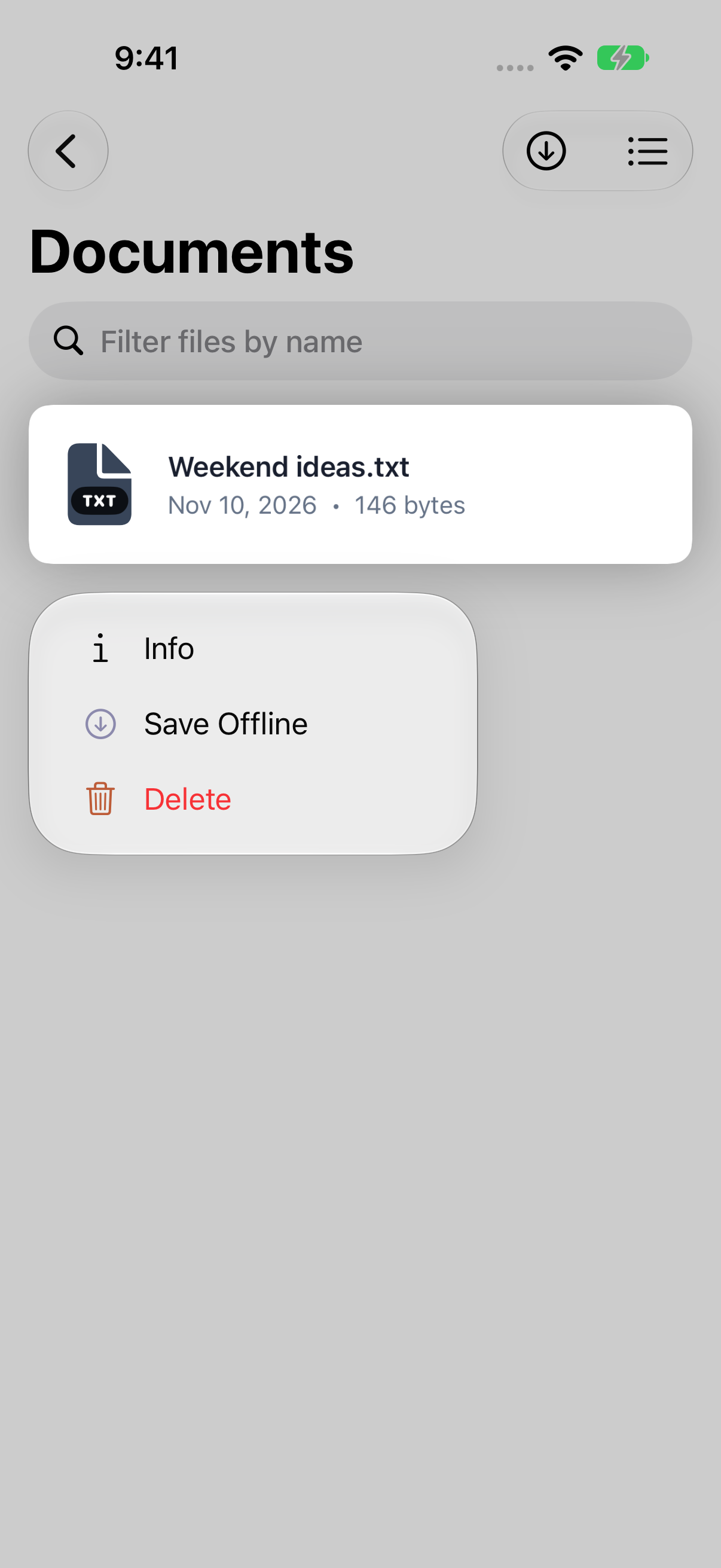
File Explorer & Player: Computer file actions: Info, Save Offline, and Delete
Computer file actions: Info, Save Offline, and Delete 1206 × 2622 · PNGContext menu in the unchanged app; original demo file on the loopback helper fixture.
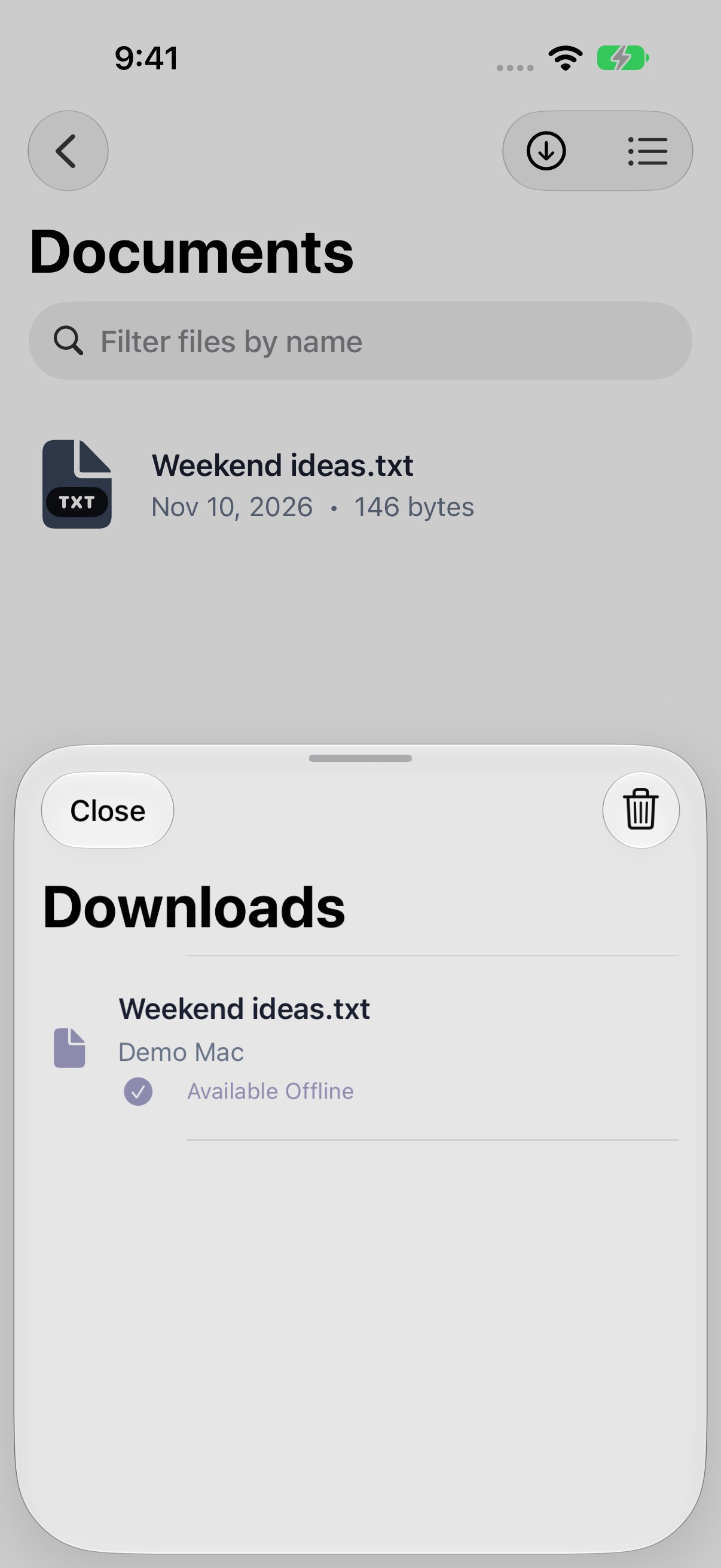
File Explorer & Player: A completed Save Offline download from the demo Mac
A completed Save Offline download from the demo Mac 1206 × 2622 · PNGNormal getFile/files HTTP transfer from loopback fixture; downloaded text SHA-256 matches the served source.
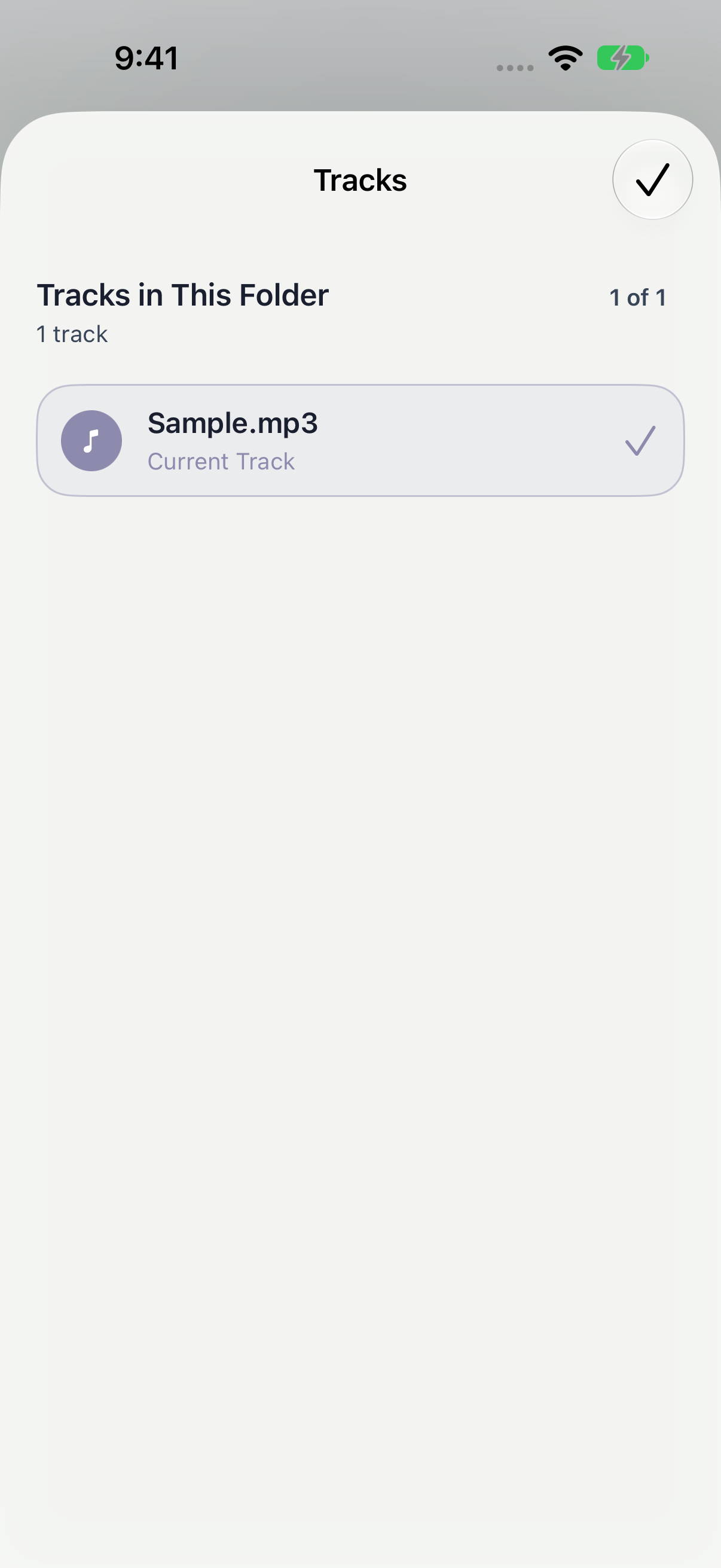
File Explorer & Player: Audio track queue
Audio track queue 1206 × 2622 · PNGReal queue for bundled sample audio.
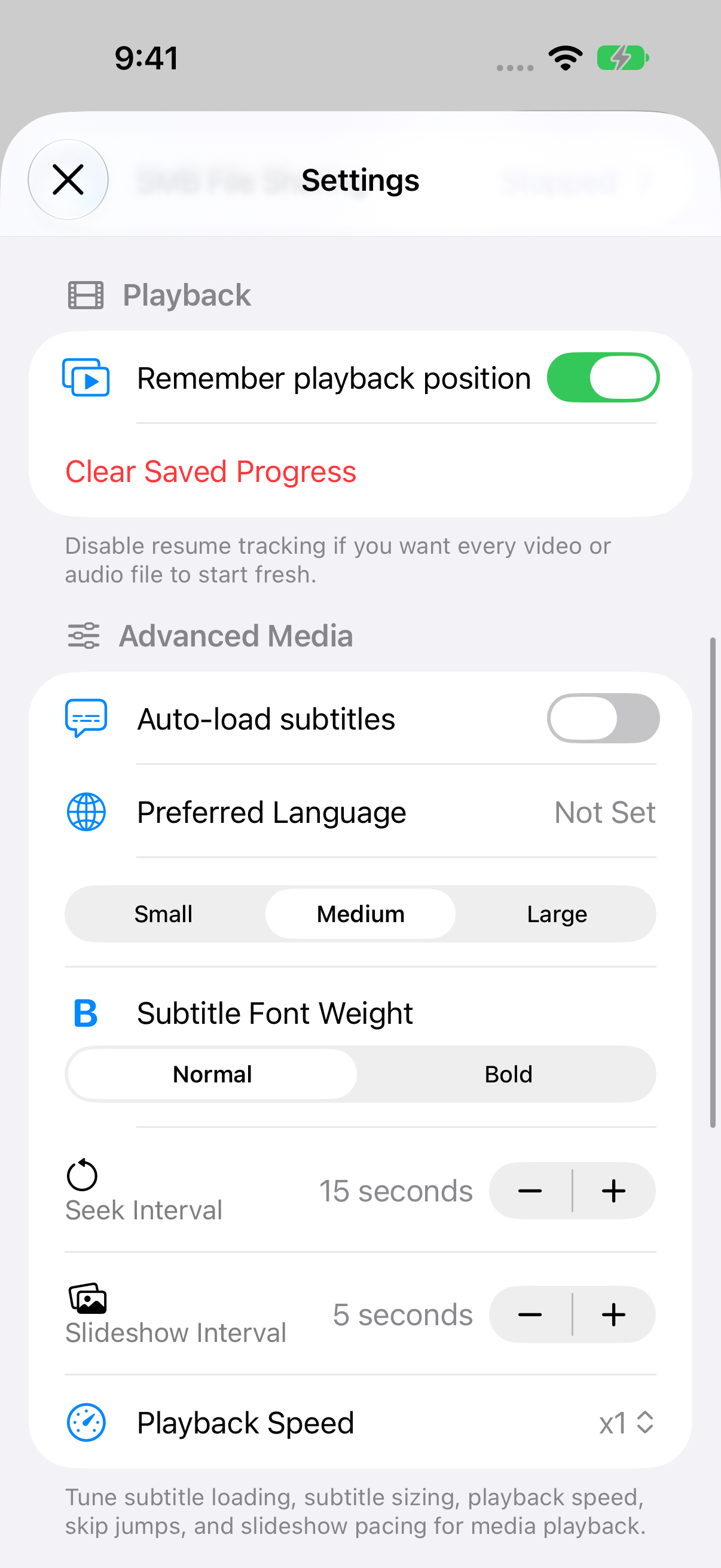
File Explorer & Player: Playback, subtitles, language, and speed preferences
Playback, subtitles, language, and speed preferences 1206 × 2622 · PNGCurrent settings after a real in-app scroll.
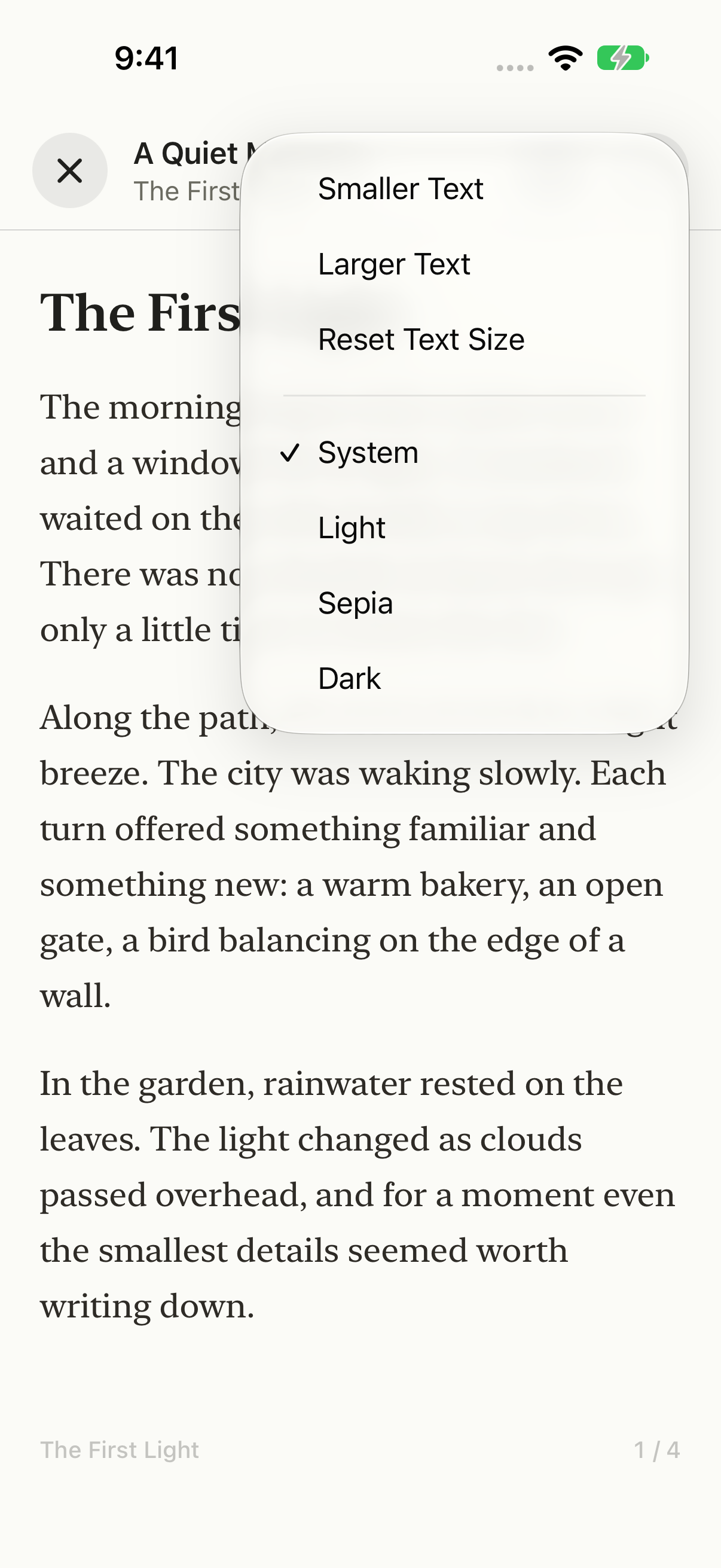
File Explorer & Player: Reader text size and appearance options
Reader text size and appearance options 1206 × 2622 · PNGNative reader menu with System, Light, Sepia, and Dark options.
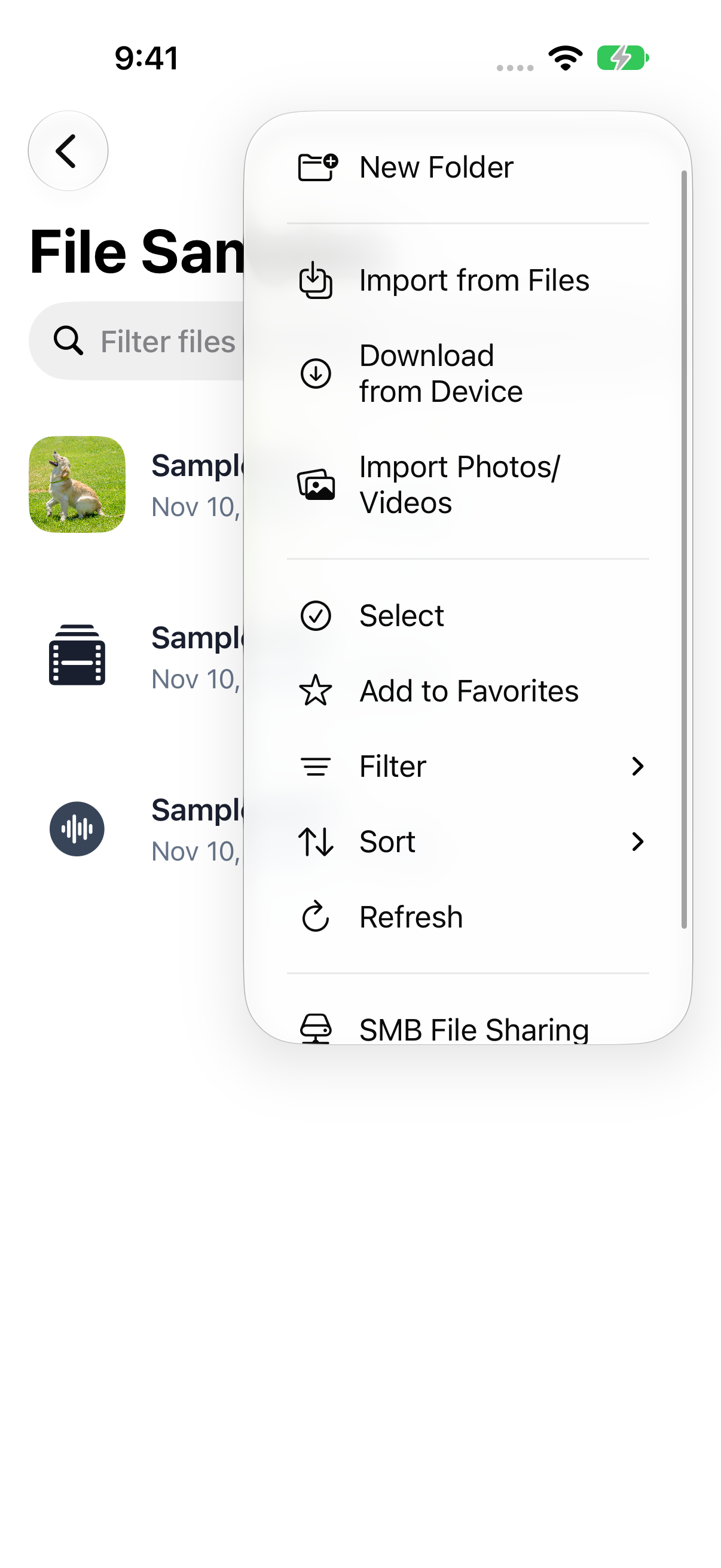
File Explorer & Player: Library actions and import options
Library actions and import options 1206 × 2622 · PNGNative menu includes Files/Photos import, folders, selection, favorites, filters, sorting, and SMB setup.
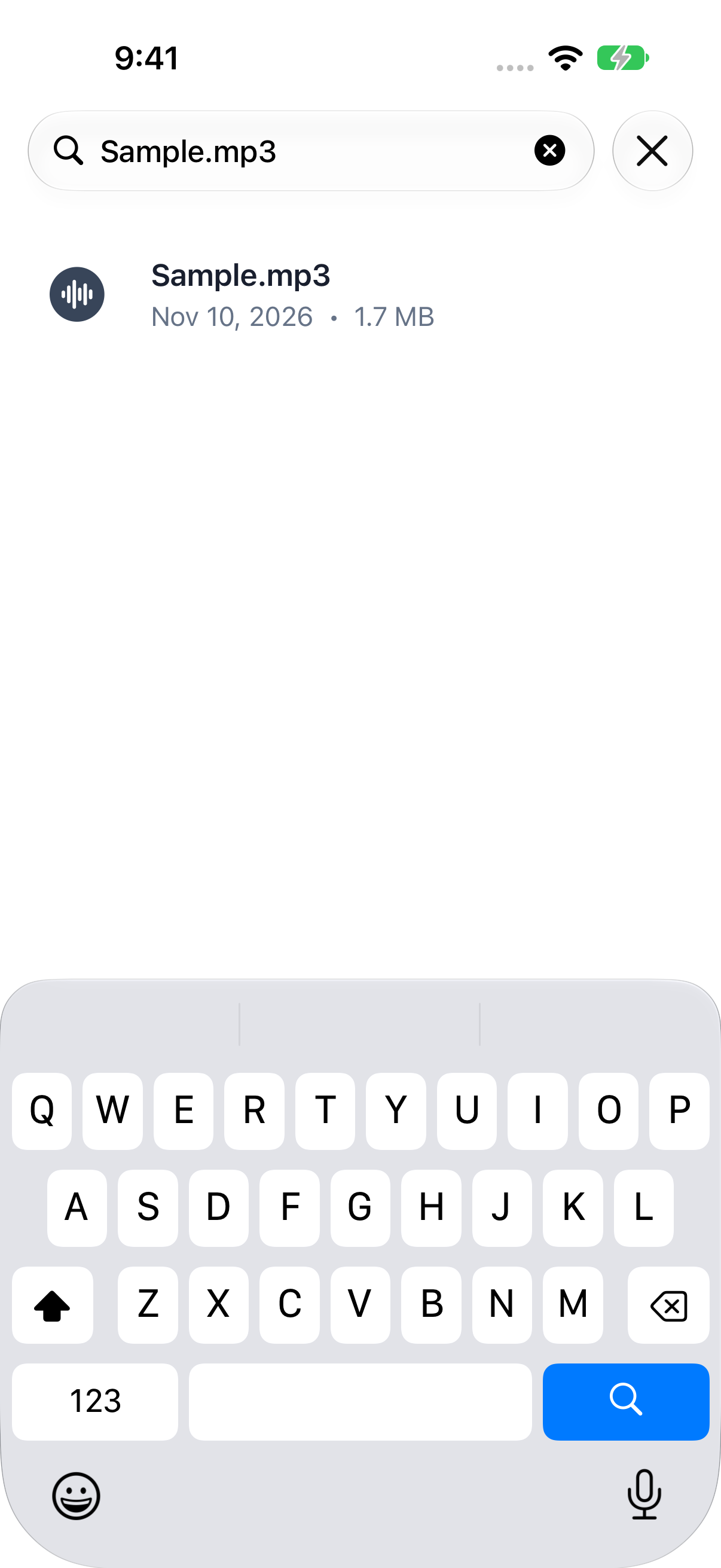
File Explorer & Player: Search files by name
Search files by name 1206 × 2622 · PNGReal name filtering for the bundled audio sample.
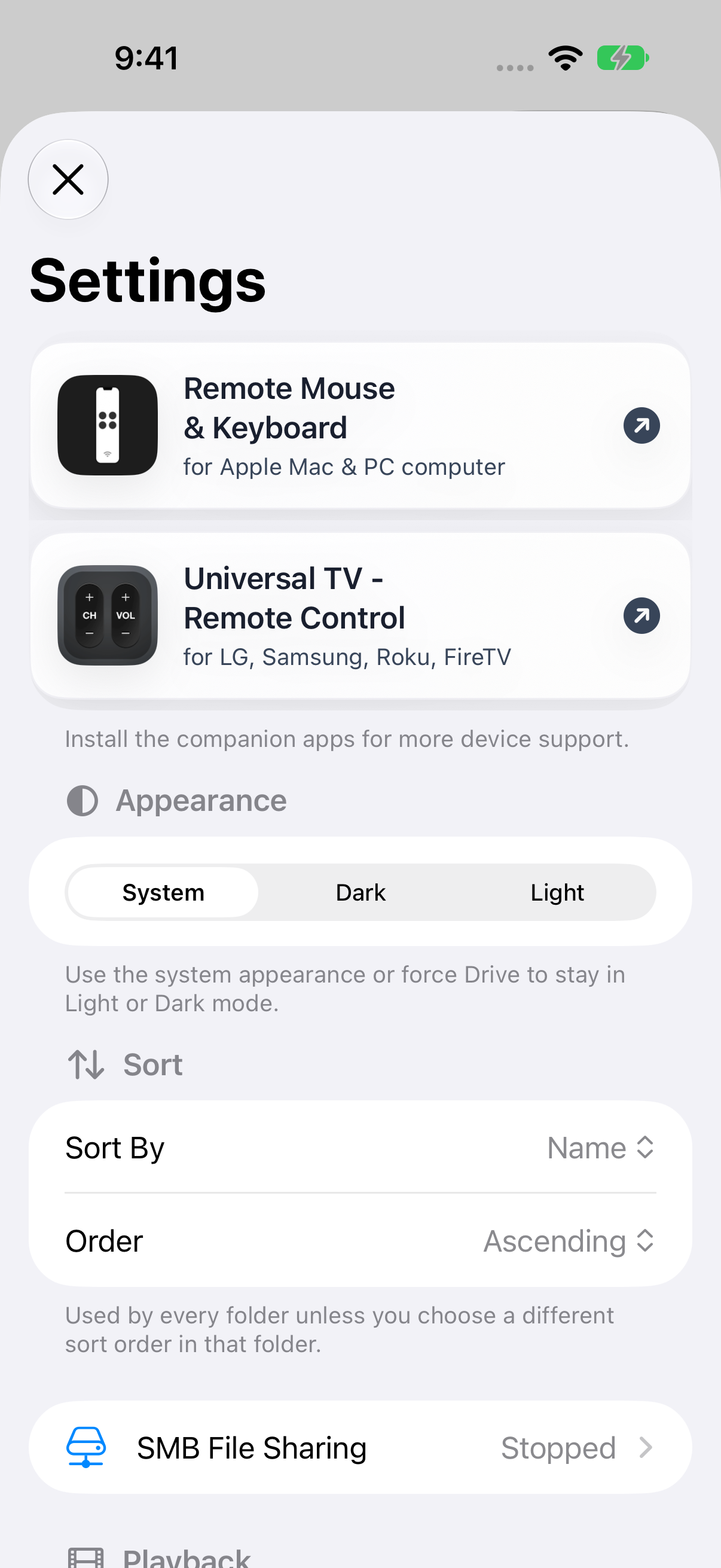
File Explorer & Player: Appearance and default sorting settings
Appearance and default sorting settings 1206 × 2622 · PNGCurrent app settings; the visible related-app cards are part of the actual app.
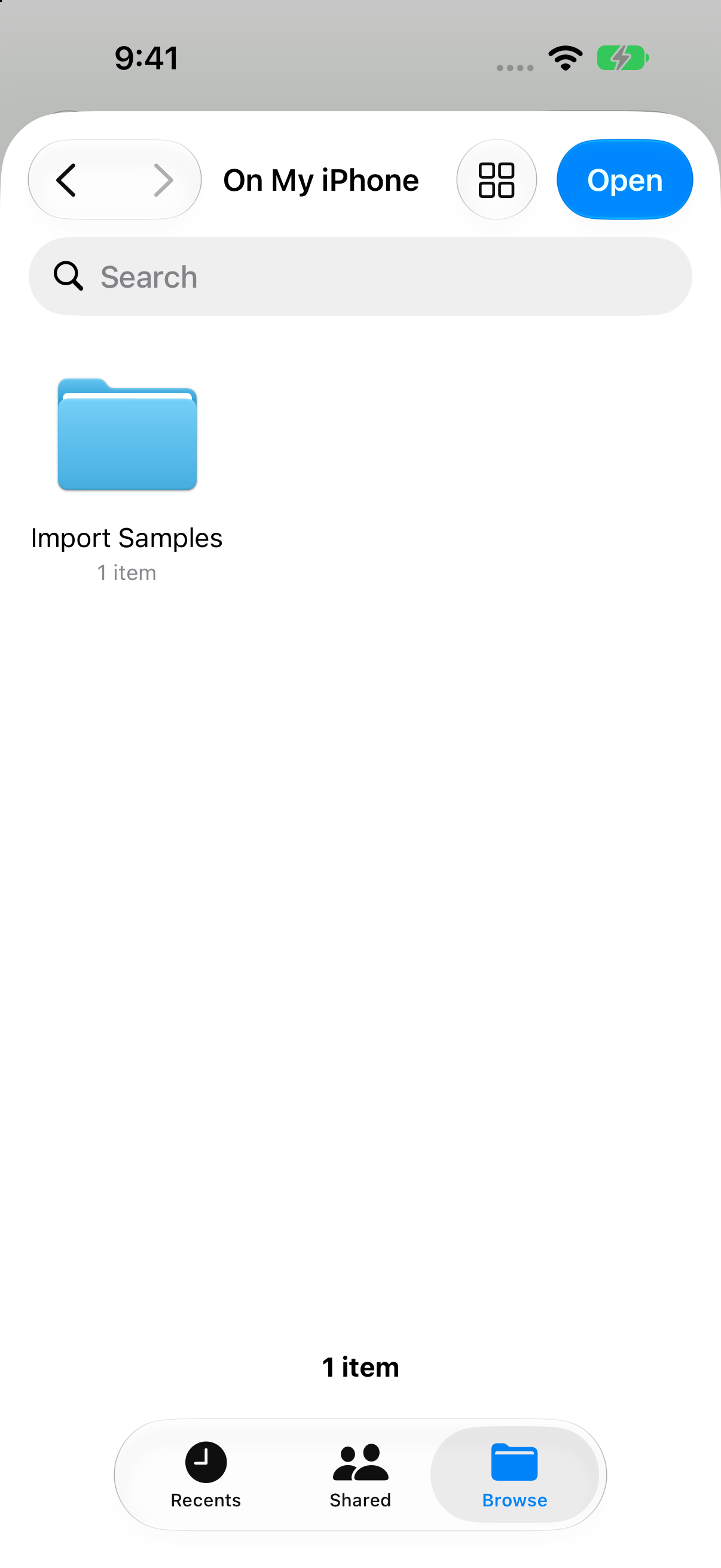
File Explorer & Player: Files import chooser with a demo Import Samples folder
Files import chooser with a demo Import Samples folder 1206 × 2622 · PNGActual system Files chooser opened from the app; only original demo content exists in this disposable simulator provider.
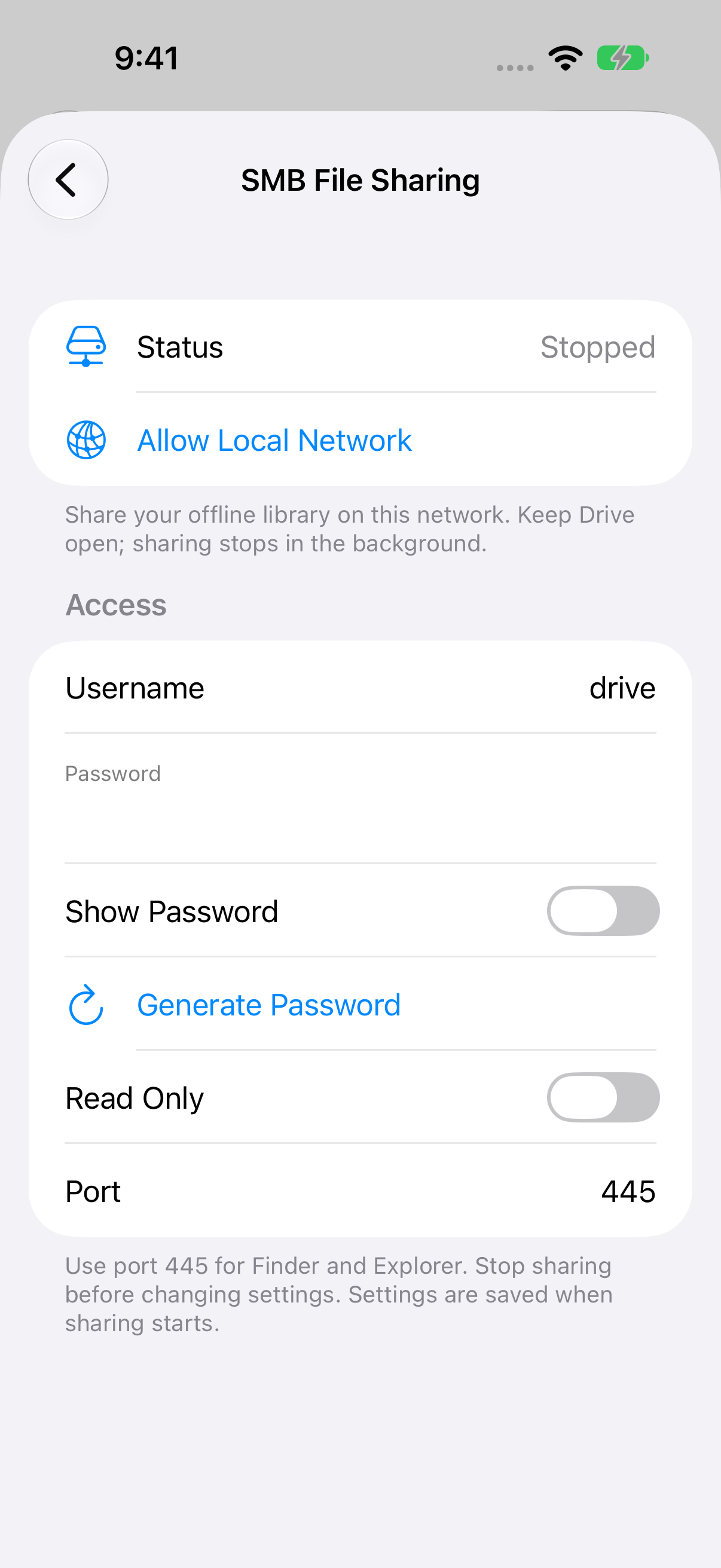
File Explorer & Player: SMB File Sharing setup
SMB File Sharing setup 1206 × 2622 · PNGStopped setup state, password hidden; SMB sharing was not started.

The official artwork

App icons

For your story

The supplied app icons, company marks, and screenshots may be used for editorial coverage of Remote Sunrise LTD and its apps. Credit Remote Sunrise LTD and link to rs.ltd or the relevant product page where practical. Preserve artwork proportions and do not imply endorsement. Third-party names and marks belong to their respective owners.

For interviews, review access, a demo, or additional images, contact the developer.

Download the company bio & marks ↓