










Use this guide to connect a Hisense TV to Remote Control for TV, the iPhone and iPad TV remote app.
How to Connect Hisense TV
- Make sure your iPhone or iPad and Hisense TV are connected to the same network.
In the latest versions of Hisense VIDAA OS, you need to turn on Remote Control Service to control your TV using the app.
Follow these steps:
Open All Settings
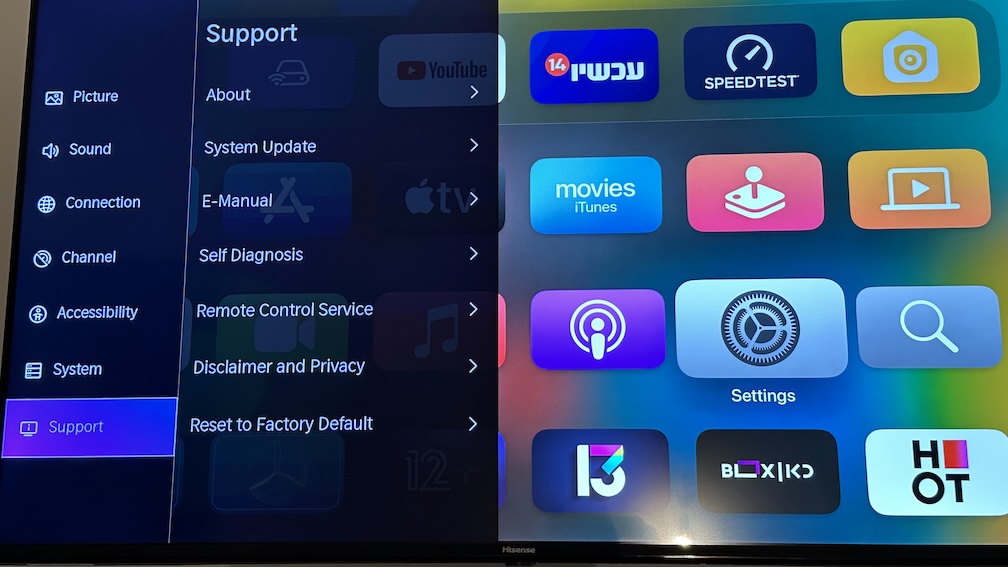
Select Support
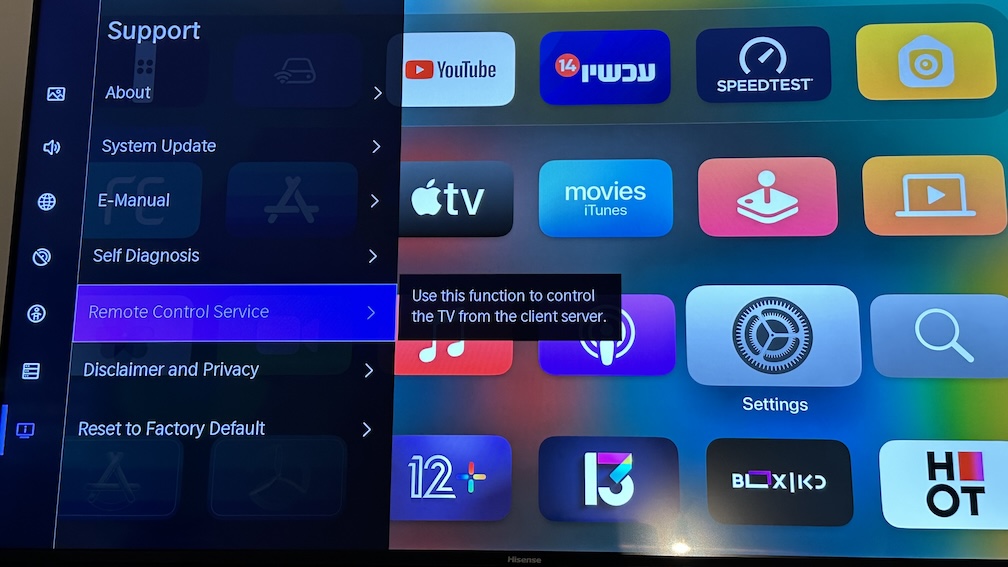
Select Remote Control Service
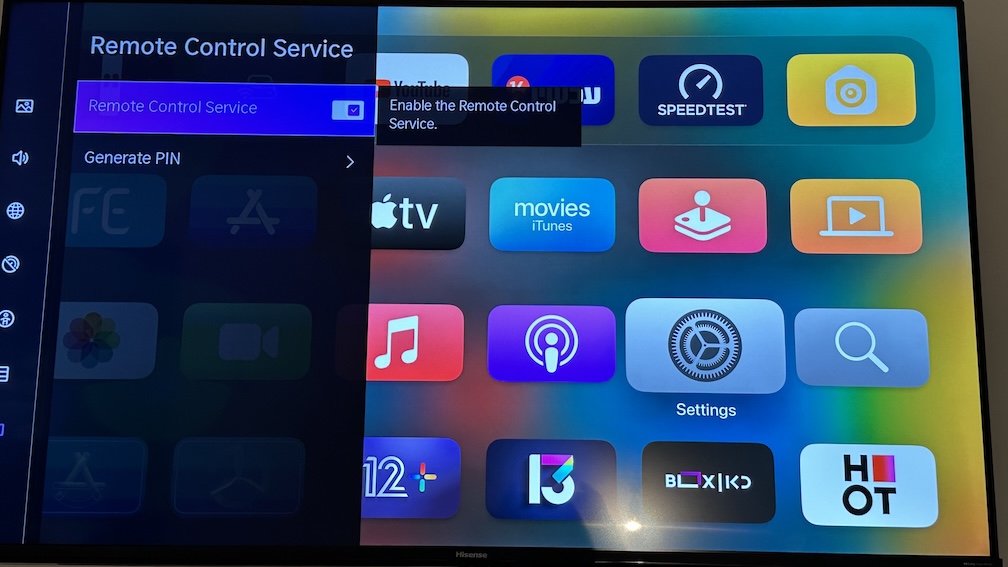
When pairing starts, enter the PIN shown on your TV in the app.
What the app supports after pairing
- Full remote controls for navigation and playback.
- Launching apps on supported Hisense TVs.
- Typing searches and passwords from your iPhone or iPad.
- Switching sources and HDMI inputs.
- Apple Watch access for keypads, app launching, and source switching on supported Hisense TVs.
- macOS control for the same saved Hisense TV from your Mac.
- Home Screen widgets and Siri Shortcuts or App Intents.
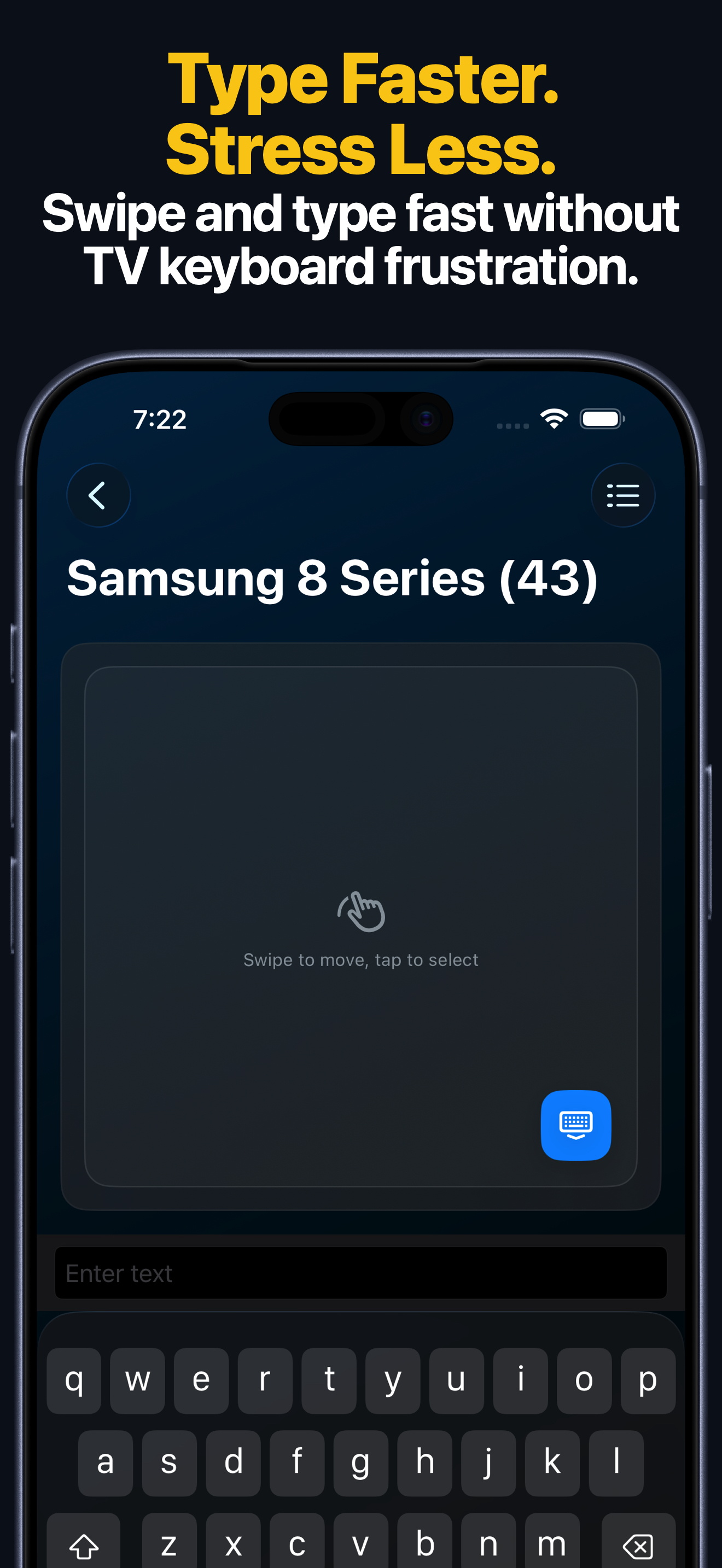
Apple Watch, Mac, and Siri
- The Apple Watch app supports keypad control, app launching, and source switching on supported Hisense TVs.
- The macOS app can control saved Hisense TVs from your Mac, including keys, text input, apps, and sources.
- Siri Shortcuts and App Intents can send keys, turn on compatible TVs, launch apps, and switch inputs on supported Hisense TVs.
Common Hisense TV Connection Problems
If you cannot connect to your TV
- Re-check that Remote Control Service is still enabled.
- If the TV shows a PIN, enter it in the app.
- Keep the TV awake while pairing.
- Make sure both devices are on the same local network.
Hisense TV FAQ
Does this guide apply to VIDAA TVs?
Yes. This page is meant for Hisense TVs that use the VIDAA remote integration supported by the app.
Can I launch apps and switch inputs on Hisense?
Yes. On supported Hisense TVs, the app can launch apps and switch sources after pairing.
Can I control Hisense TV from Apple Watch, Mac, or Siri?
Yes. After pairing on iPhone or iPad, supported Hisense TVs can also be controlled from Apple Watch, the macOS app, widgets, and Siri Shortcuts or App Intents.