




Remote Sunrise makes Remote Control for TV, so this is not pretending to be an independent review roundup. The point of this page is narrower: if you own a Samsung Smart TV and want to control it from iPhone, what app should you actually use, and when is our app the wrong choice?
Short Answer
For most iPhone-first Samsung TV setups, Remote Control for TV is the best choice when you want a focused TV remote with iPhone, iPad, Apple Watch, Mac, widgets, Siri Shortcuts, app launching, text input, and source switching where your TV supports those actions.
Use Samsung SmartThings instead if you want Samsung’s official app, Samsung account features, smart-home automation, or Samsung’s cloud-based control flow. Keep the physical Samsung remote around for first-time TV setup, firmware updates, network recovery, and anything that happens before the TV is paired on Wi-Fi.
Last updated: May 7, 2026.
Feature Comparison
| Feature or need | Remote Control for TV | Samsung SmartThings | Samsung physical remote | Generic TV remote apps |
|---|---|---|---|---|
| Samsung TV keypad from iPhone | Yes, on supported Samsung Smart TVs | Yes, through Samsung’s official TV device controls | Yes | Varies widely |
| iPad support | Yes | Yes | No | Varies |
| Apple Watch control | Yes, for saved TVs | SmartThings has Apple Watch support, but it is not a dedicated Samsung TV keypad replacement | No | Usually no |
| Mac control | Yes, saved TVs can be controlled from macOS | No Mac-first TV remote flow | No | Rare |
| Home Screen widgets | Yes | SmartThings has broader smart-home widgets and controls | No | Varies |
| Siri Shortcuts / App Intents | Yes, for supported saved-device actions | Best for SmartThings routines and smart-home scenes | No | Varies |
| Samsung app launching | Yes, where supported | Yes, where supported by Samsung | Yes | Varies |
| Custom Samsung app IDs | Yes, useful when an app is missing from the launcher list | No focused custom app-ID workflow | No | Rare |
| Text input from iPhone | Yes, on supported Samsung TVs | Varies by Samsung TV/app flow | No | Varies |
| HDMI/source switching | Yes, on supported models | Samsung says options vary by device | Yes | Varies |
| Works with non-Samsung TVs too | Yes, supports several TV platforms | SmartThings supports many smart-home devices, but this comparison is about Samsung TV control | No | Varies |
| Samsung account required | No account for Remote Control for TV | Yes for Samsung smart services | No | Varies |
| Same local network required | Yes | Required for setup; some SmartThings controls use Samsung account/cloud features | No | Usually yes |
| Best use case | Apple-device remote for Samsung TV and other TVs | Official Samsung smart-home control | Setup, fallback, and guaranteed TV settings access | Only if you verify the developer, pricing, and privacy first |
Why Remote Control for TV Is the Best Fit
- It is built around TV control, not a full smart-home dashboard.
- It works across iPhone, iPad, Apple Watch, and Mac.
- It can cover Samsung plus other TV brands in one app.
- It includes shortcuts, widgets, app launchers, and custom Samsung app IDs.
- It does not require a Samsung account for the app itself.
Limits
- The app is independent and is not affiliated with or endorsed by Samsung.
- It needs the iPhone or iPad and Samsung TV on the same local network.
- Feature support depends on Samsung TV model, firmware, region, and network settings.
- Some actions, including text input, source switching, app launching, and power behavior, can vary by TV.
- It is not an infrared remote, so it will not control old IR-only TVs.
- Guest networks, hotel Wi-Fi, school networks, VPNs, and router isolation can block discovery or pairing.
Screenshots
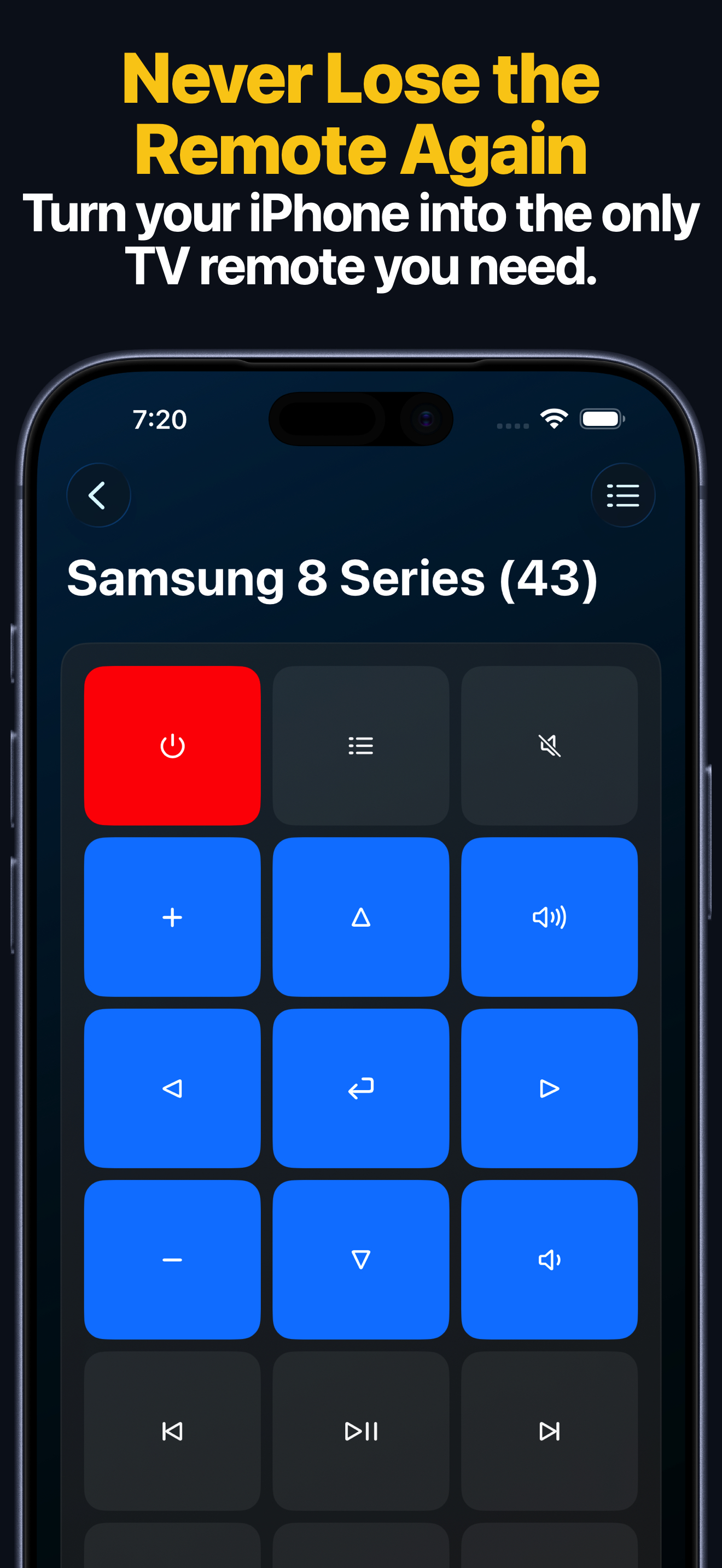
The keypad screen is the main reason to use a dedicated TV remote app: volume, navigation, playback, and common TV controls stay close together instead of being buried inside a smart-home dashboard.
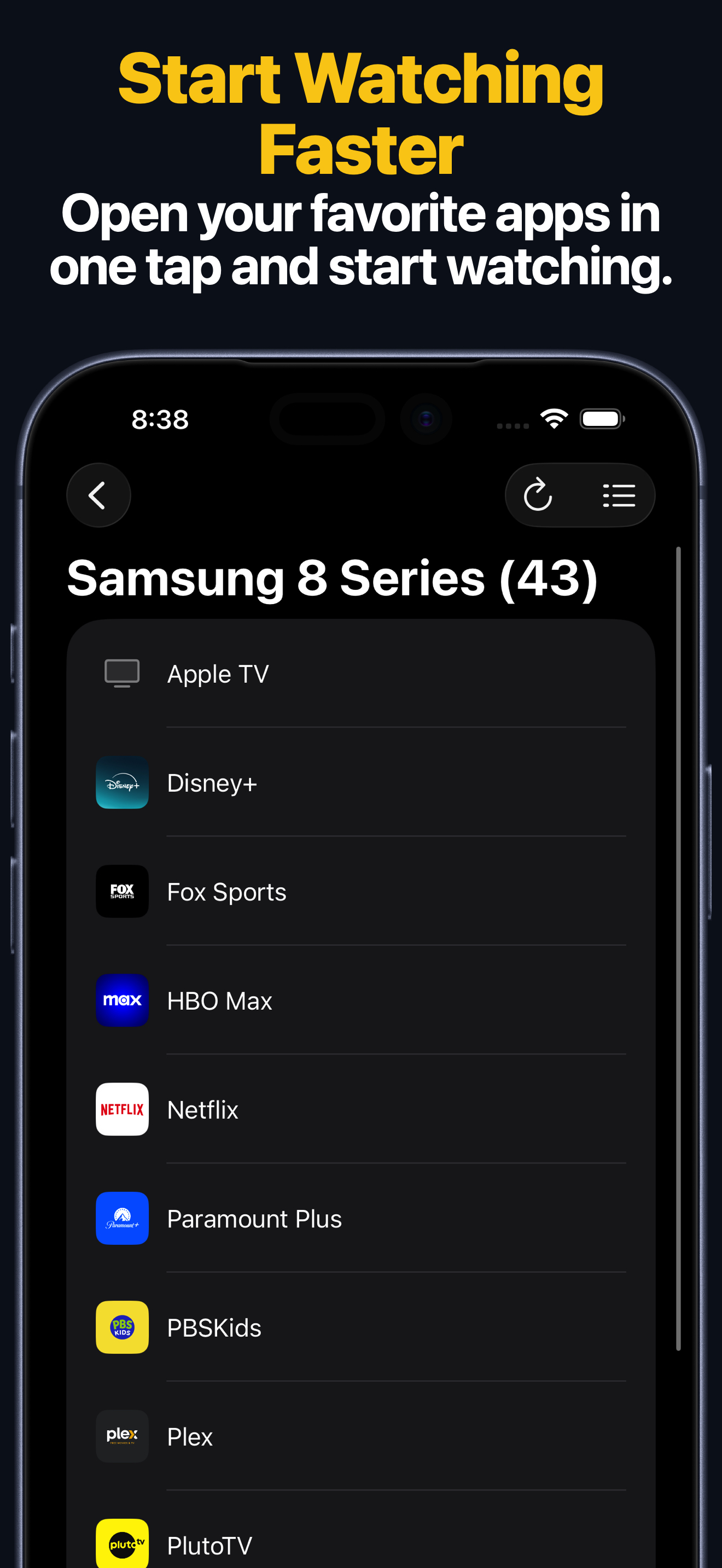
App launching is useful when you repeatedly open the same streaming services. For Samsung TV, the app also supports custom app IDs when an app is missing from the built-in launcher list.
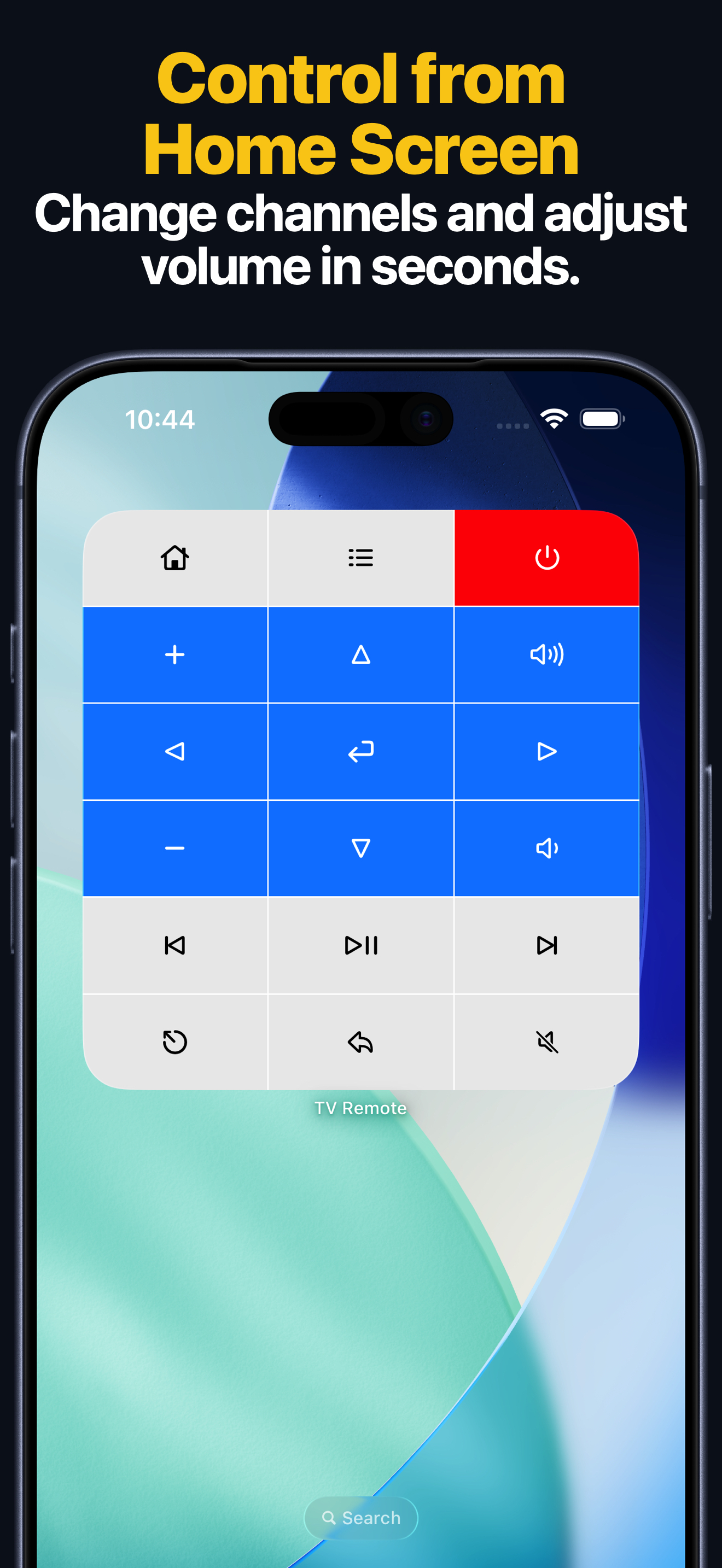
Widgets and Siri Shortcuts are where a dedicated Apple-platform remote can be more convenient than the physical remote.
When Not to Use This App
- Do not use it if you only trust Samsung’s official app and account system. Use SmartThings.
- Do not use it if you need out-of-home cloud control through Samsung’s ecosystem.
- Do not use it if the TV is not a supported Samsung Smart TV.
- Do not use it if your iPhone and TV cannot be placed on the same local network.
- Do not use it as your only remote during first-time TV setup or Wi-Fi recovery.
- Do not use it if you need every advanced Samsung TV setting to be available from iPhone; keep the physical remote for those flows.
Best Choice by Situation
| Situation | Best choice |
|---|---|
| You want the fastest iPhone remote for Samsung TV | Remote Control for TV |
| You want Apple Watch, Mac, widgets, and Siri Shortcuts | Remote Control for TV |
| You own Samsung TV plus other TV brands | Remote Control for TV |
| You want Samsung’s official app and smart-home features | Samsung SmartThings |
| You need cloud control through a Samsung account | Samsung SmartThings |
| You are setting up the TV for the first time | Physical Samsung remote |
| Your Wi-Fi is down or the TV is on the wrong network | Physical Samsung remote |
Comparison Basis
- Remote Control for TV App Store lookup and local product documentation, checked May 7, 2026.
- Samsung: connect a Samsung TV in SmartThings.
- Samsung: control your TV or projector with SmartThings.
- SmartThings on the App Store.
FAQ
Is Remote Control for TV better than SmartThings?
It is better if your main goal is fast Samsung TV control from Apple devices. SmartThings is better if your main goal is Samsung’s official smart-home ecosystem.
Does this page rank apps by star rating?
No. Star ratings are easy to misread across different app categories and countries. This page compares feature fit, limits, and practical use cases.
Does Remote Control for TV collect a Samsung login?
No. Remote Control for TV does not require a Samsung account for the app itself.
Should I uninstall SmartThings?
No. Many Samsung TV owners should keep SmartThings for official Samsung account and smart-home features, even if they use Remote Control for TV as the daily remote.