






Remote Sunrise makes Remote Control for TV, so this page is not a disguised third-party review. It is a practical comparison for LG TV owners who want to know whether to use our app, LG ThinQ, the Magic Remote, or another remote option.
Short Answer
For most iPhone-first LG TV and LG webOS setups, Remote Control for TV is the best choice when you want a focused TV remote with iPhone, iPad, Apple Watch, Mac, widgets, Siri Shortcuts, app launching, text input, touchpad navigation, and HDMI input switching where your TV supports those actions.
Use LG ThinQ instead if you want LG’s official app, LG account features, appliance controls, and LG’s documented setup flow. Use the LG Magic Remote when you need the most reliable pointer, TV settings access, voice flow, or first-time setup path.
Last updated: May 7, 2026.
Feature Comparison
| Feature or need | Remote Control for TV | LG ThinQ | LG Magic Remote | Generic TV remote apps |
|---|---|---|---|---|
| LG TV remote from iPhone | Yes, on supported LG TVs | Yes, through LG’s official app | No, physical remote only | Varies widely |
| iPad support | Yes | Yes | No | Varies |
| Apple Watch control | Yes, for saved TVs | LG ThinQ has Apple Watch support, but it is broader than a focused TV remote | No | Usually no |
| Mac control | Yes, saved TVs can be controlled from macOS | No Mac-first TV remote flow | No | Rare |
| webOS touchpad navigation | Yes, where supported | LG documents pointer, scroll, arrow, and OK controls in ThinQ | Yes, strongest option | Varies |
| App launching | Yes, where supported | Yes, LG documents app launching in ThinQ | Yes | Varies |
| Text input from iPhone | Yes, on supported LG TVs | Varies by app and TV flow | No | Varies |
| HDMI/input switching | Yes, on supported LG TVs | Yes, LG documents TV input controls in ThinQ | Yes | Varies |
| Widgets and Siri Shortcuts | Yes | Smart-home/platform features vary by LG app version | No | Varies |
| Controls non-LG TVs too | Yes, supports several TV platforms | Best for LG ecosystem and appliances | No | Varies |
| LG account required | No account for Remote Control for TV | Yes for LG ThinQ flows | No | Varies |
| Best use case | Apple-device TV remote across LG and other brands | Official LG ecosystem and appliance app | Setup, pointer-heavy menus, voice, and fallback | Only after checking developer, pricing, and privacy |
Why Remote Control for TV Is the Best Fit
- It is built around TV control instead of full appliance management.
- It works on iPhone, iPad, Apple Watch, and Mac.
- It can control LG plus other supported TV platforms from one app.
- It supports widgets and Siri Shortcuts for quick repeat actions.
- It does not require an LG account for the app itself.
Limits
- The app is independent and is not affiliated with or endorsed by LG.
- It needs the iPhone or iPad and LG TV on the same local network.
- Feature support depends on LG TV model, webOS version, firmware, region, and network settings.
- The Magic Remote is still better for some pointer-heavy webOS screens and TV setup tasks.
- Some actions, including power, text input, input switching, and app launching, can vary by model.
- It is not an infrared remote and will not control old IR-only TVs.
Screenshots
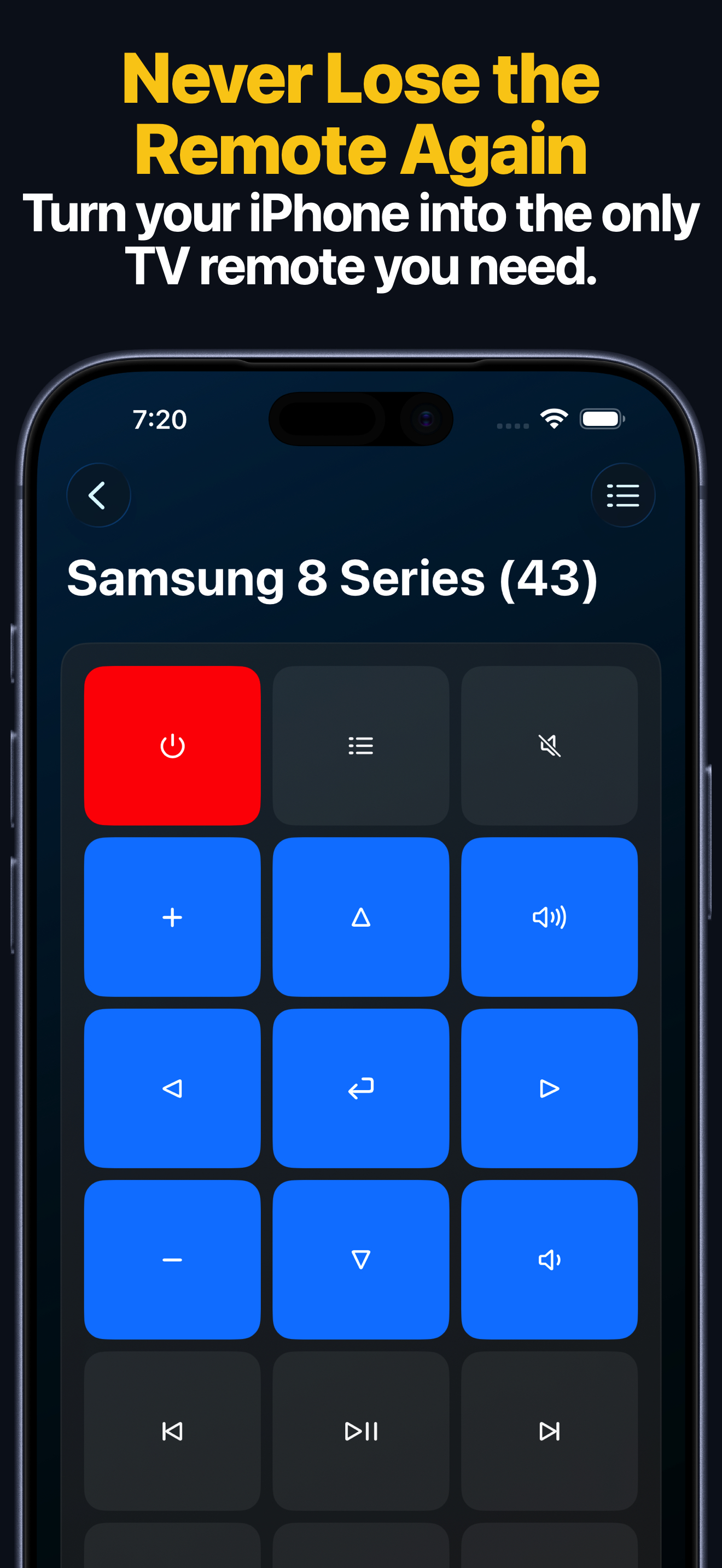
The keypad keeps the everyday controls visible: navigation, volume, playback, and common TV actions.
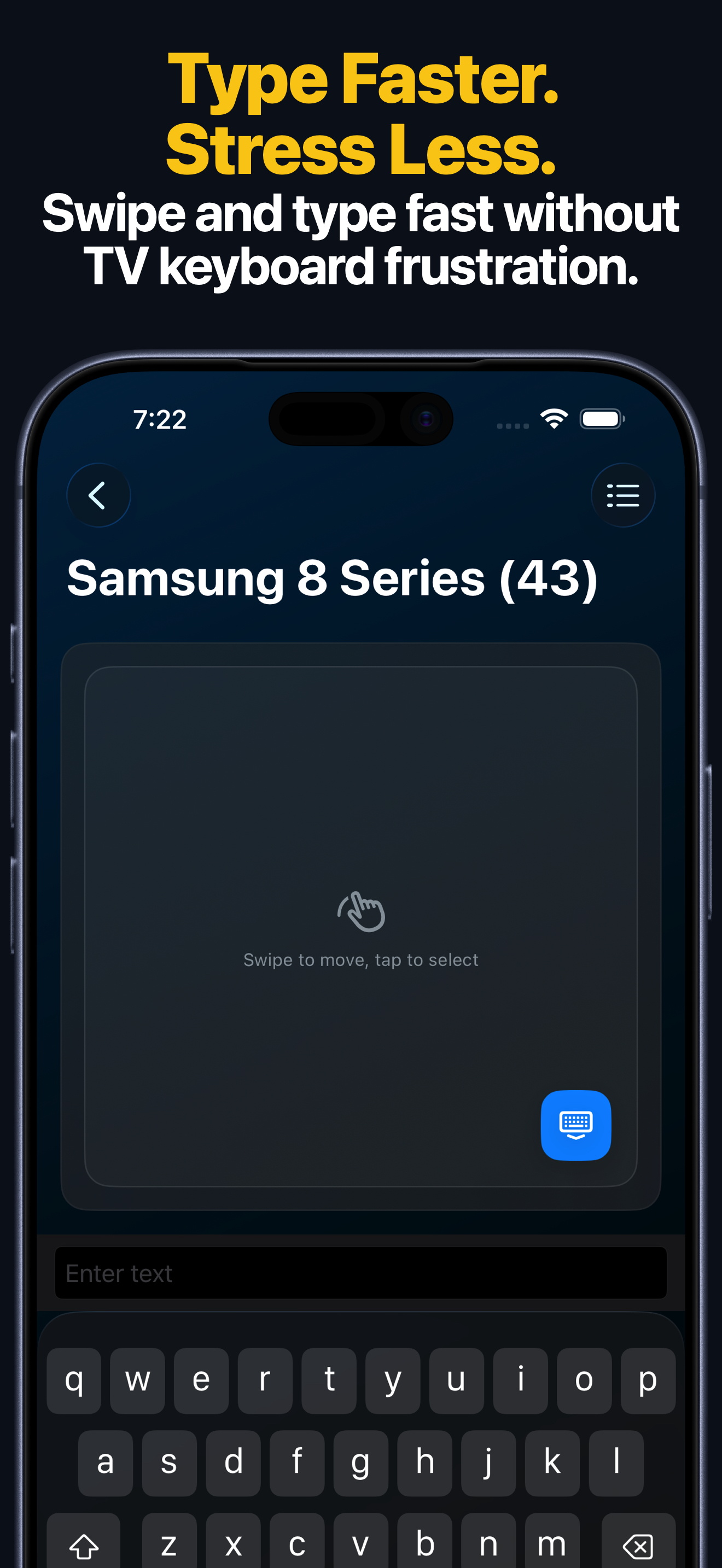
Input switching matters for LG TVs connected to consoles, sound systems, streaming boxes, or set-top boxes. Support depends on the TV.
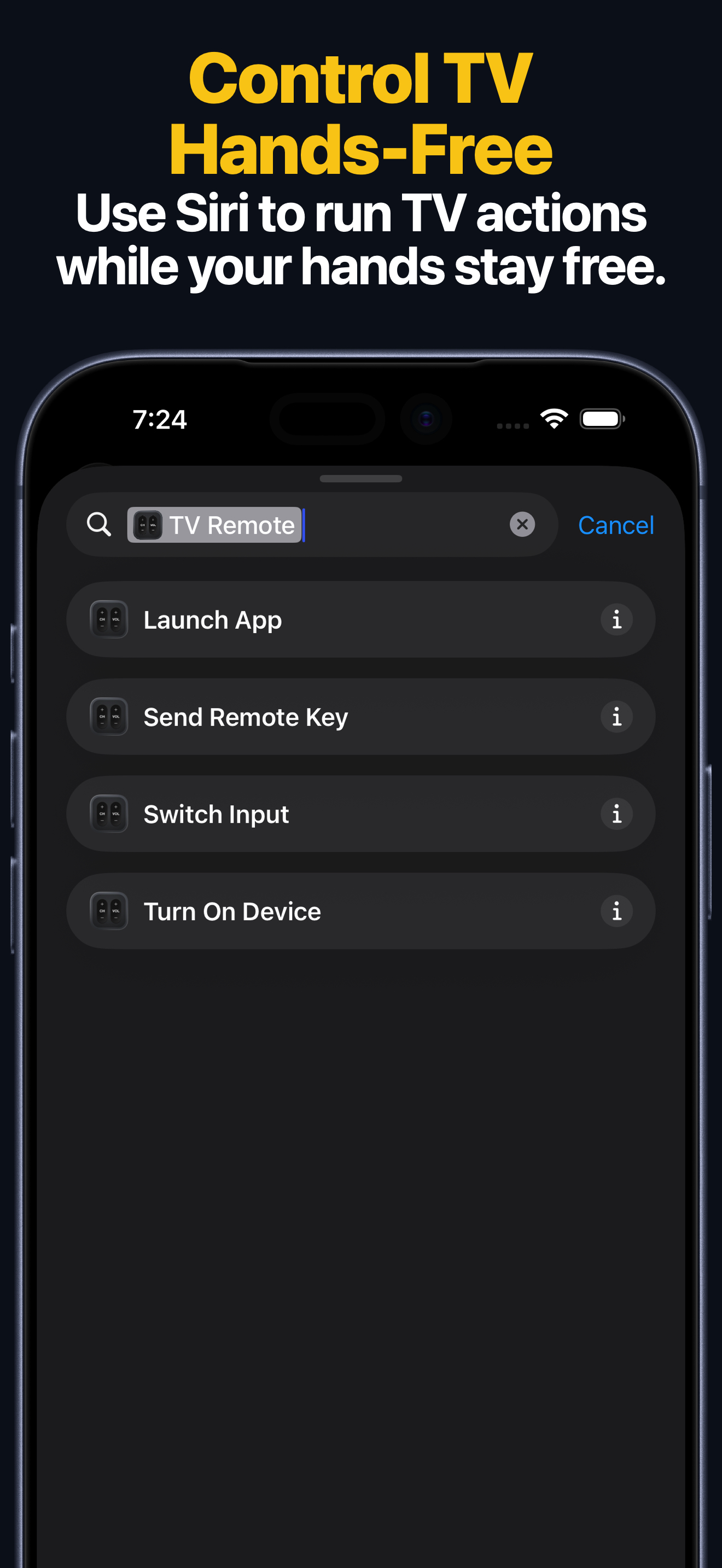
Siri Shortcuts and widgets are useful for repeated actions such as turning on the TV, sending a key, launching an app, or switching an input where supported.
When Not to Use This App
- Do not use it if you want only LG’s official app and account system. Use LG ThinQ.
- Do not use it if you need LG appliance management or LG smart-home automation.
- Do not use it if you need guaranteed Magic Remote pointer behavior in every webOS screen.
- Do not use it if the TV is not a supported LG Smart TV or LG webOS TV.
- Do not use it if your iPhone and TV cannot be placed on the same local network.
- Do not use it as your only remote during first-time TV setup, firmware recovery, or Wi-Fi recovery.
Best Choice by Situation
| Situation | Best choice |
|---|---|
| You want the fastest iPhone remote for LG TV | Remote Control for TV |
| You want Apple Watch, Mac, widgets, and Siri Shortcuts | Remote Control for TV |
| You own LG TV plus other TV brands | Remote Control for TV |
| You want LG’s official app and appliance ecosystem | LG ThinQ |
| You need the strongest pointer/scroll experience in TV settings | LG Magic Remote |
| You are setting up the TV for the first time | LG Magic Remote |
| The TV is offline or on the wrong network | LG Magic Remote |
Comparison Basis
- Remote Control for TV App Store lookup and local product documentation, checked May 7, 2026.
- LG: how to set up the LG ThinQ app on your LG Smart TV.
- LG: the LG TV Plus remote app is now ThinQ.
- LG ThinQ on the App Store.
FAQ
Is Remote Control for TV better than LG ThinQ?
It is better if your main goal is fast LG TV control from Apple devices. LG ThinQ is better if your main goal is LG’s official account, appliance, and smart-home ecosystem.
Does the app replace the Magic Remote?
It can replace the Magic Remote for many daily controls, but you should keep the Magic Remote for setup, pointer-heavy screens, and fallback access.
Does Remote Control for TV require an LG account?
No. Remote Control for TV does not require an LG account for the app itself.
Does this page include paid-placement rankings?
No. It compares practical fit, features, and limits. It does not claim fake hands-on testing of unrelated third-party apps.